
LINK2Condemned - Minecraft Skins & Skin History
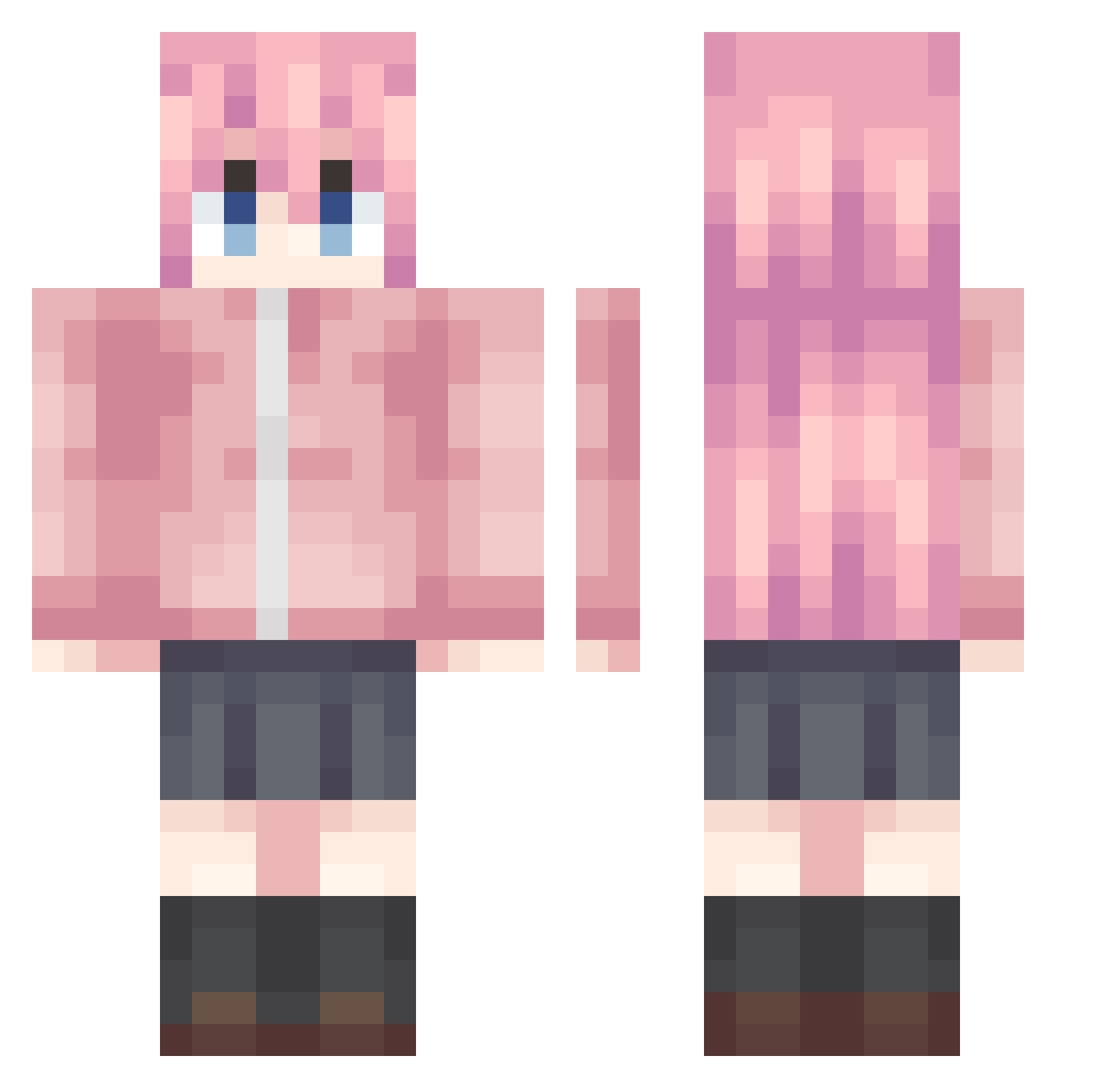
Current Minecraft skin of the player LINK2Condemned, loaded from the official Mojang API. Rotate the 3D model with your mouse or finger, then download the skin as a PNG file and use it in Minecraft: Bedrock Edition or Java Edition for free. When LINK2Condemned changes their skin, this page updates automatically and the old skin stays in the history below.
Other players with this skin (1073)
LINK2Condemned was the 808th player we have seen with this skin, first spotted on 17.10.2026. The same skin was seen on these players. Open a nickname to see their current skin and skin history.
 mggtnnd TRanettt yunmoom BocchiSatoru sebapatata EndN3ss zhangxichen Wheat_Bread_2024 bylulu123 CaP999YF 1234590 Mrguaaa Lmao777 Ms_Rvirus MrCloroformo Fama114514 llvvgg cl0udtears ljy567 GotoDugu mikasa66619 HaWu11i Elysia_812 Jafilo SN_Nakano ZZZZZZYF YGG7125 Gront___ pinahaya shengyu914 wjhd Theodorsius MXjudy WH0IAM AQ_Feng DemonsSSs3 tomorinzz abandon110 Clark596 PompeyGM xiaohaoza A_NanDDD fengzhongchelizi The_Sakura7 Sistine00 rikaluvsu Polariys_CN VinceSW AguanteBabymetal Mingie_ half_xian_ FYEN666 Goto_Kazuri wenyuce DDDDDDUdu BOCCH1_ kongbaidetiankon Mmuyu makabaka121 WSNTDSB
More Bocchi Minecraft skins
How to install the LINK2Condemned skin
- Press the Download button above to save the skin as a PNG file.
- Minecraft: Bedrock Edition (PE): open the Dressing Room from the main menu (or tap your character → Edit Character), go to Classic Skins → Owned, press the + (new skin) button, choose the downloaded PNG and pick the Classic (Steve) model. Works on PC and mobile; consoles cannot import custom skins.
- Minecraft: Java Edition: open the Minecraft Launcher, go to the Skins tab, click New Skin, load the PNG, pick the Classic (Steve) model and press Save & Use. You can also upload it at minecraft.net → Profile → Change Skin.
The skin does not show up after import - what should I do?
Restart Minecraft and open the Dressing Room again - imported skins sometimes appear only after a restart. Also make sure you selected the imported skin and picked the Classic (Steve) model.
Which model should I choose, Classic or Slim?
This skin is designed for the Classic (Steve) model. If you pick the wrong model, the arms of the skin will look stretched or squeezed.
Is the skin of LINK2Condemned free to download?
Yes. Press Download, save the PNG file and use it in Minecraft: Bedrock Edition or Java Edition - no payment or registration needed. The skin also works on multiplayer servers and Realms.
More skins
Looking for more? Go back to all Minecraft skins and check the top skins of the week, month and all time, or find any player's skin by nickname.