
LHMagnus - Minecraft Skins & Skin History
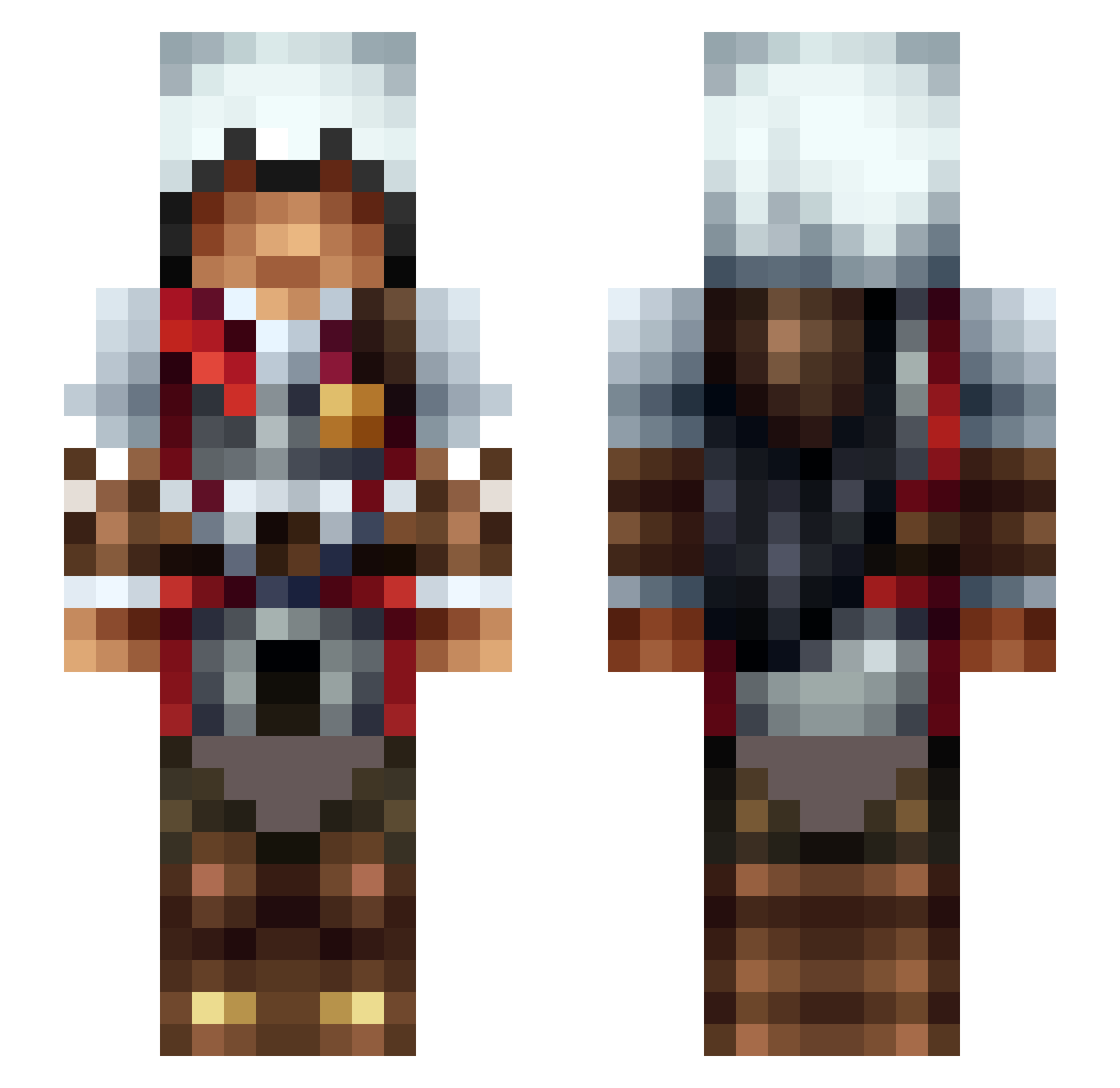
Current Minecraft skin of the player LHMagnus, loaded from the official Mojang API. Rotate the 3D model with your mouse or finger, then download the skin as a PNG file and use it in Minecraft: Bedrock Edition or Java Edition for free. When LHMagnus changes their skin, this page updates automatically and the old skin stays in the history below.
Other players with this skin (474)
LHMagnus was the 55th player we have seen with this skin, first spotted on 08.08.2026. The same skin was seen on these players. Open a nickname to see their current skin and skin history.
 BaiheKong alex0070809 Tiki_flames BoRderBro2106 foodogtenchi Romi27 Wolfie729 dugiDule Swiffer100 DiabloFire2 DaxBeau BreezyArtCBE SkrrrtSkrrrt NightFox142 Krickks Hiroyuki_CN GallivareMill xr400 tanmin2003 Blakanator ArkRune Mblomm070 Amfimis Pandaxeption Heisac Cumor platinum0712 Mandre Shigure2210 AsMoDeUs888 IRCLAD949 TANAT0S_ TestaDiRiccio Spiderboy2246 Demented80 Matztar85 HAYD3NRC Miksol320 Kurrum Phoenix12x raynewOw ShadowHitano EMasterYT TherraBLVCK11 Crimson_Knight28 Paulymath mistaMDM k6da madraxus MrIbiza88
 Masked_HuYa olle1232 g37440995461 funday1999 tonik3303 KennyLoggins96 x_Vash_x CAPONE_31 Destiny34_ laskri98
More Altair Minecraft skins
How to install the LHMagnus skin
- Press the Download button above to save the skin as a PNG file.
- Minecraft: Bedrock Edition (PE): open the Dressing Room from the main menu (or tap your character → Edit Character), go to Classic Skins → Owned, press the + (new skin) button, choose the downloaded PNG and pick the Slim (Alex) model. Works on PC and mobile; consoles cannot import custom skins.
- Minecraft: Java Edition: open the Minecraft Launcher, go to the Skins tab, click New Skin, load the PNG, pick the Slim (Alex) model and press Save & Use. You can also upload it at minecraft.net → Profile → Change Skin.
The skin does not show up after import - what should I do?
Restart Minecraft and open the Dressing Room again - imported skins sometimes appear only after a restart. Also make sure you selected the imported skin and picked the Slim (Alex) model.
Which model should I choose, Classic or Slim?
This skin is designed for the Slim (Alex) model. If you pick the wrong model, the arms of the skin will look stretched or squeezed.
Is the skin of LHMagnus free to download?
Yes. Press Download, save the PNG file and use it in Minecraft: Bedrock Edition or Java Edition - no payment or registration needed. The skin also works on multiplayer servers and Realms.
More skins
Looking for more? Go back to all Minecraft skins and check the top skins of the week, month and all time, or find any player's skin by nickname.