
LDH12321 - Minecraft Skins & Skin History
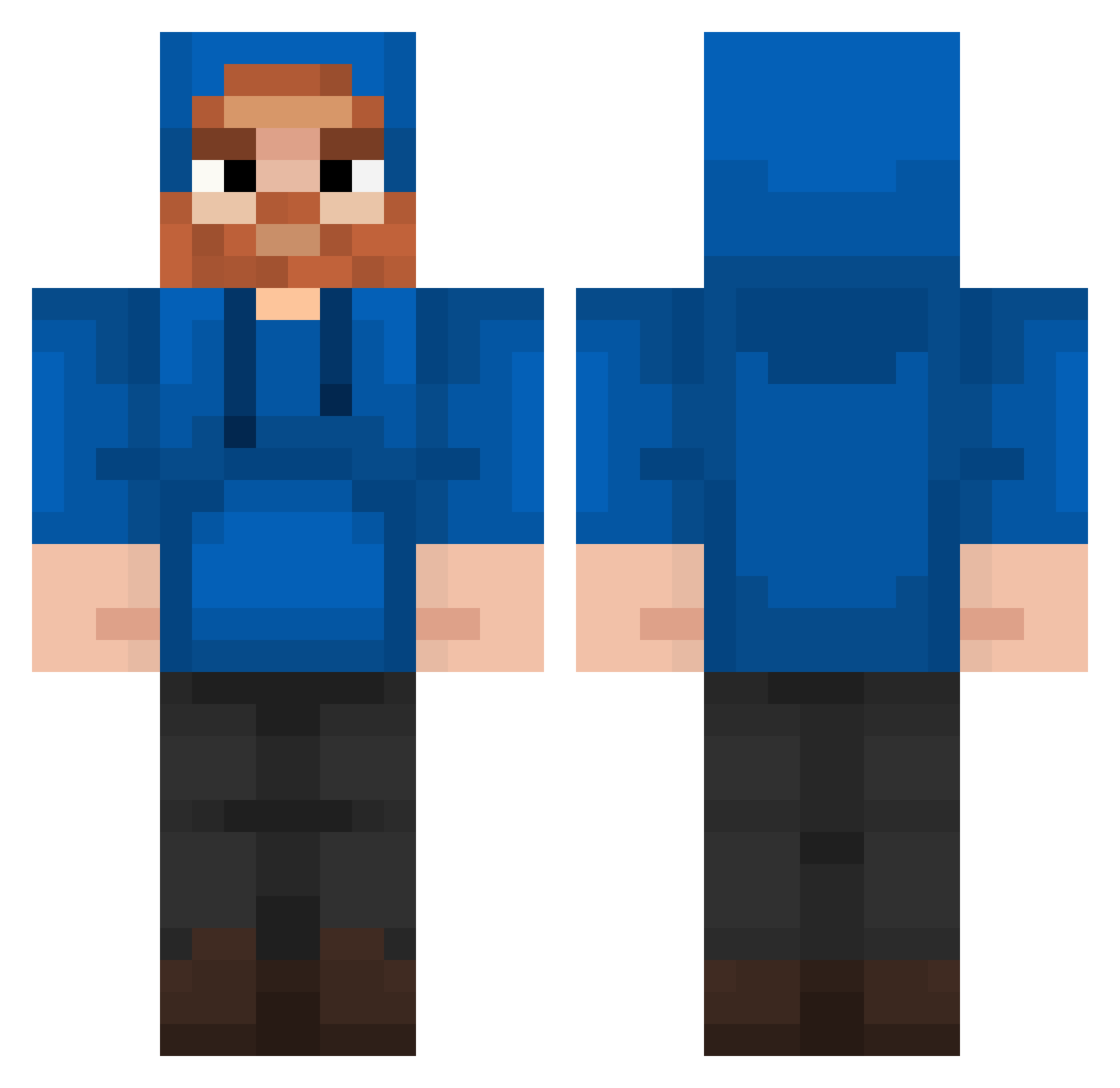
Current Minecraft skin of the player LDH12321, loaded from the official Mojang API. Rotate the 3D model with your mouse or finger, then download the skin as a PNG file and use it in Minecraft: Bedrock Edition or Java Edition for free. When LDH12321 changes their skin, this page updates automatically and the old skin stays in the history below.
Other players with this skin (202)
LDH12321 was the 178th player we have seen with this skin, first spotted on 21.10.2026. The same skin was seen on these players. Open a nickname to see their current skin and skin history.
 AintNoPartyLikeD herobrine828 Charo01 HenryBear04 Demutualized ChrisMC03 InertWeevil3161 goatmaster80 sonic_speed300mh orangeyyyyyyy MHowerton Flohri08 CaseOh Voodoo_Vibez PaPiCoCo1 Galaxyinstar StaminoFR Ecc2010 YanYock Alohasaurs DeVita24 zeekcog BEERsom Jelle_beans_08 reeking_frog6969 hxnry01 llllIllllIllIlll PraiseAllah9882 FIZIIZIF snovington Ameetball Tomppa8 NoobBaconMC MyNameBred Perobo Maxjum DragonKetcher VexZein KimJongJuul secretasian5 GhostlyNova T14NAPARAS13MPR3 pawner98 Elijahgalarza Klayz_0 ThreeBigFatBalls dpk001 T1DDylan Freddy_HD3 hvaccarezza Mrslushy232 Namor_RN tubergonyt MCzombo Mathalex13 Mistha_Nick FatTin21 xImWeird TomMiaTom Chris431
More Beard Minecraft skins
How to install the LDH12321 skin
- Press the Download button above to save the skin as a PNG file.
- Minecraft: Bedrock Edition (PE): open the Dressing Room from the main menu (or tap your character → Edit Character), go to Classic Skins → Owned, press the + (new skin) button, choose the downloaded PNG and pick the Classic (Steve) model. Works on PC and mobile; consoles cannot import custom skins.
- Minecraft: Java Edition: open the Minecraft Launcher, go to the Skins tab, click New Skin, load the PNG, pick the Classic (Steve) model and press Save & Use. You can also upload it at minecraft.net → Profile → Change Skin.
The skin does not show up after import - what should I do?
Restart Minecraft and open the Dressing Room again - imported skins sometimes appear only after a restart. Also make sure you selected the imported skin and picked the Classic (Steve) model.
Which model should I choose, Classic or Slim?
This skin is designed for the Classic (Steve) model. If you pick the wrong model, the arms of the skin will look stretched or squeezed.
Is the skin of LDH12321 free to download?
Yes. Press Download, save the PNG file and use it in Minecraft: Bedrock Edition or Java Edition - no payment or registration needed. The skin also works on multiplayer servers and Realms.
More skins
Looking for more? Go back to all Minecraft skins and check the top skins of the week, month and all time, or find any player's skin by nickname.