
LAPATR0NA - Minecraft Skins & Skin History
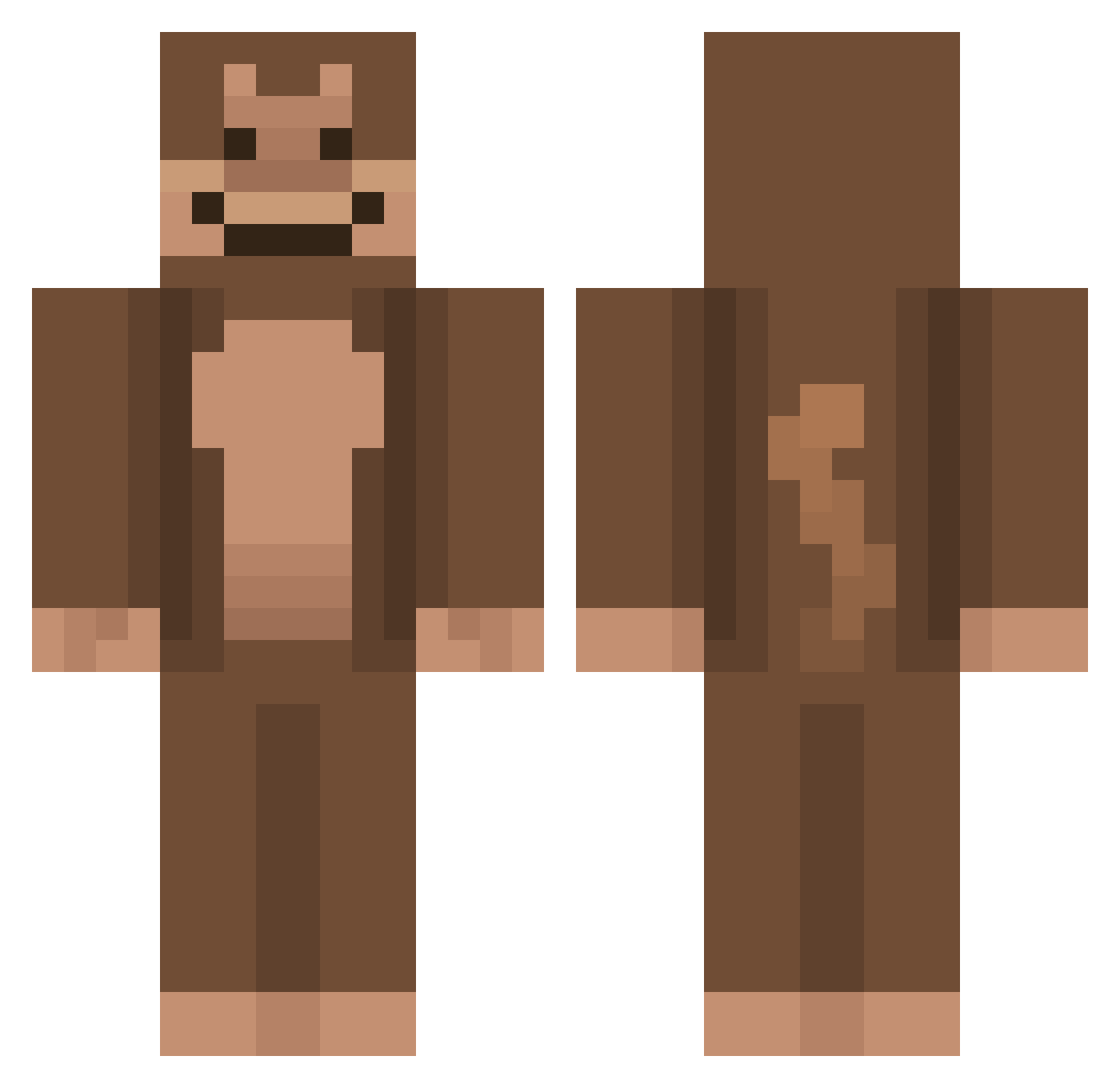
Current Minecraft skin of the player LAPATR0NA, loaded from the official Mojang API. Rotate the 3D model with your mouse or finger, then download the skin as a PNG file and use it in Minecraft: Bedrock Edition or Java Edition for free. When LAPATR0NA changes their skin, this page updates automatically and the old skin stays in the history below.
Other players with this skin (736)
LAPATR0NA was the 647th player we have seen with this skin, first spotted on 22.10.2026. The same skin was seen on these players. Open a nickname to see their current skin and skin history.
 Complete_Garbage wretzky DerangeApe x_STEVEN_x BigBoiRosh69 jojjaeyoungsochu EraX2 kaoif iTyp3z7 Marhini jemmyecarroII Slasher0422 CooffeeGamer24 glubbytime Potdoha opsaid enomiuwu ghombad _xXGwendieXx_ repairment _Curiosityy Akeidbek xero__s TheBlackisHere_ Spell6421 Awin8620 Bosulache IceDragon1717 Kevinjouanne69 PapiR4YZ xBrycey eloaa DekuNut_ TGRAYMAN Wolverunt DeakMic Tjam Maxisbeast10 ILOVECRACK123444 cokti monkeyman4271 JoshuaJJT Yajiro_ olivia7sergio MeepMan1234 kougra SllonecznikPL 1234mads Valenzor jaunty35 mothman_jpeg KHM0311 pumpen06 MaxRitt GioGanzo MonkeyApeMan2000 muppetkin patrickHD28 thesadapple SplenderCraft
More Ape Minecraft skins
How to install the LAPATR0NA skin
- Press the Download button above to save the skin as a PNG file.
- Minecraft: Bedrock Edition (PE): open the Dressing Room from the main menu (or tap your character → Edit Character), go to Classic Skins → Owned, press the + (new skin) button, choose the downloaded PNG and pick the Classic (Steve) model. Works on PC and mobile; consoles cannot import custom skins.
- Minecraft: Java Edition: open the Minecraft Launcher, go to the Skins tab, click New Skin, load the PNG, pick the Classic (Steve) model and press Save & Use. You can also upload it at minecraft.net → Profile → Change Skin.
The skin does not show up after import - what should I do?
Restart Minecraft and open the Dressing Room again - imported skins sometimes appear only after a restart. Also make sure you selected the imported skin and picked the Classic (Steve) model.
Which model should I choose, Classic or Slim?
This skin is designed for the Classic (Steve) model. If you pick the wrong model, the arms of the skin will look stretched or squeezed.
Is the skin of LAPATR0NA free to download?
Yes. Press Download, save the PNG file and use it in Minecraft: Bedrock Edition or Java Edition - no payment or registration needed. The skin also works on multiplayer servers and Realms.
More skins
Looking for more? Go back to all Minecraft skins and check the top skins of the week, month and all time, or find any player's skin by nickname.