
L9UPQT - Minecraft Skins & Skin History
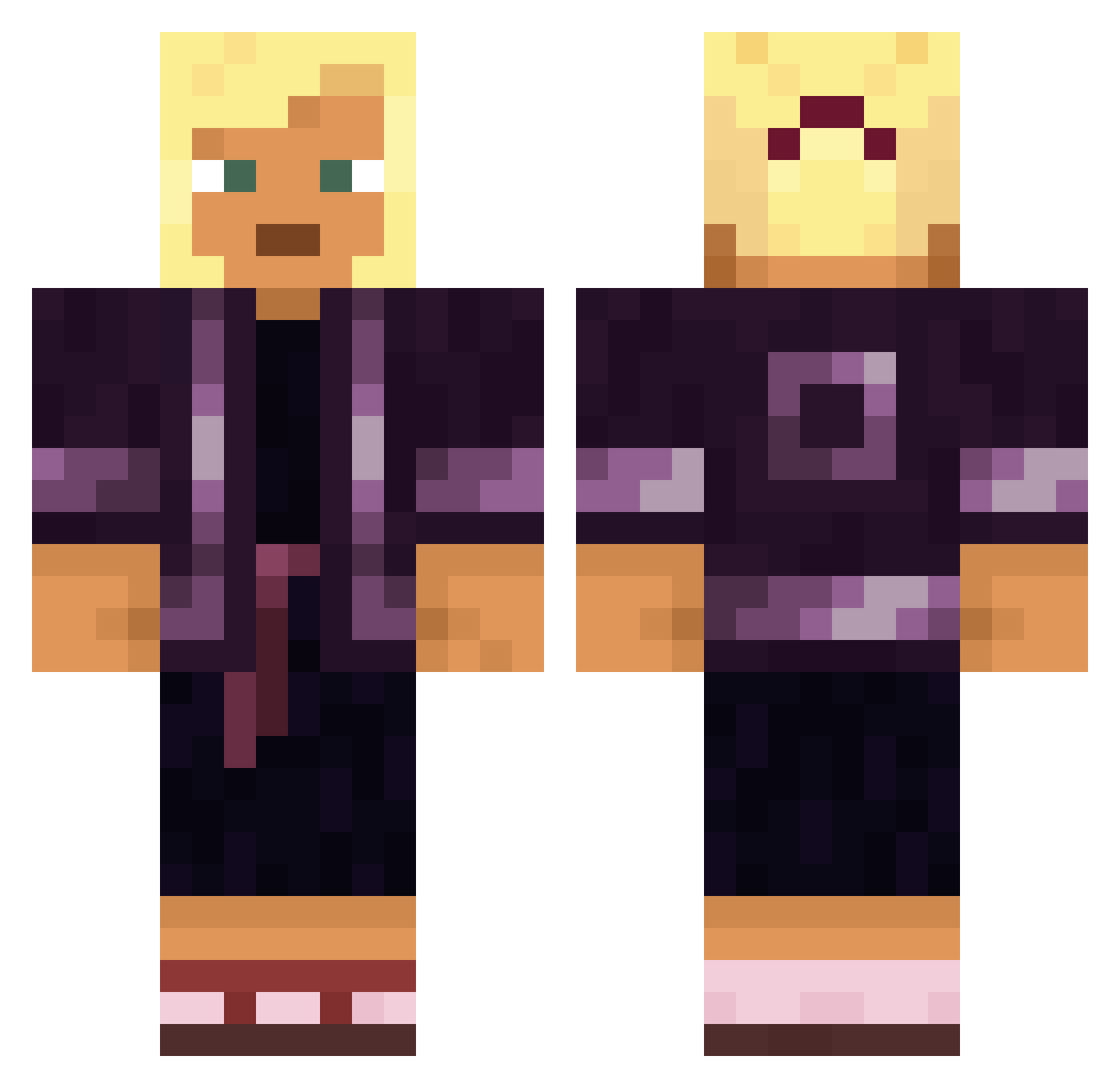
Current Minecraft skin of the player L9UPQT, loaded from the official Mojang API. Rotate the 3D model with your mouse or finger, then download the skin as a PNG file and use it in Minecraft: Bedrock Edition or Java Edition for free. When L9UPQT changes their skin, this page updates automatically and the old skin stays in the history below.
Other players with this skin (1569)
L9UPQT was the 1326th player we have seen with this skin, first spotted on 21.10.2026. The same skin was seen on these players. Open a nickname to see their current skin and skin history.
 PeepThisRiddle jickshou sleddings HolSpirit DrinkinHorchata Gonfalon Tracis Miillaaaa SternEber xEfehan_ Billayyy12 Alanda12 EMOFIVENINE Moloin Reignite payt LeoFiko dragonranz Patataman86 oxIceManxo johnrarnold Trapfails ottakku ktoku Sosuke_alphabet Kielbasas Ravine Kubicjusz123 WillBartlett chrishu1023 Hippocampus Tryptic V3XO2007 Wiring Torgol LABELXIV MJHallock miiilkcow SoyMor Kaxel_PL ReiOfSunShine Sutoraki jomaxxx Abhorrence Whippoorwill IceMan_G Ministerium mischarge Oosp articulates RomeroBrito RusseKannAura Rain61 BigBaltasa Mulligans Arcileo ye_____ qixia2 prevalence MEGA_MELT
More Kimono Minecraft skins
How to install the L9UPQT skin
- Press the Download button above to save the skin as a PNG file.
- Minecraft: Bedrock Edition (PE): open the Dressing Room from the main menu (or tap your character → Edit Character), go to Classic Skins → Owned, press the + (new skin) button, choose the downloaded PNG and pick the Classic (Steve) model. Works on PC and mobile; consoles cannot import custom skins.
- Minecraft: Java Edition: open the Minecraft Launcher, go to the Skins tab, click New Skin, load the PNG, pick the Classic (Steve) model and press Save & Use. You can also upload it at minecraft.net → Profile → Change Skin.
The skin does not show up after import - what should I do?
Restart Minecraft and open the Dressing Room again - imported skins sometimes appear only after a restart. Also make sure you selected the imported skin and picked the Classic (Steve) model.
Which model should I choose, Classic or Slim?
This skin is designed for the Classic (Steve) model. If you pick the wrong model, the arms of the skin will look stretched or squeezed.
Is the skin of L9UPQT free to download?
Yes. Press Download, save the PNG file and use it in Minecraft: Bedrock Edition or Java Edition - no payment or registration needed. The skin also works on multiplayer servers and Realms.
More skins
Looking for more? Go back to all Minecraft skins and check the top skins of the week, month and all time, or find any player's skin by nickname.