
L1TTl3 - Minecraft Skins & Skin History
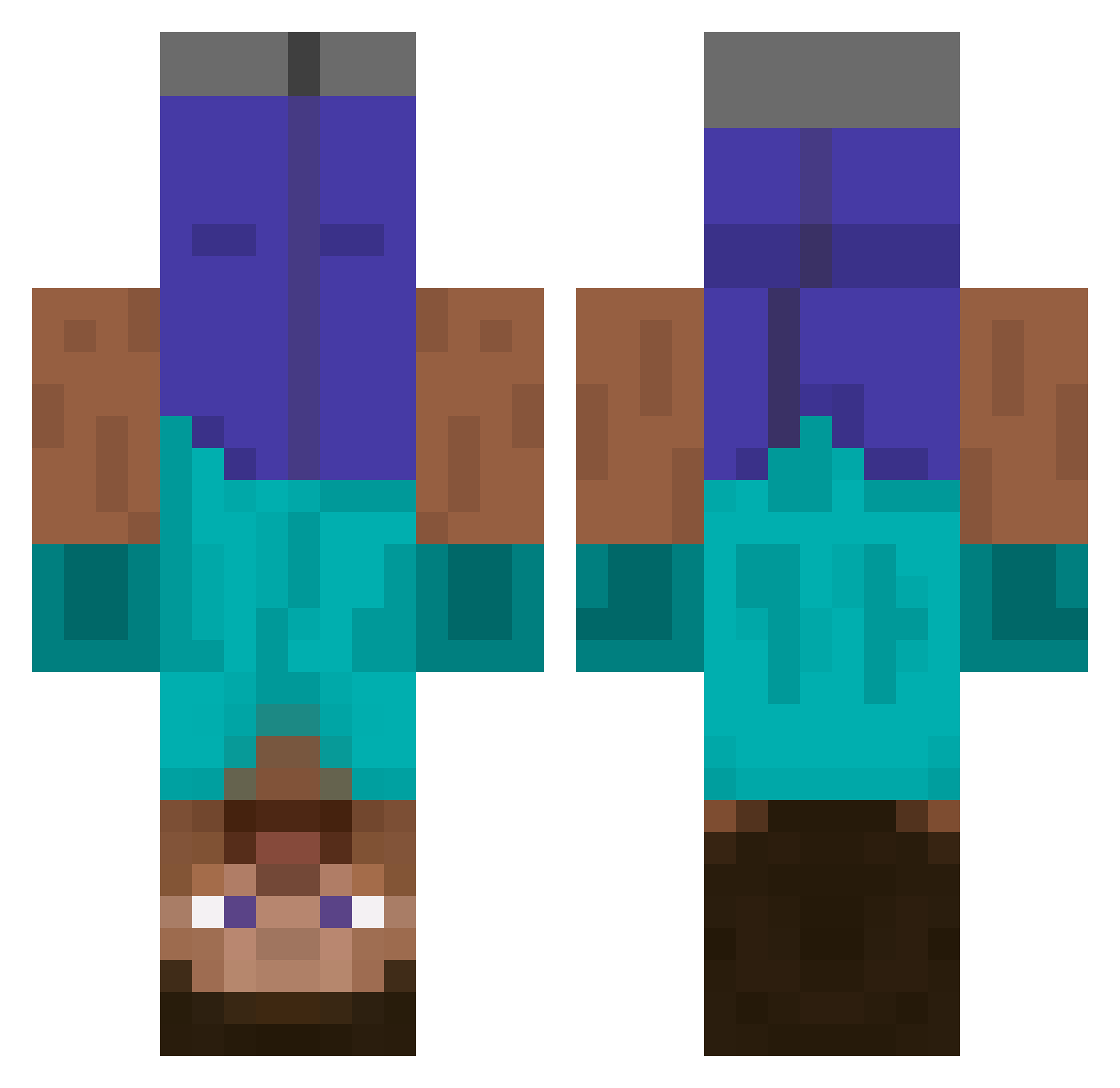
Current Minecraft skin of the player L1TTl3, loaded from the official Mojang API. Rotate the 3D model with your mouse or finger, then download the skin as a PNG file and use it in Minecraft: Bedrock Edition or Java Edition for free. When L1TTl3 changes their skin, this page updates automatically and the old skin stays in the history below.
Other players with this skin (438)
L1TTl3 was the 42nd player we have seen with this skin, first spotted on 31.07.2026. The same skin was seen on these players. Open a nickname to see their current skin and skin history.
 miammiti zroxami lucaslloyd SwixxBoy catchapuri_ Terzekeloff julianqwerty98 Sipan7154 vesto leonspringsguy TillyMillieCliff duguk swiftarrow1 totalbinch PotatochipAFK Jackonator17 Visten sh4d0wb0yy Noobhervo mistr ryzx Zampan Samick dnmrtn travoky vetranboat6777 maquib1 Skewampus SADON7 strnk ns1einarr blarg123321 ERIKSEN_ Deadbushfan t0dayy CapnCrunchey supcs IAmNotIgnacio rawdogamarrgod absw mikejcollins too_tallz RootbeerAlaMode pau_cate_05 CannonFire895 bmlbml AvengerUK DJ_x_Rubix zolrac pidude12 Theedge600 MisterMisterJake fallenxien Angpao2828 rockerlv sini6974 Tarmann ProffesserTingle istid05 RagingPotato
More Dinnerbone Minecraft skins
How to install the L1TTl3 skin
- Press the Download button above to save the skin as a PNG file.
- Minecraft: Bedrock Edition (PE): open the Dressing Room from the main menu (or tap your character → Edit Character), go to Classic Skins → Owned, press the + (new skin) button, choose the downloaded PNG and pick the Classic (Steve) model. Works on PC and mobile; consoles cannot import custom skins.
- Minecraft: Java Edition: open the Minecraft Launcher, go to the Skins tab, click New Skin, load the PNG, pick the Classic (Steve) model and press Save & Use. You can also upload it at minecraft.net → Profile → Change Skin.
The skin does not show up after import - what should I do?
Restart Minecraft and open the Dressing Room again - imported skins sometimes appear only after a restart. Also make sure you selected the imported skin and picked the Classic (Steve) model.
Which model should I choose, Classic or Slim?
This skin is designed for the Classic (Steve) model. If you pick the wrong model, the arms of the skin will look stretched or squeezed.
Is the skin of L1TTl3 free to download?
Yes. Press Download, save the PNG file and use it in Minecraft: Bedrock Edition or Java Edition - no payment or registration needed. The skin also works on multiplayer servers and Realms.
More skins
Looking for more? Go back to all Minecraft skins and check the top skins of the week, month and all time, or find any player's skin by nickname.