
L0v3ingBility - Minecraft Skins & Skin History
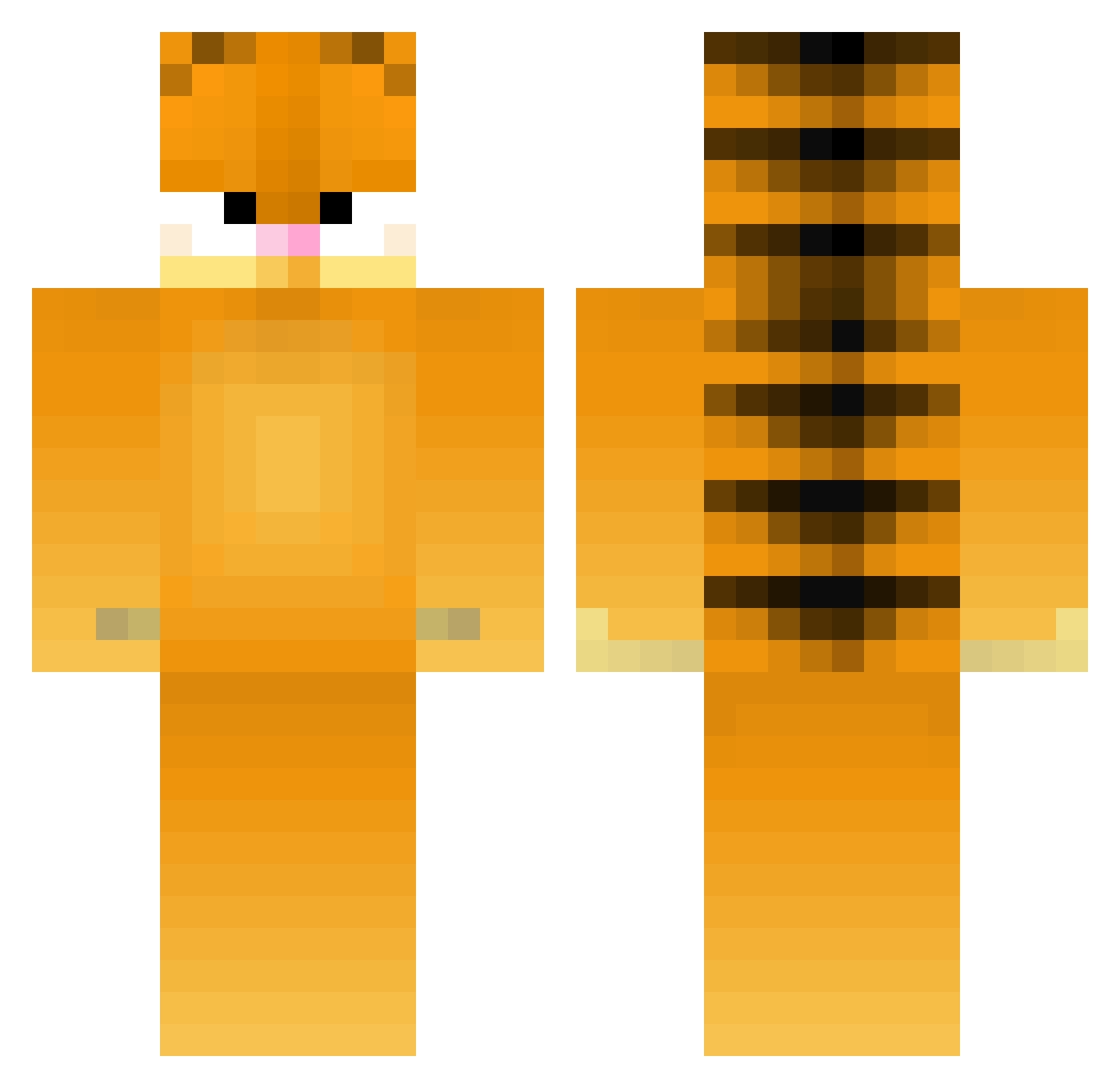
Current Minecraft skin of the player L0v3ingBility, loaded from the official Mojang API. Rotate the 3D model with your mouse or finger, then download the skin as a PNG file and use it in Minecraft: Bedrock Edition or Java Edition for free. When L0v3ingBility changes their skin, this page updates automatically and the old skin stays in the history below.
Other players with this skin (482)
L0v3ingBility was the 454th player we have seen with this skin, first spotted on 12.11.2026. The same skin was seen on these players. Open a nickname to see their current skin and skin history.
 rbktotto eatborf 11GoldCreeper epicstyyle jussi134 CamilaDaSlayer Xanderxdt thickbagelbaby I_Eats_Bugs Dubmecole BaicunGuo katgpro NeonStryker naffd JacoubThePerson Factmaker i_sage bussybopper samwidge445 AndrewMIT ototdd J1NJ1 JaneLenk xiaobai0217 xYagizx TheLittleLeaf commentcamonneuf Luxacze SchnitzelHunt3r AmauskalFR F5ght soviwolf squiggy5900 sane123 Chynuh Jollyfeline funmaddi Helenehr Zhakuub Justus282011 zzymoonlight ka8i DoctorKelogs Coleslaw2 marunomaru BB_Reggie Dark0rca brsi0 Saalaadd Wyattlightsaber Piotor123 runtypoo123 flingusballs finishing8or9 dkgagan23 Aapeng030 Trinji dootus_prootus Mausekat haloflyer
More Garfield Minecraft skins
How to install the L0v3ingBility skin
- Press the Download button above to save the skin as a PNG file.
- Minecraft: Bedrock Edition (PE): open the Dressing Room from the main menu (or tap your character → Edit Character), go to Classic Skins → Owned, press the + (new skin) button, choose the downloaded PNG and pick the Classic (Steve) model. Works on PC and mobile; consoles cannot import custom skins.
- Minecraft: Java Edition: open the Minecraft Launcher, go to the Skins tab, click New Skin, load the PNG, pick the Classic (Steve) model and press Save & Use. You can also upload it at minecraft.net → Profile → Change Skin.
The skin does not show up after import - what should I do?
Restart Minecraft and open the Dressing Room again - imported skins sometimes appear only after a restart. Also make sure you selected the imported skin and picked the Classic (Steve) model.
Which model should I choose, Classic or Slim?
This skin is designed for the Classic (Steve) model. If you pick the wrong model, the arms of the skin will look stretched or squeezed.
Is the skin of L0v3ingBility free to download?
Yes. Press Download, save the PNG file and use it in Minecraft: Bedrock Edition or Java Edition - no payment or registration needed. The skin also works on multiplayer servers and Realms.
More skins
Looking for more? Go back to all Minecraft skins and check the top skins of the week, month and all time, or find any player's skin by nickname.