
L00t8 - Minecraft Skins & Skin History
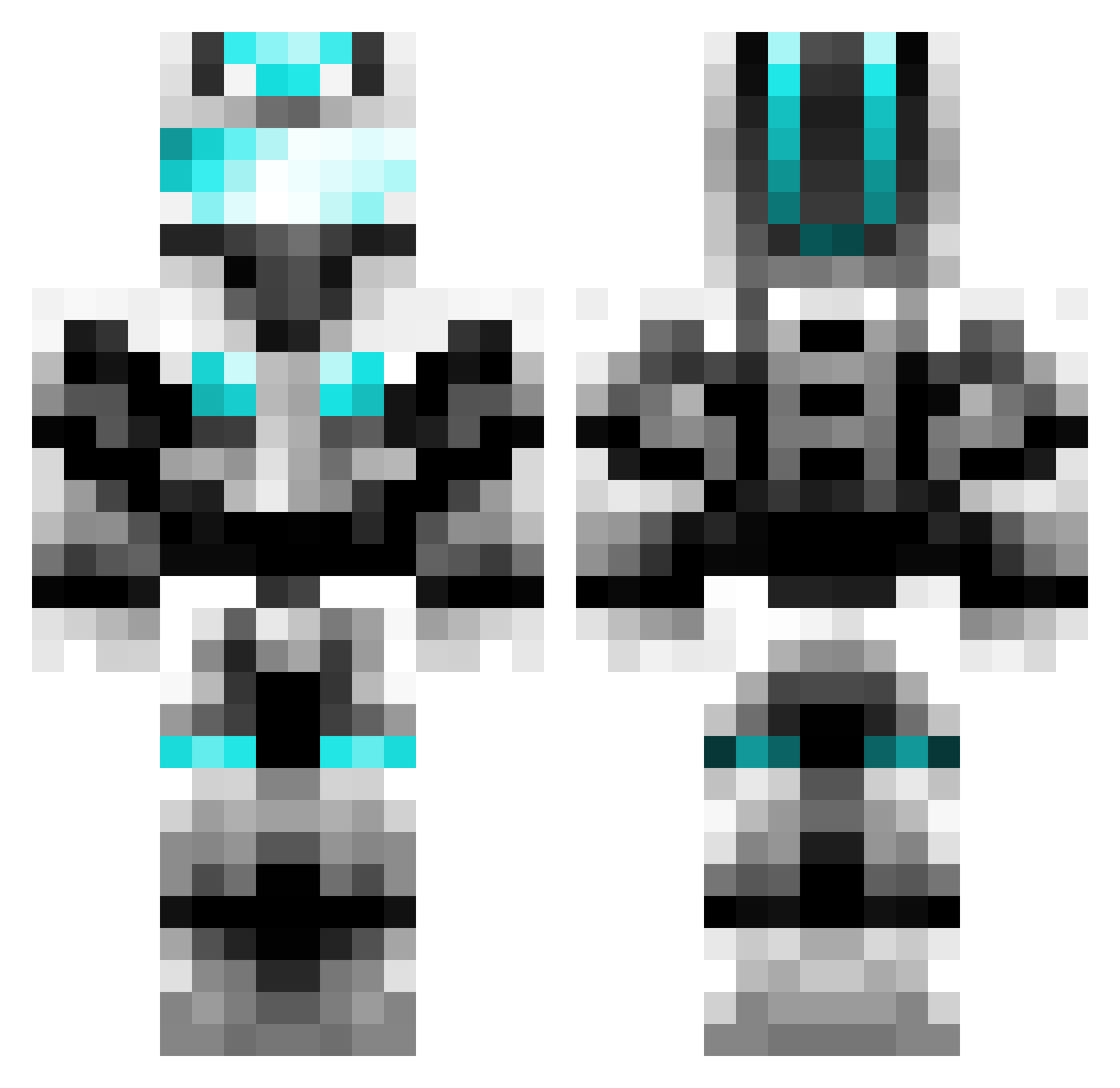
Current Minecraft skin of the player L00t8, loaded from the official Mojang API. Rotate the 3D model with your mouse or finger, then download the skin as a PNG file and use it in Minecraft: Bedrock Edition or Java Edition for free. When L00t8 changes their skin, this page updates automatically and the old skin stays in the history below.
Other players with this skin (448)
L00t8 was the 354th player we have seen with this skin, first spotted on 16.10.2026. The same skin was seen on these players. Open a nickname to see their current skin and skin history.
 Otto_fish oneblockman123 JakeWoodbury Schatten_Zwerg Vitus123yt MaximeWhite wjbj zhang123fg dddxq123 LOLU55 TheMadLib Ykingk wangzhigao xiaomu_520 xiao_taotao Kieten Little_Shark_ TEMPTOXIC xinyunstone jian_Peng Chengsi520 Shiro_Ling army21 Cheyxi xr662 Colin094 xihongshi616 Spartanwarrior41 Hshmily iponeX ouc_fxd Super_Halley fazhe701 acenumbs Jester_Pierro Royaldude12 FleX_Gordon Stoc9126 JiuBane crush_on_you1 Zebra_7777777 t0nkker 2421644801 Chaos_Ras Timmmod mukn AlbertTalksTech DawnZ0 AQTheFanAttic AmazingPYJ Frostfangbarioth Antipest Galaxy1052 DiaKlicks astralpuncher luohuahua cuteazheng OutRosea JYdespair Tianfall3
More Cyber Soldier Minecraft skins
See all 47 Cyber Soldier skins
How to install the L00t8 skin
- Press the Download button above to save the skin as a PNG file.
- Minecraft: Bedrock Edition (PE): open the Dressing Room from the main menu (or tap your character → Edit Character), go to Classic Skins → Owned, press the + (new skin) button, choose the downloaded PNG and pick the Classic (Steve) model. Works on PC and mobile; consoles cannot import custom skins.
- Minecraft: Java Edition: open the Minecraft Launcher, go to the Skins tab, click New Skin, load the PNG, pick the Classic (Steve) model and press Save & Use. You can also upload it at minecraft.net → Profile → Change Skin.
The skin does not show up after import - what should I do?
Restart Minecraft and open the Dressing Room again - imported skins sometimes appear only after a restart. Also make sure you selected the imported skin and picked the Classic (Steve) model.
Which model should I choose, Classic or Slim?
This skin is designed for the Classic (Steve) model. If you pick the wrong model, the arms of the skin will look stretched or squeezed.
Is the skin of L00t8 free to download?
Yes. Press Download, save the PNG file and use it in Minecraft: Bedrock Edition or Java Edition - no payment or registration needed. The skin also works on multiplayer servers and Realms.
More skins
Looking for more? Go back to all Minecraft skins and check the top skins of the week, month and all time, or find any player's skin by nickname.