
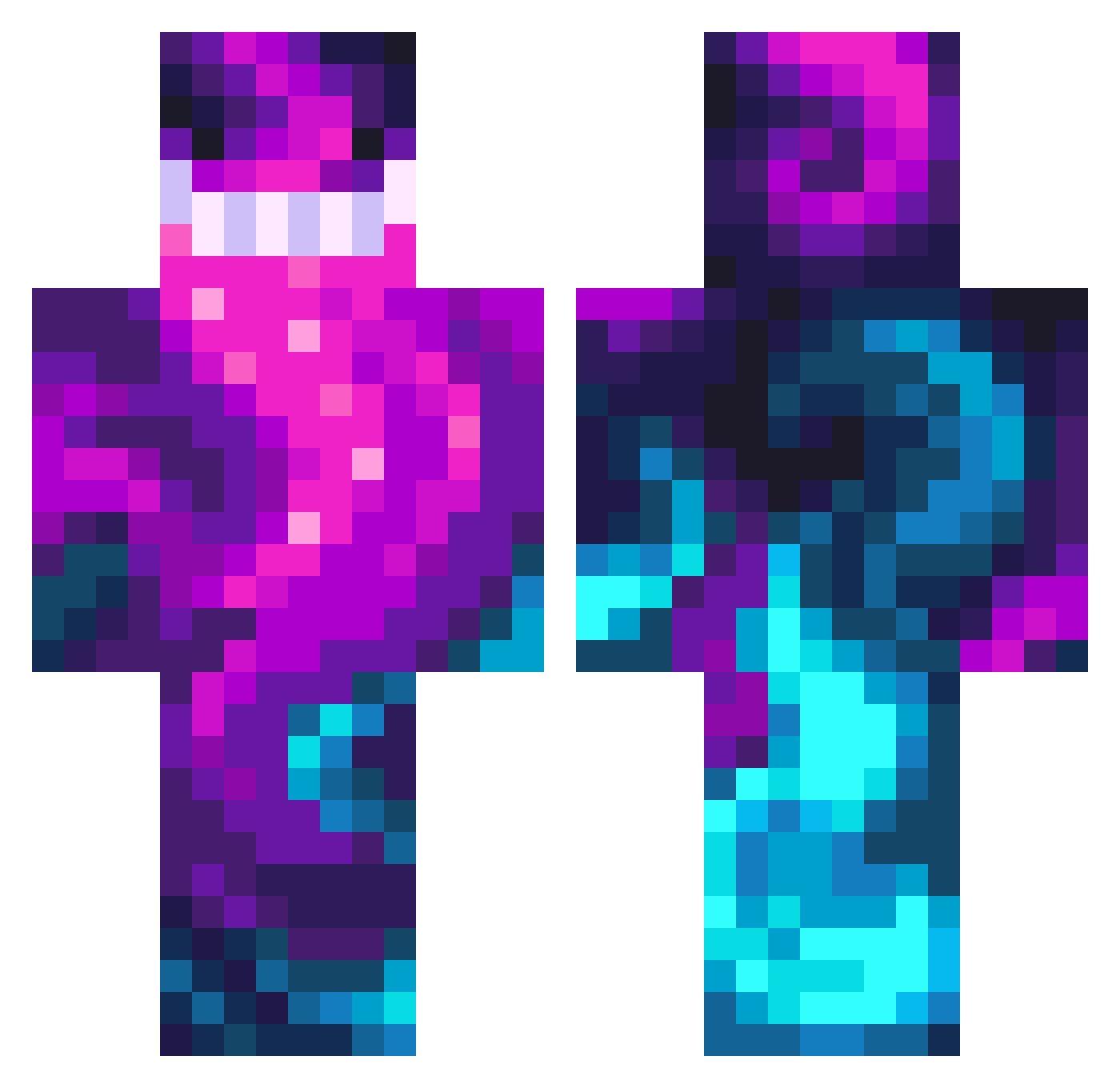
Current Minecraft skin of the player Kyoshi_Shoto, loaded from the official Mojang API. Rotate the 3D model with your mouse or finger, then download the skin as a PNG file and use it in Minecraft: Bedrock Edition or Java Edition for free. When Kyoshi_Shoto changes their skin, this page updates automatically and the old skin stays in the history below.
Other players with this skin (166)
The same skin was seen on these players. Open a nickname to see their current skin and skin history.
 mkdirtbike1 moistwaffless SE234 Lurchipoo DJ__BoBo ha00o Doublller Smekeru07 PositiveVibesVR cole090511 GOGOANGRY Sukondez Tenetintin Apfelhunter_ stoned_gamer TheHeiden WarierOwl257333 darsiderp4nda lizzierose23 BigRockDaddy TRON2078 Ducaloro Rozalia1212 Honeycomb8112 Schiwiii DARIO123456 coltstatic cristiandior24 DMADNN GrimSummer34943 lol199966 Namper lonesomee LongLiveThePain matichhh 1Yami1 Spifex Jotem_Dece Nakotori RapidGinger BWALY soshg Grandpause8 VoidableDawn KINGXIEJ_ Imala_07 Misternocxx ErsingenNordy kingmatt69420 Master2021 GoonFragz ZeroGhost11E3 DevilAngel05 Cosmic596 GalaxyGoatMa doggyshot WillSmiq TropicCyclone getgood0098 AIRRANDY
How to install the Kyoshi_Shoto skin
- Press the Download button above to save the skin as a PNG file.
- Minecraft: Bedrock Edition (PE): open the Dressing Room from the main menu (or tap your character → Edit Character), go to Classic Skins → Owned, press the + (new skin) button, choose the downloaded PNG and pick the Classic (Steve) model. Works on PC and mobile; consoles cannot import custom skins.
- Minecraft: Java Edition: open the Minecraft Launcher, go to the Skins tab, click New Skin, load the PNG, pick the Classic (Steve) model and press Save & Use. You can also upload it at minecraft.net → Profile → Change Skin.
The skin does not show up after import - what should I do?
Restart Minecraft and open the Dressing Room again - imported skins sometimes appear only after a restart. Also make sure you selected the imported skin and picked the Classic (Steve) model.
Which model should I choose, Classic or Slim?
This skin is designed for the Classic (Steve) model. If you pick the wrong model, the arms of the skin will look stretched or squeezed.
Is the skin of Kyoshi_Shoto free to download?
Yes. Press Download, save the PNG file and use it in Minecraft: Bedrock Edition or Java Edition - no payment or registration needed. The skin also works on multiplayer servers and Realms.
More skins
Looking for more? Go back to all Minecraft skins and check the top skins of the week, month and all time, or find any player's skin by nickname.