
KyloRen5825 - Minecraft Skins & Skin History
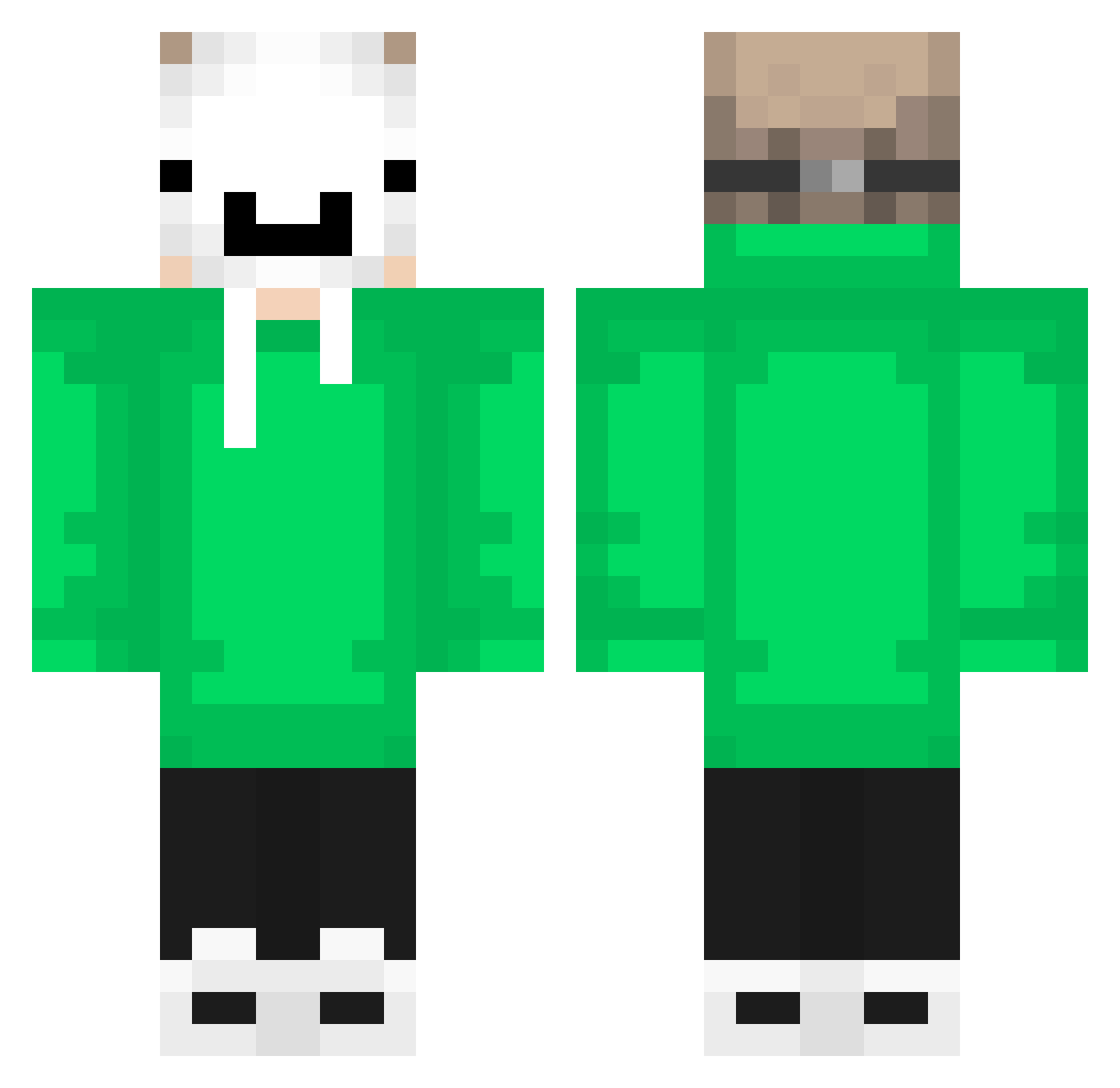
Current Minecraft skin of the player KyloRen5825, loaded from the official Mojang API. Rotate the 3D model with your mouse or finger, then download the skin as a PNG file and use it in Minecraft: Bedrock Edition or Java Edition for free. When KyloRen5825 changes their skin, this page updates automatically and the old skin stays in the history below.
Other players with this skin (548)
KyloRen5825 was the 40th player we have seen with this skin, first spotted on 30.07.2026. The same skin was seen on these players. Open a nickname to see their current skin and skin history.
 XIAOPO3323 Rybik3 MegamsiReyiz MotoKid09 THeRobloxer_ONYT TeoSwitch _Math123 teyteyarda Rafacraftblox Luka2495 BDt2 maks4470 KIYOSHI_MINE brenoca0879 Turbo1703
 SalmonCake_1604
 BenBenkachu Bejadavid Layprax KeremKplan Kauan_lkz Ozzi006 iksitma41 CallMeZef noht008 leifkv Lucas_1983 Felix_hunter24 Zerotoaster benja1011 Catiorineo EskiCherri_24 SHr0UdD TheMajor999 yaboiidaniel123 T0ps0n nSweg octavedt Eg0mann W1zardTurtle Inves999 PedroAcMt ZXC_pepega zakou13 karma9zx Athak_Maurya ATREMMAKU_YT hubercik1007 WILLIANFELIX33 3030Evert ToxicxX_ viticonn Bergaa06 SamuTTX MrOekanos ArasR Bandrl1 L1ghtSK Debug_stick092 aronshael
More Dream Minecraft skins
How to install the KyloRen5825 skin
- Press the Download button above to save the skin as a PNG file.
- Minecraft: Bedrock Edition (PE): open the Dressing Room from the main menu (or tap your character → Edit Character), go to Classic Skins → Owned, press the + (new skin) button, choose the downloaded PNG and pick the Classic (Steve) model. Works on PC and mobile; consoles cannot import custom skins.
- Minecraft: Java Edition: open the Minecraft Launcher, go to the Skins tab, click New Skin, load the PNG, pick the Classic (Steve) model and press Save & Use. You can also upload it at minecraft.net → Profile → Change Skin.
The skin does not show up after import - what should I do?
Restart Minecraft and open the Dressing Room again - imported skins sometimes appear only after a restart. Also make sure you selected the imported skin and picked the Classic (Steve) model.
Which model should I choose, Classic or Slim?
This skin is designed for the Classic (Steve) model. If you pick the wrong model, the arms of the skin will look stretched or squeezed.
Is the skin of KyloRen5825 free to download?
Yes. Press Download, save the PNG file and use it in Minecraft: Bedrock Edition or Java Edition - no payment or registration needed. The skin also works on multiplayer servers and Realms.
More skins
Looking for more? Go back to all Minecraft skins and check the top skins of the week, month and all time, or find any player's skin by nickname.