
KuroNeko0690 - Minecraft Skins & Skin History
Current Minecraft skin of the player KuroNeko0690, loaded from the official Mojang API. Rotate the 3D model with your mouse or finger, then download the skin as a PNG file and use it in Minecraft: Bedrock Edition or Java Edition for free. When KuroNeko0690 changes their skin, this page updates automatically and the old skin stays in the history below.
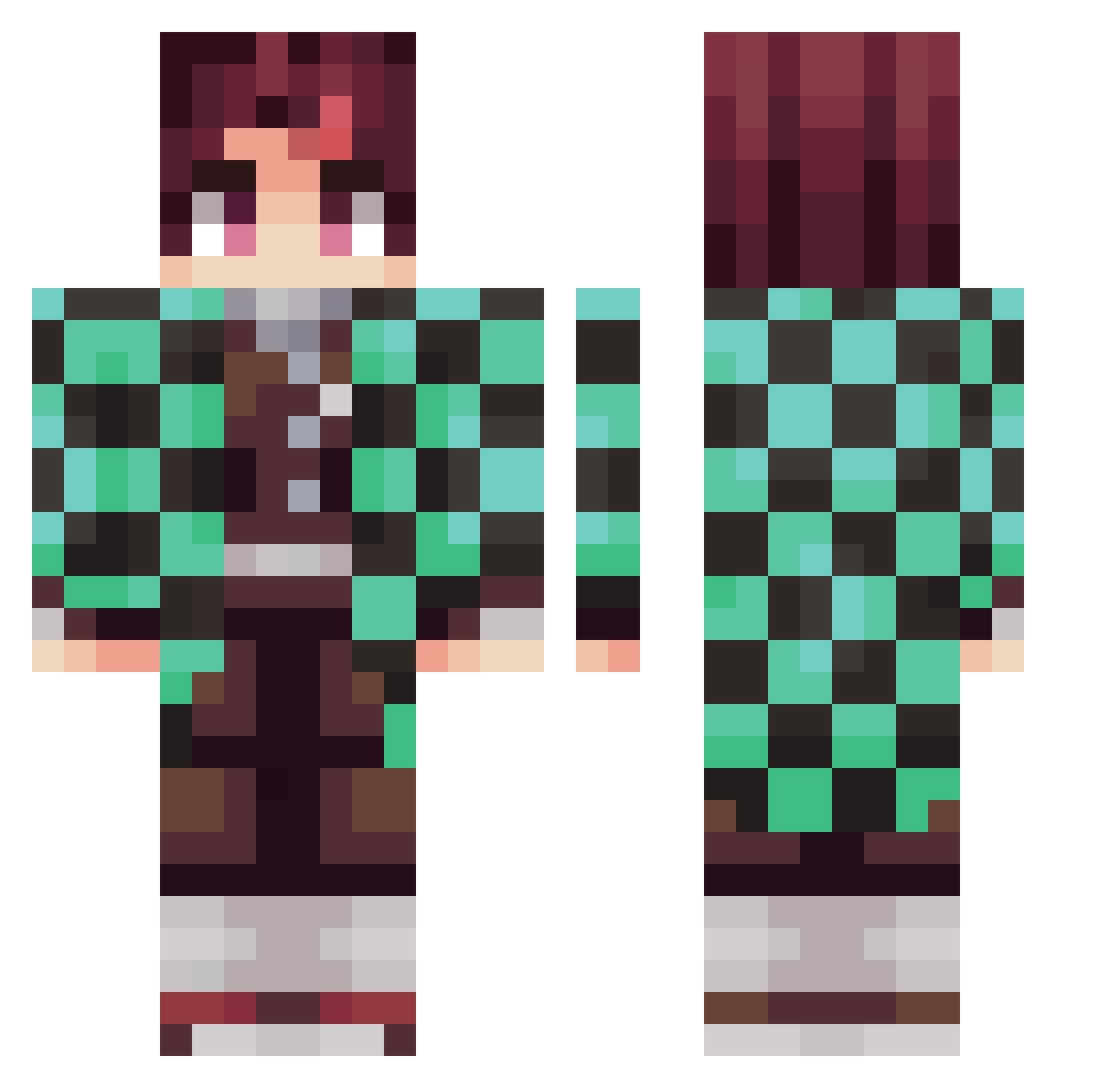
Other players with this skin (281)
KuroNeko0690 was the 30th player we have seen with this skin, first spotted on 05.08.2026. The same skin was seen on these players. Open a nickname to see their current skin and skin history.
 HerisNeo Shnello smjile Goodjinsoo Daniel_Bote betitox95 walks96 GL08 Elyasse null_die haru8655 celrub Skjodo Jay_hii Nightmare5269 PSXORD ElRias JhonathanC JEDKHS jinyoungindeyoo Pbhui scarvival glory1981 bayan44 Mr_Dragon007 UnclaimedWig DaveSan974 MnKeByTe Pino__Noir jiho1007 emmathebeech23 VojtaBl Predomination RENEGADISM winnoychavt jasonkwan1 JeeJuu Yoriichi_Tsu pala117 DoritozCoolRanch SeoJun0214 stupid_cirno SSJMikey Masainmo mabanogi JayQ5 Gloopin Minscoz jameli13 BOSS_2017 Ace9133 Okmth LeedleMcREE AcJIupuH CrustyMoist Andre1591 mikey227 Rwrbit LuvJosiah Yasko933
More Tanjiro Kamado Minecraft skins
See all 436 Tanjiro Kamado skins
How to install the KuroNeko0690 skin
- Press the Download button above to save the skin as a PNG file.
- Minecraft: Bedrock Edition (PE): open the Dressing Room from the main menu (or tap your character → Edit Character), go to Classic Skins → Owned, press the + (new skin) button, choose the downloaded PNG and pick the Classic (Steve) model. Works on PC and mobile; consoles cannot import custom skins.
- Minecraft: Java Edition: open the Minecraft Launcher, go to the Skins tab, click New Skin, load the PNG, pick the Classic (Steve) model and press Save & Use. You can also upload it at minecraft.net → Profile → Change Skin.
The skin does not show up after import - what should I do?
Restart Minecraft and open the Dressing Room again - imported skins sometimes appear only after a restart. Also make sure you selected the imported skin and picked the Classic (Steve) model.
Which model should I choose, Classic or Slim?
This skin is designed for the Classic (Steve) model. If you pick the wrong model, the arms of the skin will look stretched or squeezed.
Is the skin of KuroNeko0690 free to download?
Yes. Press Download, save the PNG file and use it in Minecraft: Bedrock Edition or Java Edition - no payment or registration needed. The skin also works on multiplayer servers and Realms.
More skins
Looking for more? Go back to all Minecraft skins and check the top skins of the week, month and all time, or find any player's skin by nickname.