
Kukal - Minecraft Skins & Skin History
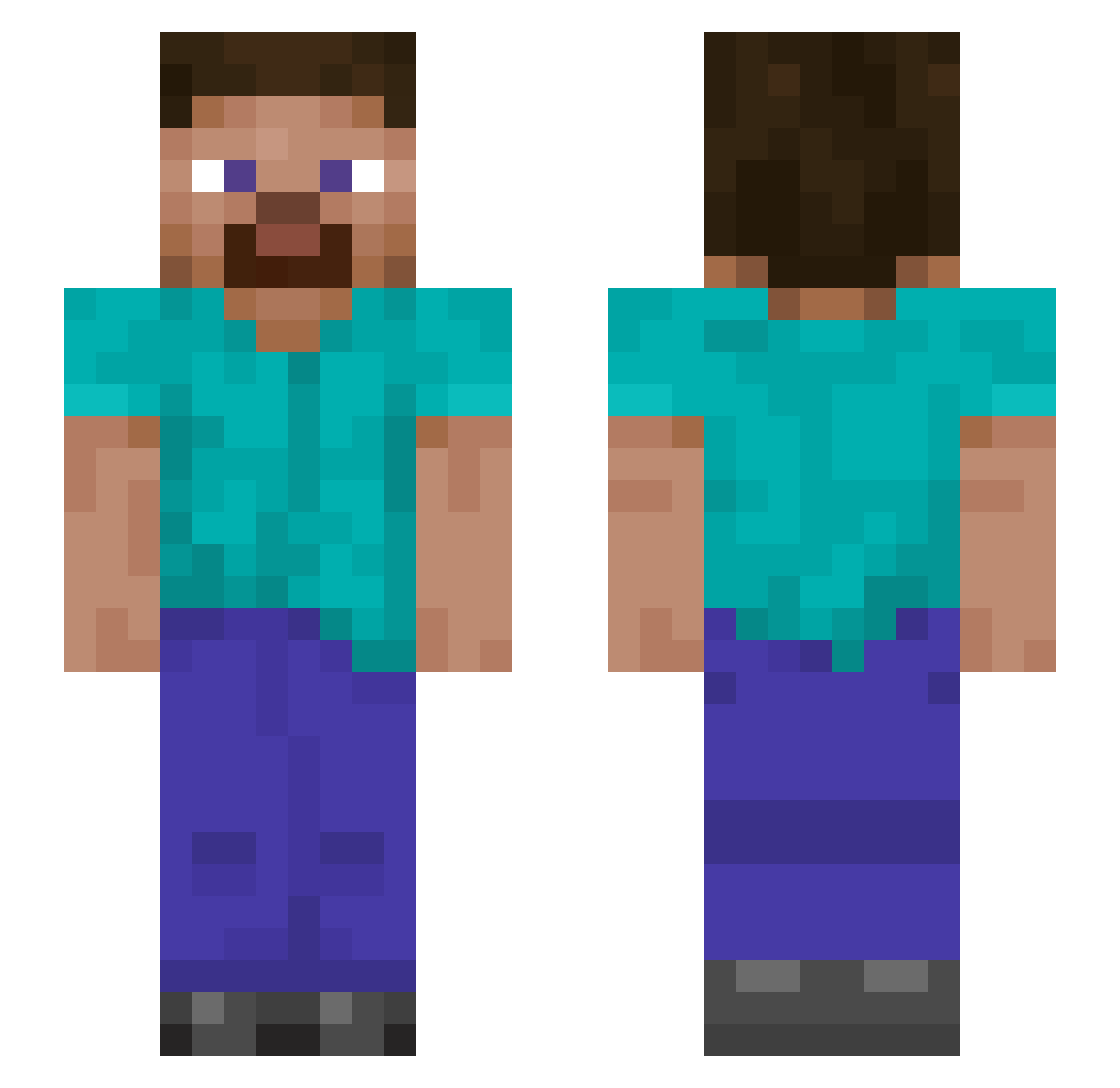
Current Minecraft skin of the player Kukal, loaded from the official Mojang API. Rotate the 3D model with your mouse or finger, then download the skin as a PNG file and use it in Minecraft: Bedrock Edition or Java Edition for free. When Kukal changes their skin, this page updates automatically and the old skin stays in the history below.
Other players with this skin (899)
Kukal was the 500th player we have seen with this skin, first spotted on 17.09.2026. The same skin was seen on these players. Open a nickname to see their current skin and skin history.
 Dexterfox elibedrock Lioblaze Raven2902 AustynMack EMichael007 Sauschedl BassiPardeep SteveGong Akimichi_K FallenTin AL3X1SS Terpytank jiqishu tgruetzm DTU_CloUdz BendyDino9898 mattythemanlyman oifmedicm6 NeonGuest kadychaa BatlemafyaTR Chemo18 JayDaddy121 DaGoatHimself Itzpoodaman TRETVETTE chickenjoe43 xlacroixboix KvS1706 medeWildFire DELYRI0 H20C20 xXuncleRuckusXx Flipper094 Tidjanee Debraken21 sirojh SkaterDude89 Stickathing86 XRider_100 Mazdaism Francxz XtremeHidden12 V3ndoras CKrudop Memopeppy orangesy Bestyyyyy SampledLFT Tristan06 RocketVoltz Mykitestv Rob1997 ZeusAlpha Danamite_ CARLITOS340 ItsDTree GinMod SonOfAnvil
How to install the Kukal skin
- Press the Download button above to save the skin as a PNG file.
- Minecraft: Bedrock Edition (PE): open the Dressing Room from the main menu (or tap your character → Edit Character), go to Classic Skins → Owned, press the + (new skin) button, choose the downloaded PNG and pick the Slim (Alex) model. Works on PC and mobile; consoles cannot import custom skins.
- Minecraft: Java Edition: open the Minecraft Launcher, go to the Skins tab, click New Skin, load the PNG, pick the Slim (Alex) model and press Save & Use. You can also upload it at minecraft.net → Profile → Change Skin.
The skin does not show up after import - what should I do?
Restart Minecraft and open the Dressing Room again - imported skins sometimes appear only after a restart. Also make sure you selected the imported skin and picked the Slim (Alex) model.
Which model should I choose, Classic or Slim?
This skin is designed for the Slim (Alex) model. If you pick the wrong model, the arms of the skin will look stretched or squeezed.
Is the skin of Kukal free to download?
Yes. Press Download, save the PNG file and use it in Minecraft: Bedrock Edition or Java Edition - no payment or registration needed. The skin also works on multiplayer servers and Realms.
More skins
Looking for more? Go back to all Minecraft skins and check the top skins of the week, month and all time, or find any player's skin by nickname.