
Kuby1103 - Minecraft Skins & Skin History
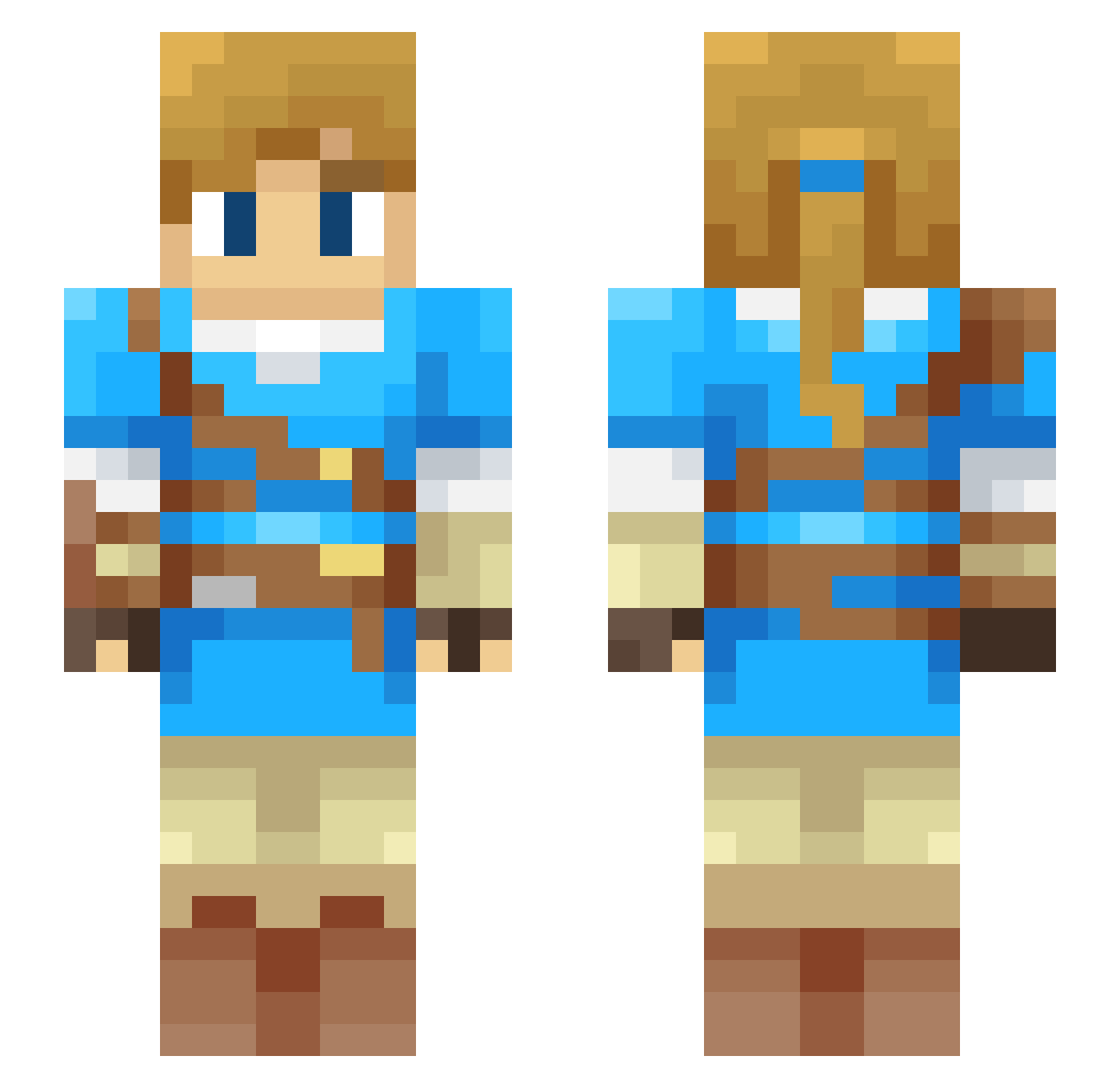
Current Minecraft skin of the player Kuby1103, loaded from the official Mojang API. Rotate the 3D model with your mouse or finger, then download the skin as a PNG file and use it in Minecraft: Bedrock Edition or Java Edition for free. When Kuby1103 changes their skin, this page updates automatically and the old skin stays in the history below.
Other players with this skin (57)
Kuby1103 was the 44th player we have seen with this skin, first spotted on 12.10.2026. The same skin was seen on these players. Open a nickname to see their current skin and skin history.
 SuperDuperRob Fab_cito Balmungh kjem capybara1551 JeremyCubed _Dismal WidjajaK Septatonix Jedduh minikuron raydude27 Scylla_z Niflowo frande Misciagna21 Daexther EvelessForever DJMechaRave Julian1697 beansandpickles BrunoNapole Abbrahan TheSpike3607 Browngrim RoboticPrism KyleighG524 BenVenico Naylano DaleCraft kevinkillerking Wodgester mindcrime4 GabrielFrrz Duzao NoxIsZomg Dan_spaceman Kaynouky baptiste_07 ragesfury Cue Lalke Skryzix BalmyAtom Ingy Hugokk Melody9569 modewhiteout xJoshi UnspeakableLink IXilus Franciscus168 FanaticFrog DrooTube BeskarCowboy Shokux LastTimeKeeper
More Breath Of The Wild Minecraft skins
See all 154 Breath Of The Wild skins
How to install the Kuby1103 skin
- Press the Download button above to save the skin as a PNG file.
- Minecraft: Bedrock Edition (PE): open the Dressing Room from the main menu (or tap your character → Edit Character), go to Classic Skins → Owned, press the + (new skin) button, choose the downloaded PNG and pick the Slim (Alex) model. Works on PC and mobile; consoles cannot import custom skins.
- Minecraft: Java Edition: open the Minecraft Launcher, go to the Skins tab, click New Skin, load the PNG, pick the Slim (Alex) model and press Save & Use. You can also upload it at minecraft.net → Profile → Change Skin.
The skin does not show up after import - what should I do?
Restart Minecraft and open the Dressing Room again - imported skins sometimes appear only after a restart. Also make sure you selected the imported skin and picked the Slim (Alex) model.
Which model should I choose, Classic or Slim?
This skin is designed for the Slim (Alex) model. If you pick the wrong model, the arms of the skin will look stretched or squeezed.
Is the skin of Kuby1103 free to download?
Yes. Press Download, save the PNG file and use it in Minecraft: Bedrock Edition or Java Edition - no payment or registration needed. The skin also works on multiplayer servers and Realms.
More skins
Looking for more? Go back to all Minecraft skins and check the top skins of the week, month and all time, or find any player's skin by nickname.