
Kubentre - Minecraft Skins & Skin History
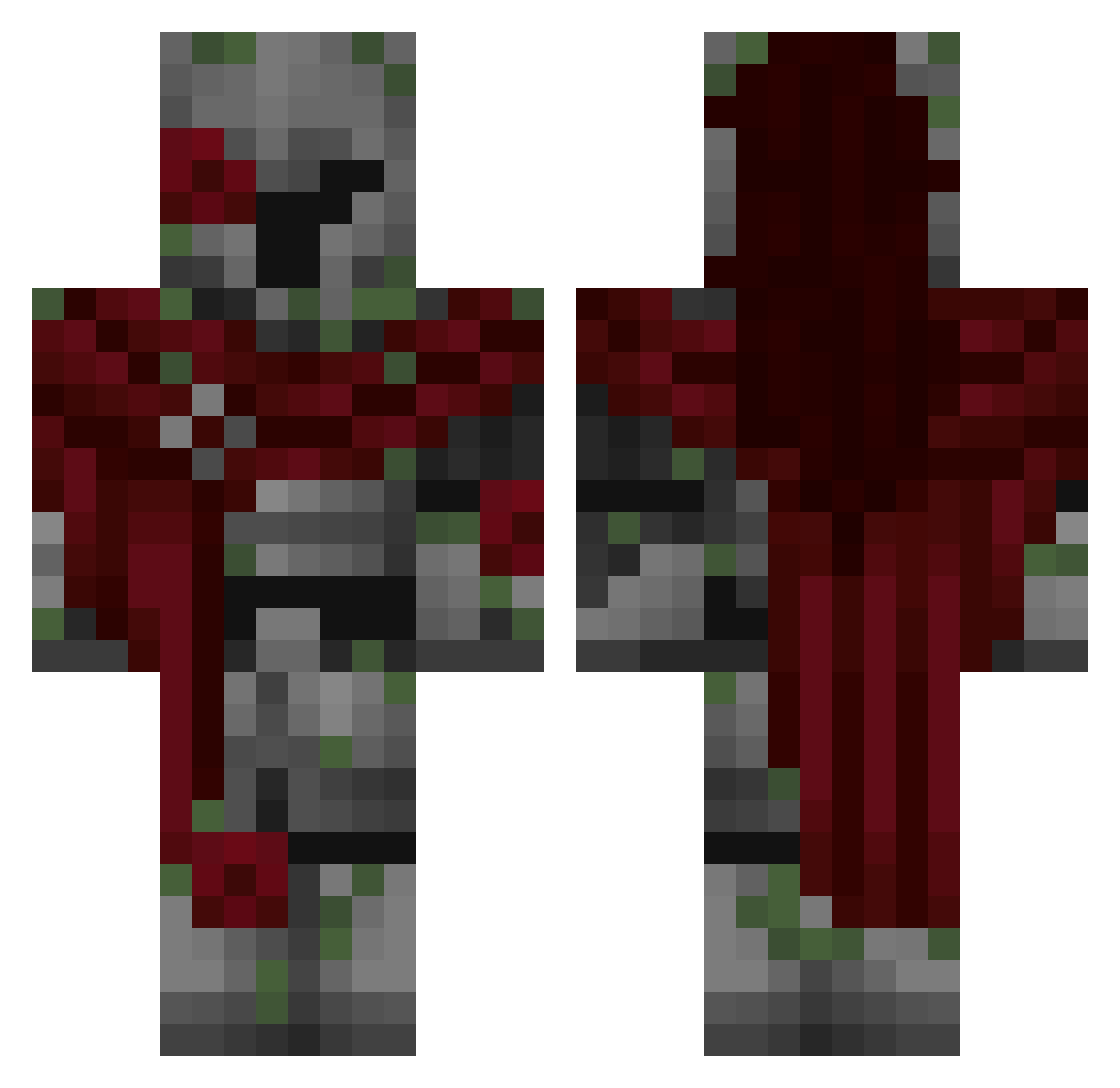
Current Minecraft skin of the player Kubentre, loaded from the official Mojang API. Rotate the 3D model with your mouse or finger, then download the skin as a PNG file and use it in Minecraft: Bedrock Edition or Java Edition for free. When Kubentre changes their skin, this page updates automatically and the old skin stays in the history below.
Other players with this skin (368)
Kubentre was the 339th player we have seen with this skin, first spotted on 11.11.2026. The same skin was seen on these players. Open a nickname to see their current skin and skin history.
 kinoco241 ImTheBestNow Nintendowiimusic HelenaCorrea DylanImCool sisktrop O2Plage TRAPLORDDEBASE Dhart3496_no3 spookymender wndudu Xynan_ TheAlex231 Fulrylo Orpheus0906 Nakamoto2775 indiset ORDEP2015 LACKY17 SCOTT010 Jaded_P maplegroves_ SrHarx Barcode4293 DietaubeTaube rave4taoBPHq IK1303 Jradical10 Master_cheezfu dieniz uuneakk Avoc2101 dodisus be7z7z _D4NI_1 FqllenRoses 1F1sh YamaKK12 sokar2012 piercedheart its_dyxe Etherm_ KAYN1N3 Cayle4323 AnastaciaAstora HelalSchlachter dreadpiston dzejkkosc llush Luther_gamer M_K2010 Mario1409 StarHome Ch3rryS8da OhTheOceanMan estebobot Locke_the_goblin GRIMMnight HarroadsterX Amhungy
More Mossy Minecraft skins
How to install the Kubentre skin
- Press the Download button above to save the skin as a PNG file.
- Minecraft: Bedrock Edition (PE): open the Dressing Room from the main menu (or tap your character → Edit Character), go to Classic Skins → Owned, press the + (new skin) button, choose the downloaded PNG and pick the Classic (Steve) model. Works on PC and mobile; consoles cannot import custom skins.
- Minecraft: Java Edition: open the Minecraft Launcher, go to the Skins tab, click New Skin, load the PNG, pick the Classic (Steve) model and press Save & Use. You can also upload it at minecraft.net → Profile → Change Skin.
The skin does not show up after import - what should I do?
Restart Minecraft and open the Dressing Room again - imported skins sometimes appear only after a restart. Also make sure you selected the imported skin and picked the Classic (Steve) model.
Which model should I choose, Classic or Slim?
This skin is designed for the Classic (Steve) model. If you pick the wrong model, the arms of the skin will look stretched or squeezed.
Is the skin of Kubentre free to download?
Yes. Press Download, save the PNG file and use it in Minecraft: Bedrock Edition or Java Edition - no payment or registration needed. The skin also works on multiplayer servers and Realms.
More skins
Looking for more? Go back to all Minecraft skins and check the top skins of the week, month and all time, or find any player's skin by nickname.