
Kuaen - Minecraft Skins & Skin History
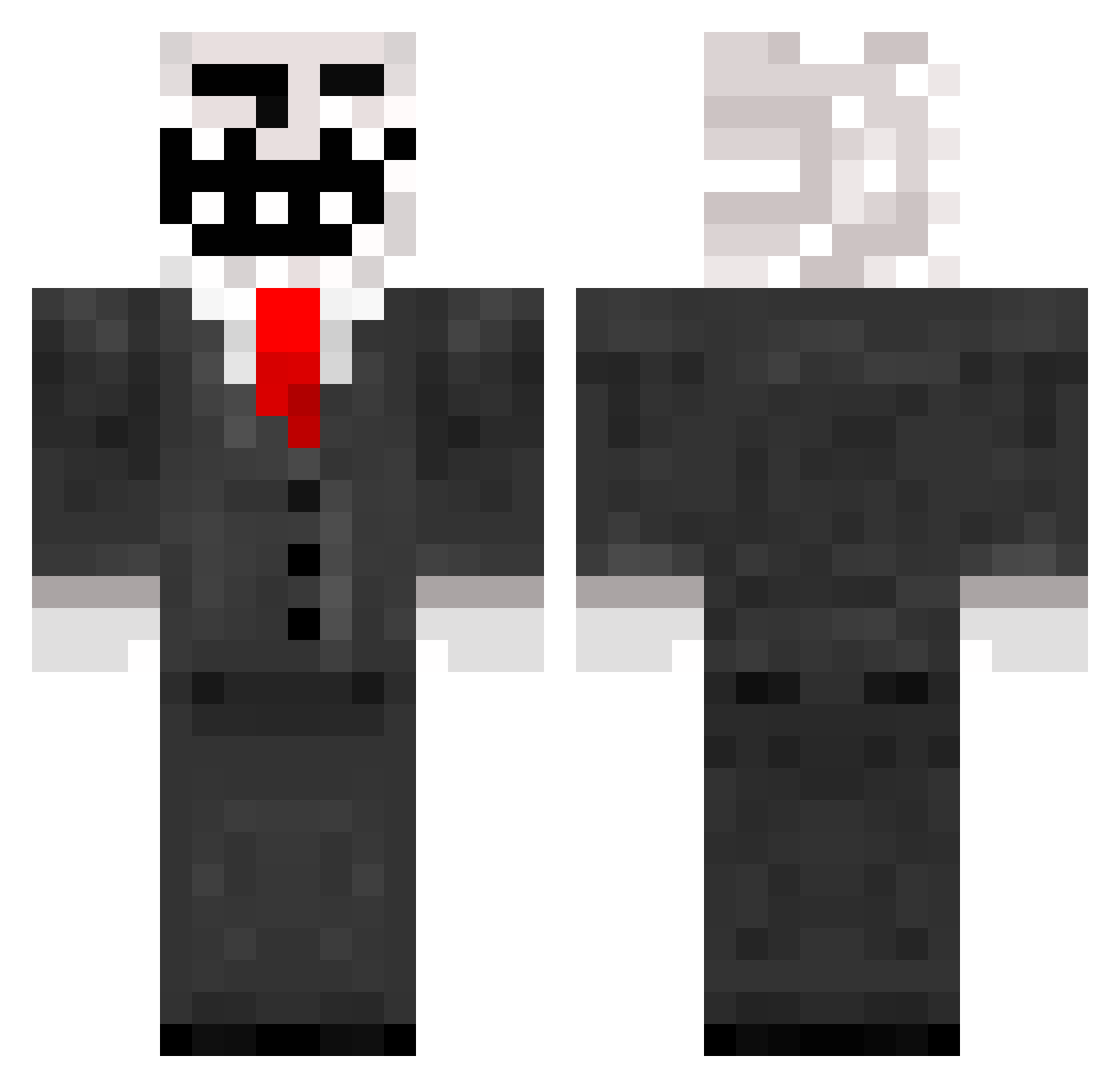
Current Minecraft skin of the player Kuaen, loaded from the official Mojang API. Rotate the 3D model with your mouse or finger, then download the skin as a PNG file and use it in Minecraft: Bedrock Edition or Java Edition for free. When Kuaen changes their skin, this page updates automatically and the old skin stays in the history below.
Other players with this skin (259)
Kuaen was the 81st player we have seen with this skin, first spotted on 02.09.2026. The same skin was seen on these players. Open a nickname to see their current skin and skin history.
 opioid01 Vader354 Xvac harrylfc123 Tyriminas Ballard32 Demoire Nincowpoop MalarkeyJames loyox19 MrPotatoButt glasssun THICC_DADDY coolaidkiller77 scorpio6543 sthomas2005 GMA92602 Nagi6ator superkilla2014 paramyxo sibbe123321 deyo91 Shifty404 lilbigp TJBollinger spikehead344 MadMattyMan Trollin martinmull RADARADA1000 SUPER_TROLL666 Seeymore gretsia red969g decofoster12345 chadhubbard jjqn isaacmonas colinsbutter Keepertje026 sc0rb4 iVip goochy16 SkaScott94 billybob3423 krumbelfix MrDeathhimself FudgeMallow logerhead Tuna__Sub TheMagicSanta CosmiC_Eclipse JackCrush The_Punisher6969 simonnymann123 jfjack110 DeathByBlackHole FredandTiernan xMeLLzzz jordanherbert
More Trollface Minecraft skins
How to install the Kuaen skin
- Press the Download button above to save the skin as a PNG file.
- Minecraft: Bedrock Edition (PE): open the Dressing Room from the main menu (or tap your character → Edit Character), go to Classic Skins → Owned, press the + (new skin) button, choose the downloaded PNG and pick the Classic (Steve) model. Works on PC and mobile; consoles cannot import custom skins.
- Minecraft: Java Edition: open the Minecraft Launcher, go to the Skins tab, click New Skin, load the PNG, pick the Classic (Steve) model and press Save & Use. You can also upload it at minecraft.net → Profile → Change Skin.
The skin does not show up after import - what should I do?
Restart Minecraft and open the Dressing Room again - imported skins sometimes appear only after a restart. Also make sure you selected the imported skin and picked the Classic (Steve) model.
Which model should I choose, Classic or Slim?
This skin is designed for the Classic (Steve) model. If you pick the wrong model, the arms of the skin will look stretched or squeezed.
Is the skin of Kuaen free to download?
Yes. Press Download, save the PNG file and use it in Minecraft: Bedrock Edition or Java Edition - no payment or registration needed. The skin also works on multiplayer servers and Realms.
More skins
Looking for more? Go back to all Minecraft skins and check the top skins of the week, month and all time, or find any player's skin by nickname.