
KrishJacob - Minecraft Skins & Skin History
Current Minecraft skin of the player KrishJacob, loaded from the official Mojang API. Rotate the 3D model with your mouse or finger, then download the skin as a PNG file and use it in Minecraft: Bedrock Edition or Java Edition for free. When KrishJacob changes their skin, this page updates automatically and the old skin stays in the history below.

Other players with this skin (2984)
KrishJacob was the 1301st player we have seen with this skin, first spotted on 14.09.2026. The same skin was seen on these players. Open a nickname to see their current skin and skin history.
 LeVraiblazer DaddyGavy X_Jhoao23 Fafryq_ capitanwalmart Galaxy_01 shrekgrips Bubson9413 Histidine ItsJoeOver GatoComsico CosmicClient Ayokooo
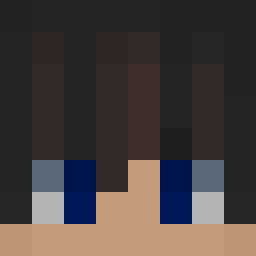 V57y_ Noppat denobyy Difficuult Paridae VARTOLO PezdaKril228 PrincessSalmon1 misterminer0 Herat ReMaiM TreugolnikKebab IamDemz Tatsu1810 Y1G1TT Tinkemies Morrowless Kleicki
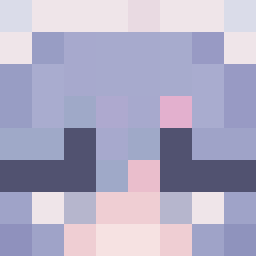 Zabolaza AndySaur cephalic mxatxx Kagame_the_Ronin Tholvor gimozziman__ je0728__ Itz_Samiol howard00 spud5482 ExSec Ph0enixi Sabrina44240 Lactel_VitamineD PigMan5 JaredKruger dimcha10fps despoinaki DerVertrackter lofi_beat Aiker_A Barriss F4LIK dweffwefg CriplingKrake1 KuroKurari Trainable PRZEMS0NN
More Prosthetic Arm Minecraft skins
See all 71 Prosthetic Arm skins
How to install the KrishJacob skin
- Press the Download button above to save the skin as a PNG file.
- Minecraft: Bedrock Edition (PE): open the Dressing Room from the main menu (or tap your character → Edit Character), go to Classic Skins → Owned, press the + (new skin) button, choose the downloaded PNG and pick the Classic (Steve) model. Works on PC and mobile; consoles cannot import custom skins.
- Minecraft: Java Edition: open the Minecraft Launcher, go to the Skins tab, click New Skin, load the PNG, pick the Classic (Steve) model and press Save & Use. You can also upload it at minecraft.net → Profile → Change Skin.
The skin does not show up after import - what should I do?
Restart Minecraft and open the Dressing Room again - imported skins sometimes appear only after a restart. Also make sure you selected the imported skin and picked the Classic (Steve) model.
Which model should I choose, Classic or Slim?
This skin is designed for the Classic (Steve) model. If you pick the wrong model, the arms of the skin will look stretched or squeezed.
Is the skin of KrishJacob free to download?
Yes. Press Download, save the PNG file and use it in Minecraft: Bedrock Edition or Java Edition - no payment or registration needed. The skin also works on multiplayer servers and Realms.
More skins
Looking for more? Go back to all Minecraft skins and check the top skins of the week, month and all time, or find any player's skin by nickname.