
Krhon87 - Minecraft Skins & Skin History
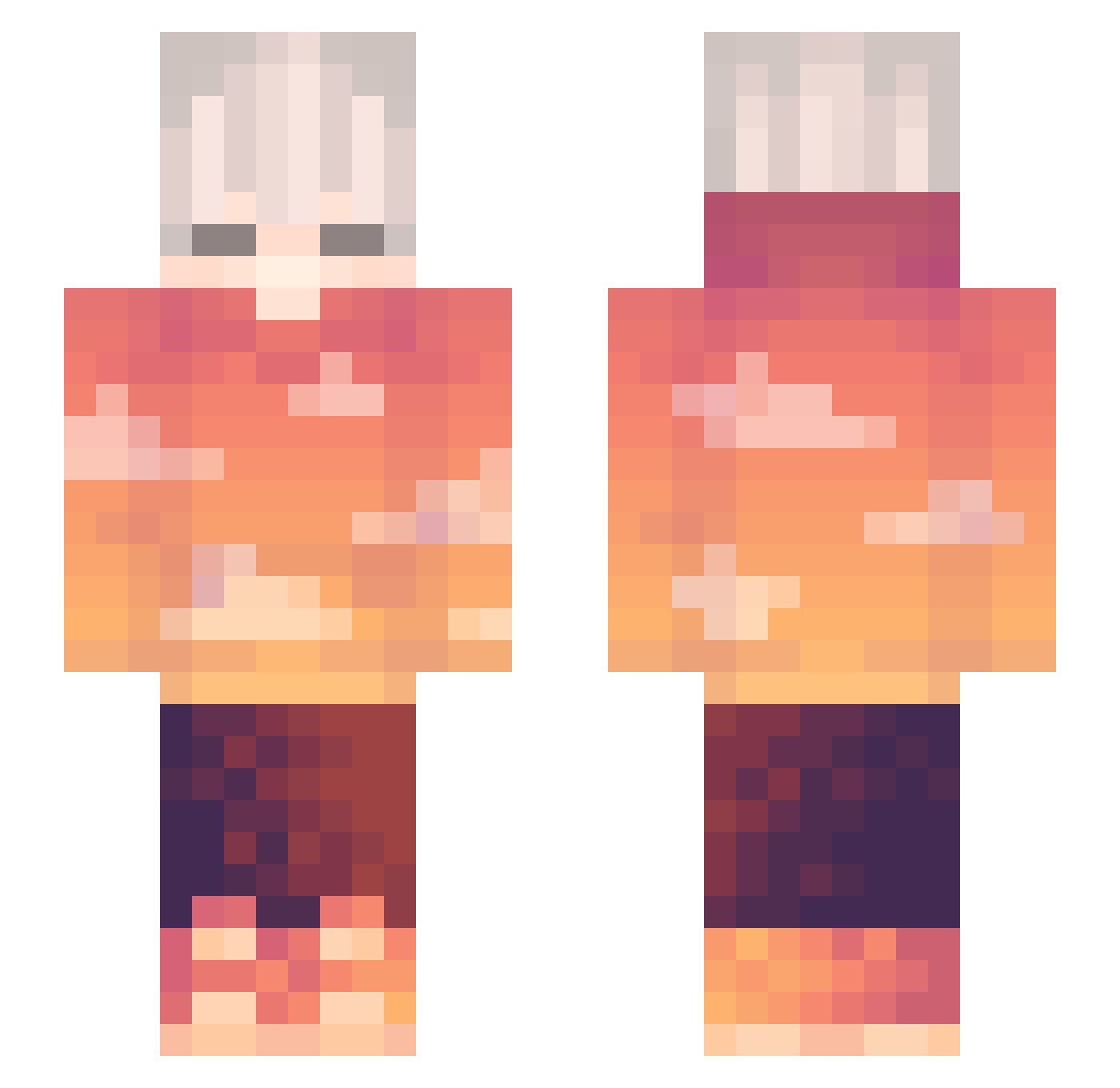
Current Minecraft skin of the player Krhon87, loaded from the official Mojang API. Rotate the 3D model with your mouse or finger, then download the skin as a PNG file and use it in Minecraft: Bedrock Edition or Java Edition for free. When Krhon87 changes their skin, this page updates automatically and the old skin stays in the history below.
Other players with this skin (264)
Krhon87 was the 79th player we have seen with this skin, first spotted on 19.08.2026. The same skin was seen on these players. Open a nickname to see their current skin and skin history.
 PoilsDetetons IRONJONNE Alanzxy tibaeg777 TrickyJ Midna71 ljcdboy ta1nezZz rafa_silva23 Zamming Rector_TM Ygtalmdr UnderkofferBen X_Burak Hi_I_Love_Merida PokrHD _Lumin_ Jaydynnn MaKaROCHeK PLYI_I Wu_Ming_233 Raffall Koly80333_2_0 KimMandik darkthunderPT StickierWind727 TicklePickle643 M37464m3r
 Peradoc yz250x Akio_67 Kanekoh_ Shikimorii Xenath22 Recelli_Donut javahenry _xMarS BIG_Monkey666 Tanjir0h_ Zaiyfu Sunny_Bai RadiatedWheel27 i_xiao Mahaslo CheesecakeKun Electro_Hype _NORME LLEGU3S Quackinee sykydw jarielvibez akk3535 Ben104683 ItzMariox jorplamon Fenix1446 postanowienie Ekyn0x_ TeleFive SuperKP12
More Sunset Minecraft skins
How to install the Krhon87 skin
- Press the Download button above to save the skin as a PNG file.
- Minecraft: Bedrock Edition (PE): open the Dressing Room from the main menu (or tap your character → Edit Character), go to Classic Skins → Owned, press the + (new skin) button, choose the downloaded PNG and pick the Slim (Alex) model. Works on PC and mobile; consoles cannot import custom skins.
- Minecraft: Java Edition: open the Minecraft Launcher, go to the Skins tab, click New Skin, load the PNG, pick the Slim (Alex) model and press Save & Use. You can also upload it at minecraft.net → Profile → Change Skin.
The skin does not show up after import - what should I do?
Restart Minecraft and open the Dressing Room again - imported skins sometimes appear only after a restart. Also make sure you selected the imported skin and picked the Slim (Alex) model.
Which model should I choose, Classic or Slim?
This skin is designed for the Slim (Alex) model. If you pick the wrong model, the arms of the skin will look stretched or squeezed.
Is the skin of Krhon87 free to download?
Yes. Press Download, save the PNG file and use it in Minecraft: Bedrock Edition or Java Edition - no payment or registration needed. The skin also works on multiplayer servers and Realms.
More skins
Looking for more? Go back to all Minecraft skins and check the top skins of the week, month and all time, or find any player's skin by nickname.