
Kreeke666 - Minecraft Skins & Skin History
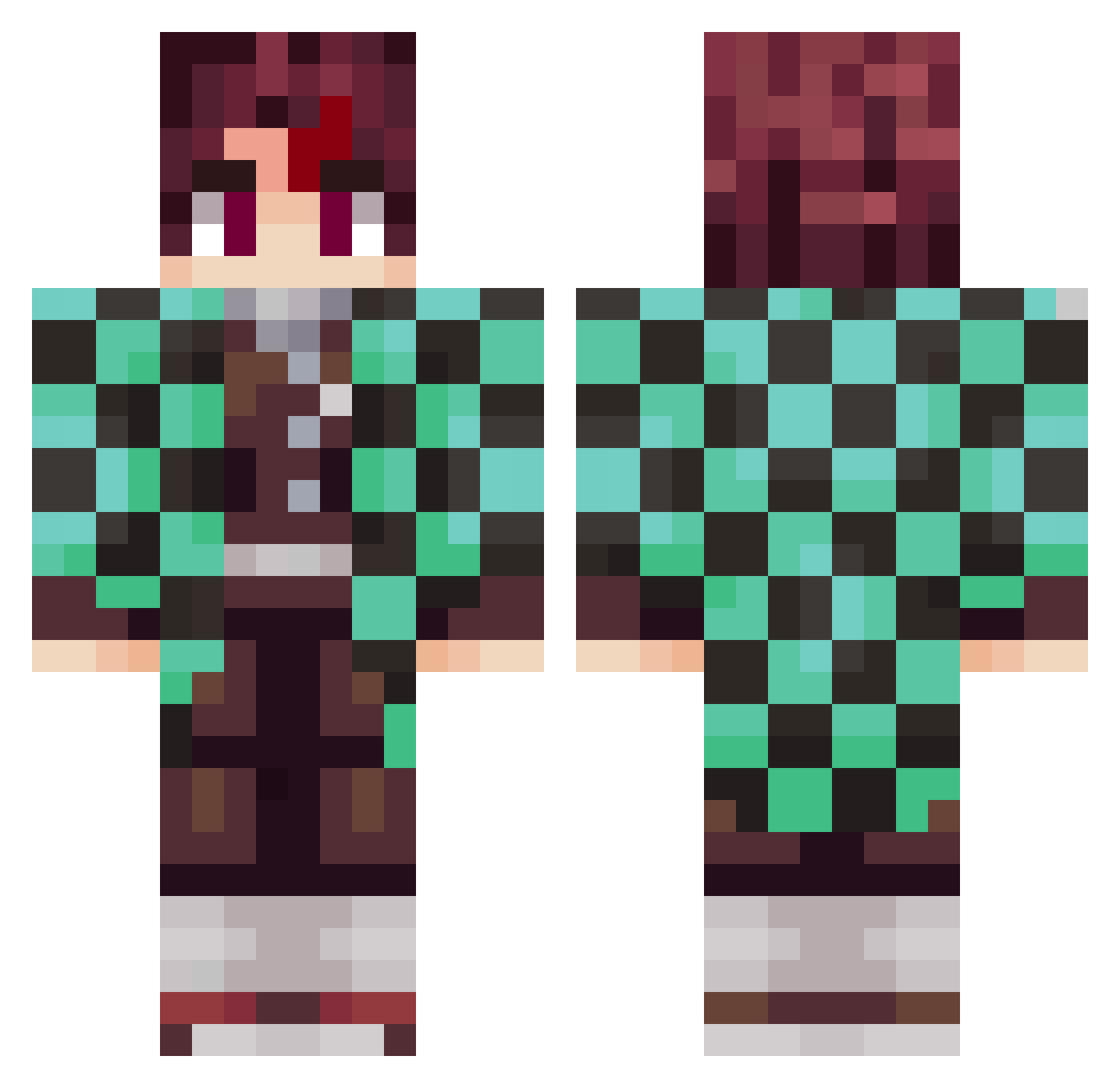
Current Minecraft skin of the player Kreeke666, loaded from the official Mojang API. Rotate the 3D model with your mouse or finger, then download the skin as a PNG file and use it in Minecraft: Bedrock Edition or Java Edition for free. When Kreeke666 changes their skin, this page updates automatically and the old skin stays in the history below.
Other players with this skin (797)
Kreeke666 was the 668th player we have seen with this skin, first spotted on 10.10.2026. The same skin was seen on these players. Open a nickname to see their current skin and skin history.
 LimyMC brock91420 bodyci_tayip Turtlerunali Messendzher MANHEC egorfora T1NO_YU SquadRobalino ALIZE77 Ashdeth belxead mushroom2222 BaaBaaYaaGaa Neil5312 AykanCekmen swifty11 Gundam9907 Finkhic Kiba03E Timznnn ifriteur makoto_0906 Frwaivy 5000VT TrinoRamos killeur220 DragonKingZx csalazar04 Levity_ MochaBiscuit163 Itona455 RenegadeMa5ter Qefays OGDushane WackyPluto thedream_machine EmP115 XxFazeJesusxX Gnugg123 RaringColt94344 ItzRealFewer Sunchine0Eagle larrayy Sulaiman16 SirJumNa fenix2747 Rikusiy Yichun1126 ReplantuS PapaMora Matheow17 Superluigi234 SUHL2 cinesio john214 Oswalneto714 FloCraft1 Ro1gata joka2014
More Tanjiro Kamado Minecraft skins
See all 389 Tanjiro Kamado skins
How to install the Kreeke666 skin
- Press the Download button above to save the skin as a PNG file.
- Minecraft: Bedrock Edition (PE): open the Dressing Room from the main menu (or tap your character → Edit Character), go to Classic Skins → Owned, press the + (new skin) button, choose the downloaded PNG and pick the Classic (Steve) model. Works on PC and mobile; consoles cannot import custom skins.
- Minecraft: Java Edition: open the Minecraft Launcher, go to the Skins tab, click New Skin, load the PNG, pick the Classic (Steve) model and press Save & Use. You can also upload it at minecraft.net → Profile → Change Skin.
The skin does not show up after import - what should I do?
Restart Minecraft and open the Dressing Room again - imported skins sometimes appear only after a restart. Also make sure you selected the imported skin and picked the Classic (Steve) model.
Which model should I choose, Classic or Slim?
This skin is designed for the Classic (Steve) model. If you pick the wrong model, the arms of the skin will look stretched or squeezed.
Is the skin of Kreeke666 free to download?
Yes. Press Download, save the PNG file and use it in Minecraft: Bedrock Edition or Java Edition - no payment or registration needed. The skin also works on multiplayer servers and Realms.
More skins
Looking for more? Go back to all Minecraft skins and check the top skins of the week, month and all time, or find any player's skin by nickname.