
Krayla25 - Minecraft Skins & Skin History
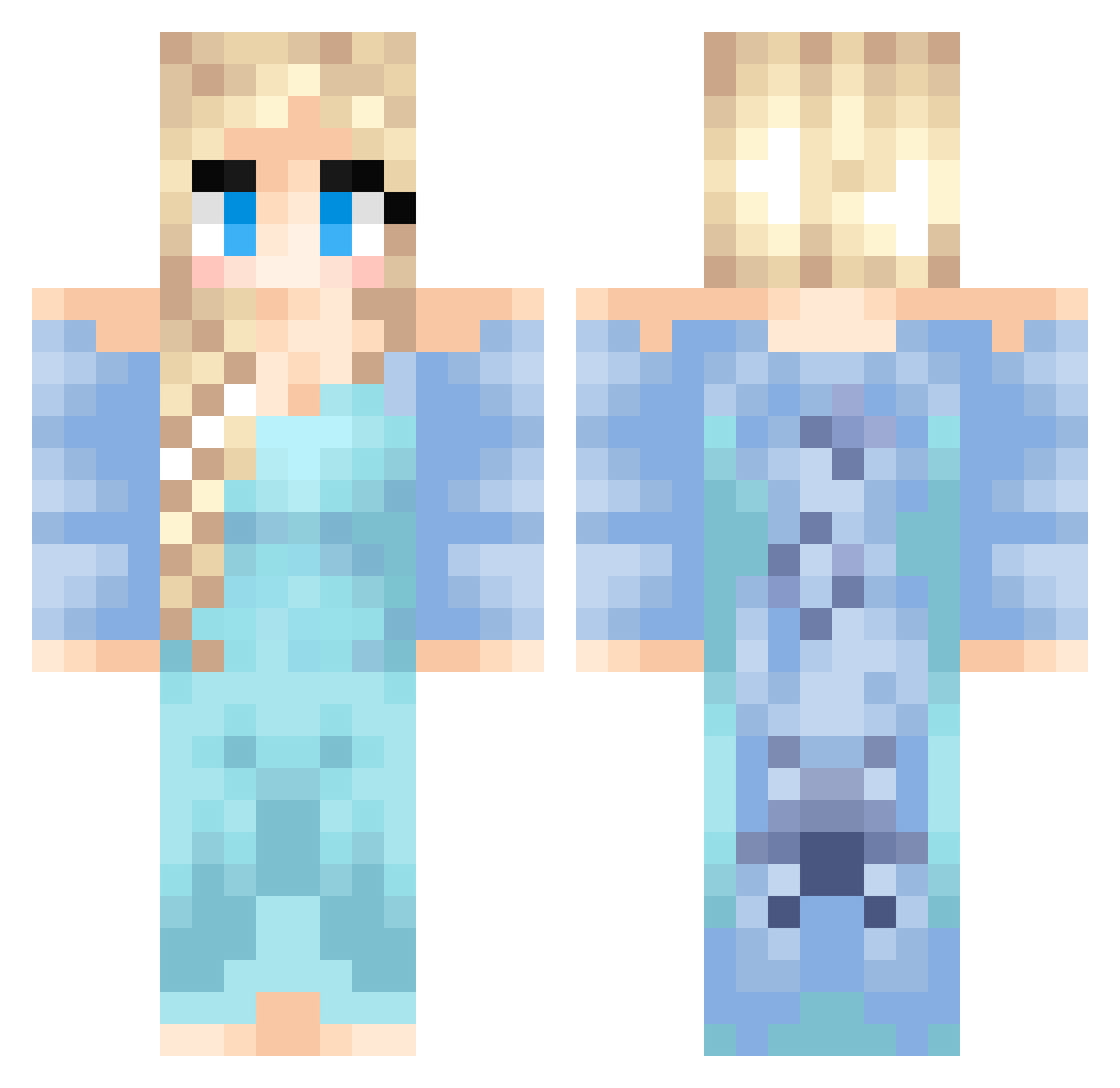
Current Minecraft skin of the player Krayla25, loaded from the official Mojang API. Rotate the 3D model with your mouse or finger, then download the skin as a PNG file and use it in Minecraft: Bedrock Edition or Java Edition for free. When Krayla25 changes their skin, this page updates automatically and the old skin stays in the history below.
Other players with this skin (437)
Krayla25 was the 402nd player we have seen with this skin, first spotted on 25.10.2026. The same skin was seen on these players. Open a nickname to see their current skin and skin history.
 KatieBelle_00 Sassy_2001 Sharon_1 skinny1uk caroline1016 SOO_MIN Ellie_May2004 allibee dylancruz10 belle2399 siam123456789 sulan04 MountainAspen linnea0606 wisco_girl SophieB123 eggs_and_bacon23 MortalHugo MockingJay3056 Kaibee8 Genevive2005 SarahLee17 Mareikels mahnson04 annabel_dh pokanator deathprincess1 prinsessa23 CookieFan azacoolgirl99 KaddSkye TinyArmageddon saralilern Imojen08 skullboy04 LacieLou02 YolandaYellow VintageDisguise amberleann773 Izzy_BB Midorikiss Wild_Hearts Koala_W zeeemps TinkGirl84 xMandersx MoaPetrova Hanasukalic QuietPvE Zeera1012 ffsmanwtf123 noanoanoa1 EvaG demonprincess132 SareBear4 WhataMeowful mrpark96 KreksterYa liting jessiblah
More Elsa Minecraft skins
How to install the Krayla25 skin
- Press the Download button above to save the skin as a PNG file.
- Minecraft: Bedrock Edition (PE): open the Dressing Room from the main menu (or tap your character → Edit Character), go to Classic Skins → Owned, press the + (new skin) button, choose the downloaded PNG and pick the Classic (Steve) model. Works on PC and mobile; consoles cannot import custom skins.
- Minecraft: Java Edition: open the Minecraft Launcher, go to the Skins tab, click New Skin, load the PNG, pick the Classic (Steve) model and press Save & Use. You can also upload it at minecraft.net → Profile → Change Skin.
The skin does not show up after import - what should I do?
Restart Minecraft and open the Dressing Room again - imported skins sometimes appear only after a restart. Also make sure you selected the imported skin and picked the Classic (Steve) model.
Which model should I choose, Classic or Slim?
This skin is designed for the Classic (Steve) model. If you pick the wrong model, the arms of the skin will look stretched or squeezed.
Is the skin of Krayla25 free to download?
Yes. Press Download, save the PNG file and use it in Minecraft: Bedrock Edition or Java Edition - no payment or registration needed. The skin also works on multiplayer servers and Realms.
More skins
Looking for more? Go back to all Minecraft skins and check the top skins of the week, month and all time, or find any player's skin by nickname.