
KraxO - Minecraft Skins & Skin History
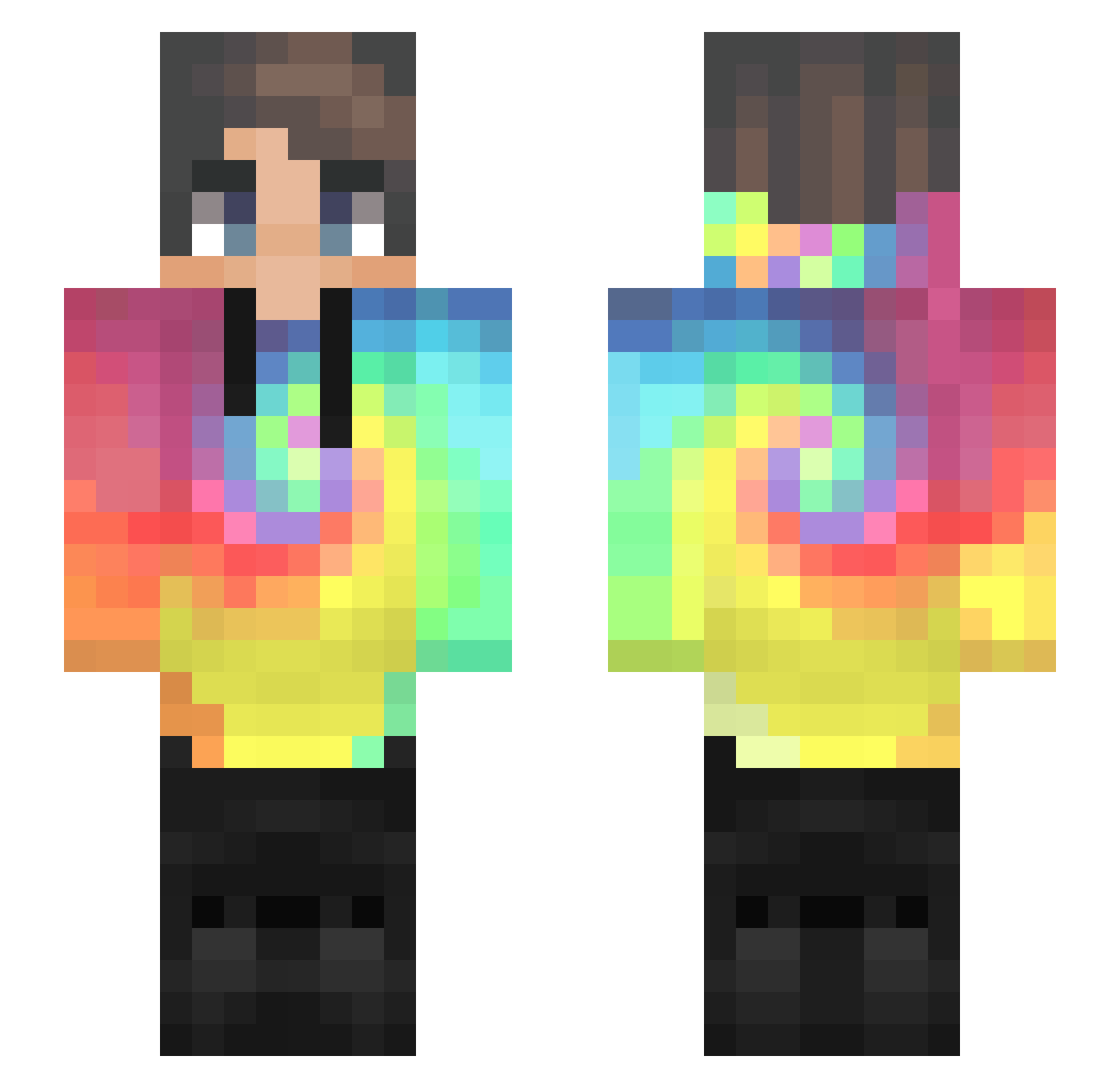
Current Minecraft skin of the player KraxO, loaded from the official Mojang API. Rotate the 3D model with your mouse or finger, then download the skin as a PNG file and use it in Minecraft: Bedrock Edition or Java Edition for free. When KraxO changes their skin, this page updates automatically and the old skin stays in the history below.
Other players with this skin (434)
KraxO was the 243rd player we have seen with this skin, first spotted on 19.09.2026. The same skin was seen on these players. Open a nickname to see their current skin and skin history.
 NotJackPlays93 Kup9999 MikesMinds Canarinho_Bot Elayas_02 nebula0000 moyun6675 Mansif132 lucakpo Apopalis Skeppz TaliseTama tr1g312 M1reku LavaMarcus100 bu_jue BORZIK99 poop696969 JamesD_05 Xnickgamer2007X PB_LWL Loay318 Titan0411 Hajun_1 LuckyYazan2005 ShadoWolfs ChatterBox156 winniekawaii07 swxrdx Ulan_top4ik Dao_xu SharpRival _jaay98_ Naicols95 nevermorekas _justin_hnvr_ lllliiilll Leslie_ZHANG Em0tka z_Curious Weiweiya J_W_H Rhatrix NathFun_34 MinYouBin qiranKing Weird_crxfter Rudiks zZ8EigHt8Zz haidi69 Woollyyyyy lumadu77 Chaseee___ Elisniper98 hai_cspy Aeloulaev SeongMin05 NJWF1 CallMeMasterLAI Tijn720
How to install the KraxO skin
- Press the Download button above to save the skin as a PNG file.
- Minecraft: Bedrock Edition (PE): open the Dressing Room from the main menu (or tap your character → Edit Character), go to Classic Skins → Owned, press the + (new skin) button, choose the downloaded PNG and pick the Slim (Alex) model. Works on PC and mobile; consoles cannot import custom skins.
- Minecraft: Java Edition: open the Minecraft Launcher, go to the Skins tab, click New Skin, load the PNG, pick the Slim (Alex) model and press Save & Use. You can also upload it at minecraft.net → Profile → Change Skin.
The skin does not show up after import - what should I do?
Restart Minecraft and open the Dressing Room again - imported skins sometimes appear only after a restart. Also make sure you selected the imported skin and picked the Slim (Alex) model.
Which model should I choose, Classic or Slim?
This skin is designed for the Slim (Alex) model. If you pick the wrong model, the arms of the skin will look stretched or squeezed.
Is the skin of KraxO free to download?
Yes. Press Download, save the PNG file and use it in Minecraft: Bedrock Edition or Java Edition - no payment or registration needed. The skin also works on multiplayer servers and Realms.
More skins
Looking for more? Go back to all Minecraft skins and check the top skins of the week, month and all time, or find any player's skin by nickname.