
KravenZeus - Minecraft Skins & Skin History
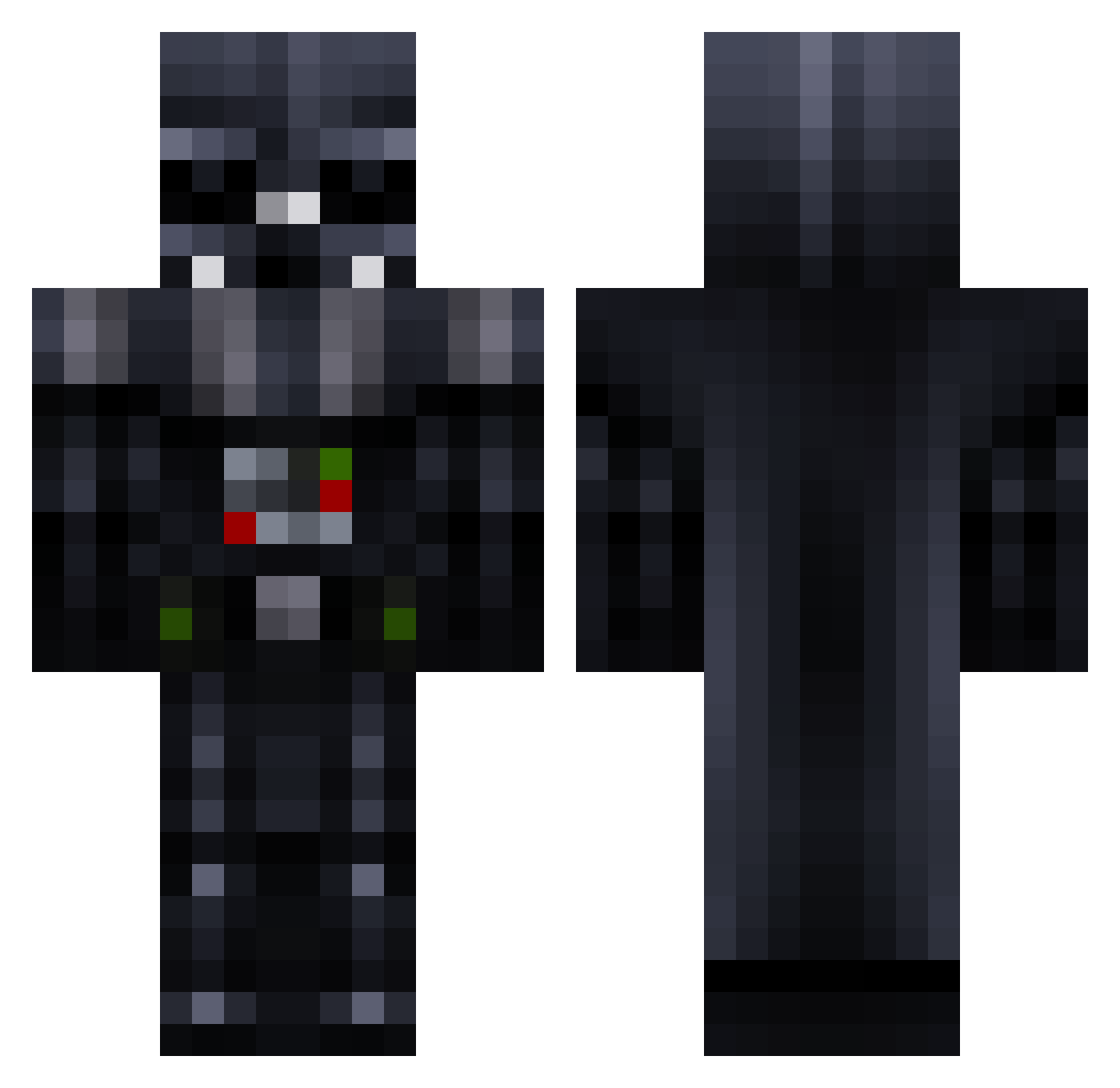
Current Minecraft skin of the player KravenZeus, loaded from the official Mojang API. Rotate the 3D model with your mouse or finger, then download the skin as a PNG file and use it in Minecraft: Bedrock Edition or Java Edition for free. When KravenZeus changes their skin, this page updates automatically and the old skin stays in the history below.
Other players with this skin (781)
KravenZeus was the 293rd player we have seen with this skin, first spotted on 08.09.2026. The same skin was seen on these players. Open a nickname to see their current skin and skin history.
 KabbageKid Tay_taysloan TheEpicKnight91 RedTank10 Kewe123 SCUBABOY0012 darkvader079 Pozidragon toxic_trash Jduncan265 latolium999 Jedifleisch boom0159 _Ralleboy JHDavidMc Bonecritter StephMan tatyana0195 Darth_Maeder mtnezz TaziDaBeast Daniele9411 Spencer_Bowles kokotomato Superbsam TheGoA LordXapi Dunc71 DibuPlayerV1 FuNBoY020 JacobPic Brownie4 Kimikaze Logic_Bomb1337 Tajewell colby939 SeaEagle01 rorritochile BIG_PAPA_PUMP__ Rum MaladinPaladin LacosHoon ebekka Lucas_ay Skullkrusher918 BiraruKun LionKing21 Lengwu487 God_Minotaur MasterX1027 Pafiti_Master sokka_agent007 JHeps Boone05 DaRtHvAdGeR Tete1990 rodzyn1994vip duuub22 PriyaTheGreat monsteROfficial
More Darth Vader Minecraft skins
How to install the KravenZeus skin
- Press the Download button above to save the skin as a PNG file.
- Minecraft: Bedrock Edition (PE): open the Dressing Room from the main menu (or tap your character → Edit Character), go to Classic Skins → Owned, press the + (new skin) button, choose the downloaded PNG and pick the Classic (Steve) model. Works on PC and mobile; consoles cannot import custom skins.
- Minecraft: Java Edition: open the Minecraft Launcher, go to the Skins tab, click New Skin, load the PNG, pick the Classic (Steve) model and press Save & Use. You can also upload it at minecraft.net → Profile → Change Skin.
The skin does not show up after import - what should I do?
Restart Minecraft and open the Dressing Room again - imported skins sometimes appear only after a restart. Also make sure you selected the imported skin and picked the Classic (Steve) model.
Which model should I choose, Classic or Slim?
This skin is designed for the Classic (Steve) model. If you pick the wrong model, the arms of the skin will look stretched or squeezed.
Is the skin of KravenZeus free to download?
Yes. Press Download, save the PNG file and use it in Minecraft: Bedrock Edition or Java Edition - no payment or registration needed. The skin also works on multiplayer servers and Realms.
More skins
Looking for more? Go back to all Minecraft skins and check the top skins of the week, month and all time, or find any player's skin by nickname.