
Krasher_Pro - Minecraft Skins & Skin History
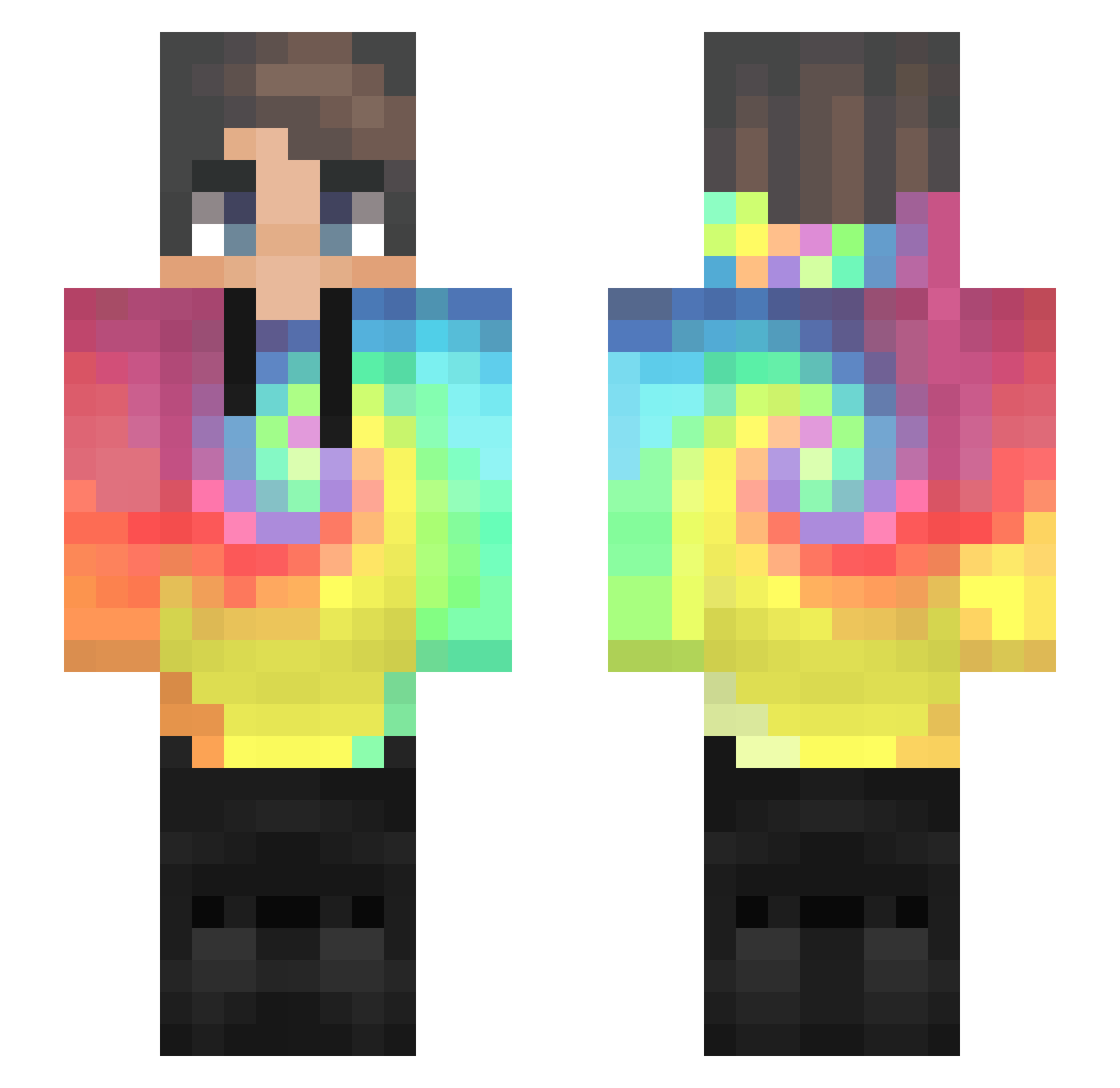
Current Minecraft skin of the player Krasher_Pro, loaded from the official Mojang API. Rotate the 3D model with your mouse or finger, then download the skin as a PNG file and use it in Minecraft: Bedrock Edition or Java Edition for free. When Krasher_Pro changes their skin, this page updates automatically and the old skin stays in the history below.
Other players with this skin (534)
Krasher_Pro was the 325th player we have seen with this skin, first spotted on 06.10.2026. The same skin was seen on these players. Open a nickname to see their current skin and skin history.
 YoshiGreenHero64 raybone yousef_RG MateoInferno Blow_DBZ Treehard ManbearChicken Jeancoutu450 ToKa_615 UnkownUser420 MonkaStuvwxyz zy_froz Prona67 YoCsusu LeoBeo0403 Peritio0 Mika_Milk _Dracstyle_ KmanAU altekanone TJLibert efeings1 z0mbie14 TaylanX2903 JunePoe tijnuk FaminedeCrayon Antos1981 FlorianHsp_ T0mi_ARG Basically_Elly ItsssJacky Leanderttt Chf7516 random_key Wady41 qDyamond BloodstainCross Mc_Wind RaynKeiko Jrydan BoTypeI ALEKS1211 notDaraell TiagoCardosoo Vladonatery SweetPotato23 spnkvelnk laz_ious Black_Taeyang jes007XD DUnit99 Maker_Du rainstorm_4 Psychism DylanTing Freedye Gabriewl Pompermayer HoncraMilk
How to install the Krasher_Pro skin
- Press the Download button above to save the skin as a PNG file.
- Minecraft: Bedrock Edition (PE): open the Dressing Room from the main menu (or tap your character → Edit Character), go to Classic Skins → Owned, press the + (new skin) button, choose the downloaded PNG and pick the Slim (Alex) model. Works on PC and mobile; consoles cannot import custom skins.
- Minecraft: Java Edition: open the Minecraft Launcher, go to the Skins tab, click New Skin, load the PNG, pick the Slim (Alex) model and press Save & Use. You can also upload it at minecraft.net → Profile → Change Skin.
The skin does not show up after import - what should I do?
Restart Minecraft and open the Dressing Room again - imported skins sometimes appear only after a restart. Also make sure you selected the imported skin and picked the Slim (Alex) model.
Which model should I choose, Classic or Slim?
This skin is designed for the Slim (Alex) model. If you pick the wrong model, the arms of the skin will look stretched or squeezed.
Is the skin of Krasher_Pro free to download?
Yes. Press Download, save the PNG file and use it in Minecraft: Bedrock Edition or Java Edition - no payment or registration needed. The skin also works on multiplayer servers and Realms.
More skins
Looking for more? Go back to all Minecraft skins and check the top skins of the week, month and all time, or find any player's skin by nickname.