
Kra55 - Minecraft Skins & Skin History
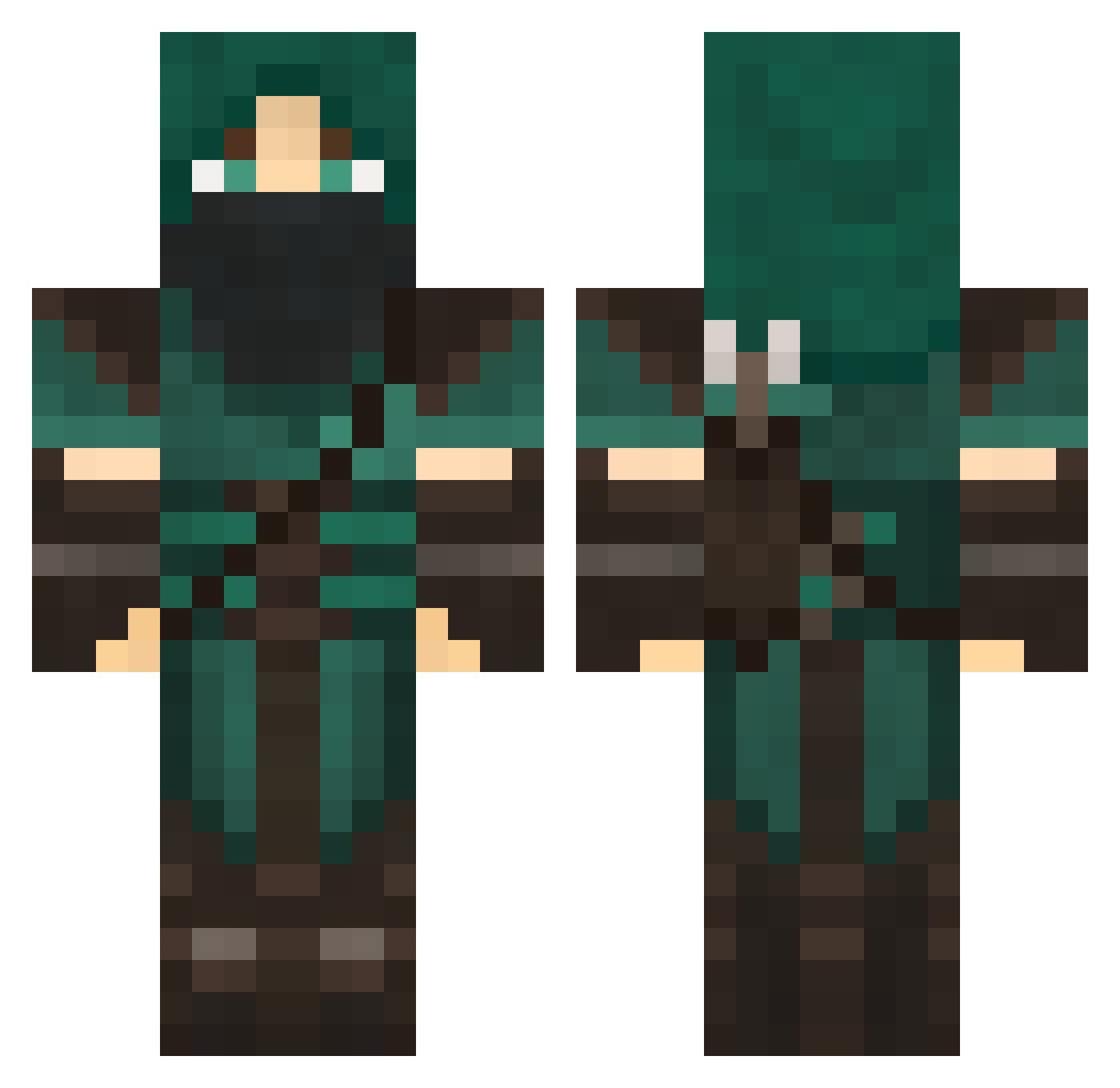
Current Minecraft skin of the player Kra55, loaded from the official Mojang API. Rotate the 3D model with your mouse or finger, then download the skin as a PNG file and use it in Minecraft: Bedrock Edition or Java Edition for free. When Kra55 changes their skin, this page updates automatically and the old skin stays in the history below.
Other players with this skin (706)
Kra55 was the 662nd player we have seen with this skin, first spotted on 26.10.2026. The same skin was seen on these players. Open a nickname to see their current skin and skin history.
 LarryWells2000 Ultronx3 C_VKB93 Bowmosexual flighthawk14 30763 wonderkit Treman42 rankeri Der_Uber_Noob abramsaw erlen8 LPXM TBONEKILLA xXDark_FangXx steen1147 Derplogic HachibiDemonOx TurboScott22 deathpool789 Broukie Honestnugget Devolitionderby dcgg Zelocs kalazard World_Assassin Ducassis Jyslin EEvilweavEEl HexPavillion LucasBlom Big_Bertha Aze7 roadex jhardin2285 mattbean2 Alahr014 L_Q1234 SlimeDonkey BennyLegend98 Kettuboi Stage0806 LpKninja SmiffyPisces Calycal Xx_TWinKie_xX Euphoriall TyeHazardx mikkelbon dimmes Swip777 rayman_bosss INSANITY56 SenitelKJ Hyptus noneyabuisness Bundane MinerGkar1977 SchapyFrench
More Rogue Minecraft skins
How to install the Kra55 skin
- Press the Download button above to save the skin as a PNG file.
- Minecraft: Bedrock Edition (PE): open the Dressing Room from the main menu (or tap your character → Edit Character), go to Classic Skins → Owned, press the + (new skin) button, choose the downloaded PNG and pick the Classic (Steve) model. Works on PC and mobile; consoles cannot import custom skins.
- Minecraft: Java Edition: open the Minecraft Launcher, go to the Skins tab, click New Skin, load the PNG, pick the Classic (Steve) model and press Save & Use. You can also upload it at minecraft.net → Profile → Change Skin.
The skin does not show up after import - what should I do?
Restart Minecraft and open the Dressing Room again - imported skins sometimes appear only after a restart. Also make sure you selected the imported skin and picked the Classic (Steve) model.
Which model should I choose, Classic or Slim?
This skin is designed for the Classic (Steve) model. If you pick the wrong model, the arms of the skin will look stretched or squeezed.
Is the skin of Kra55 free to download?
Yes. Press Download, save the PNG file and use it in Minecraft: Bedrock Edition or Java Edition - no payment or registration needed. The skin also works on multiplayer servers and Realms.
More skins
Looking for more? Go back to all Minecraft skins and check the top skins of the week, month and all time, or find any player's skin by nickname.