
KrP66 - Minecraft Skins & Skin History
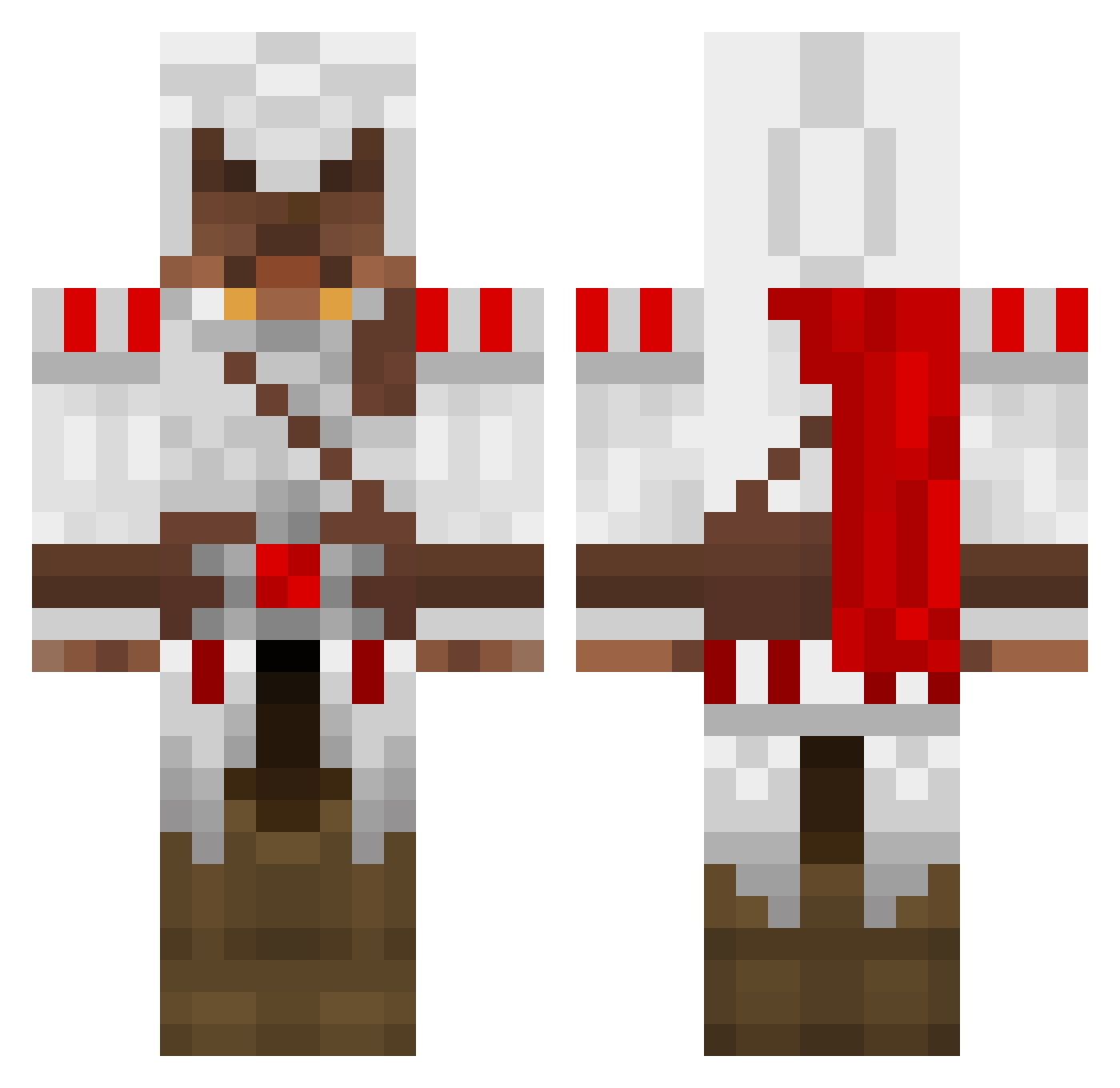
Current Minecraft skin of the player KrP66, loaded from the official Mojang API. Rotate the 3D model with your mouse or finger, then download the skin as a PNG file and use it in Minecraft: Bedrock Edition or Java Edition for free. When KrP66 changes their skin, this page updates automatically and the old skin stays in the history below.
Other players with this skin (1391)
KrP66 was the 450th player we have seen with this skin, first spotted on 28.08.2026. The same skin was seen on these players. Open a nickname to see their current skin and skin history.
 Adalae ryan190123 Gwarnsolo marcel0811 rljnsn86 Flesherboy svampebob112 Tommas1911 BlakLove Cyclos11 KatouStrouff carsonhaller f4n70m86 Glandi loicdu21 nivekkunz dr_doom666 KnightFray austin551283 conkid26 blackrage101 guanicapr tomc99 orca000100 TheJeremias PredatorXi1 StealthyAssassin cheefstyler rugma12 TraX313 Mr_Snelson NoraxLegend Thelduin1 carltheninja rhyster21 FeLiqZz _Kknight_ superkal Epic_PewPew bertron528 ThunderNugget LedderLappen Gunfirekj KhAOS1993 willams5 smartcaptin93135 BalrogFIN burgerga ExcellenTT snarfhardcore Homeblest Ayeigui h3iva Contruction Seawheat rifurman mufelfuchs Moql Shawnpai squishycream
More Altair Ibn La Ahad Minecraft skins
See all 196 Altair Ibn La Ahad skins
How to install the KrP66 skin
- Press the Download button above to save the skin as a PNG file.
- Minecraft: Bedrock Edition (PE): open the Dressing Room from the main menu (or tap your character → Edit Character), go to Classic Skins → Owned, press the + (new skin) button, choose the downloaded PNG and pick the Classic (Steve) model. Works on PC and mobile; consoles cannot import custom skins.
- Minecraft: Java Edition: open the Minecraft Launcher, go to the Skins tab, click New Skin, load the PNG, pick the Classic (Steve) model and press Save & Use. You can also upload it at minecraft.net → Profile → Change Skin.
The skin does not show up after import - what should I do?
Restart Minecraft and open the Dressing Room again - imported skins sometimes appear only after a restart. Also make sure you selected the imported skin and picked the Classic (Steve) model.
Which model should I choose, Classic or Slim?
This skin is designed for the Classic (Steve) model. If you pick the wrong model, the arms of the skin will look stretched or squeezed.
Is the skin of KrP66 free to download?
Yes. Press Download, save the PNG file and use it in Minecraft: Bedrock Edition or Java Edition - no payment or registration needed. The skin also works on multiplayer servers and Realms.
More skins
Looking for more? Go back to all Minecraft skins and check the top skins of the week, month and all time, or find any player's skin by nickname.