
Koxa - Minecraft Skins & Skin History
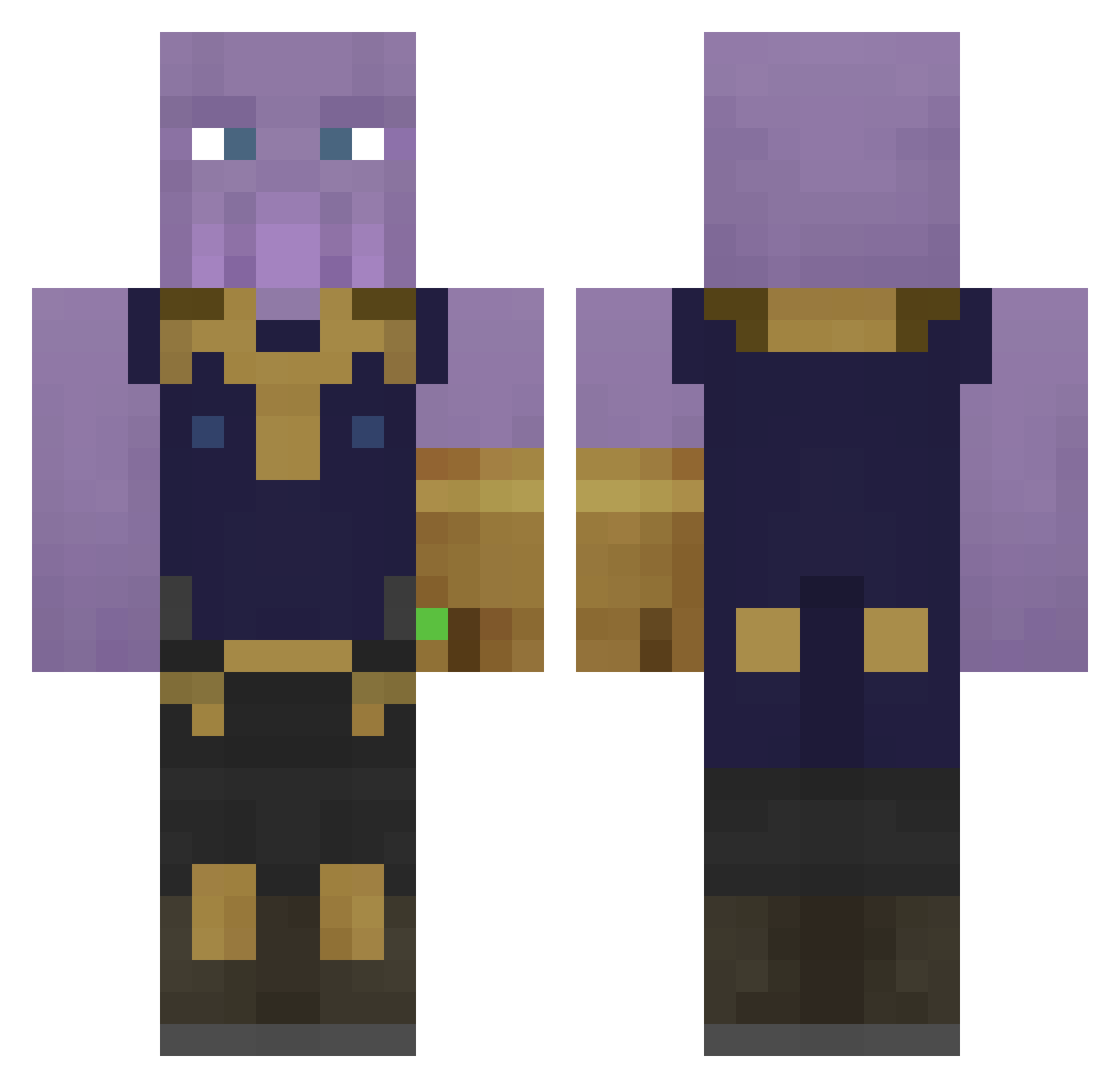
Current Minecraft skin of the player Koxa, loaded from the official Mojang API. Rotate the 3D model with your mouse or finger, then download the skin as a PNG file and use it in Minecraft: Bedrock Edition or Java Edition for free. When Koxa changes their skin, this page updates automatically and the old skin stays in the history below.
Other players with this skin (371)
Koxa was the 158th player we have seen with this skin, first spotted on 14.09.2026. The same skin was seen on these players. Open a nickname to see their current skin and skin history.
 v_felix chaserchase lidi1234 BarissGD Super_Mage PentryanKing Aerm tomisiok Twixbarmp4 AceTagzz CreepyCooky26 proudflexx Sisbest Aagion FrenchToast__ DragFury YourGuyNik Bisukie Barudok Fhiniarel LordLuqe SandroAlt26 kody61121 Viaforce ThanosXI Tempelis505 Polodren Dusquene Mdawg5628 Combatwombat25O ardastc MatthewSmith69 Spinn666 Javihara KirkHammett285 Mazzasm Lambdakiller MadonnaStaph KreamSenpai bolkans SpoonyDrip Clint_Action BigBang_Hi5 Tagir_ PapaCheeky EagleFlower23 Butzilla AdmiralRoss Set_Romans Sw1necraft jediivan cubecaribou _ariana_grande RagingVet lasPesoes Peonyy1 FoodNetwork1 Block_Buster5K bempinator hdr29
More Thanos Minecraft skins
How to install the Koxa skin
- Press the Download button above to save the skin as a PNG file.
- Minecraft: Bedrock Edition (PE): open the Dressing Room from the main menu (or tap your character → Edit Character), go to Classic Skins → Owned, press the + (new skin) button, choose the downloaded PNG and pick the Classic (Steve) model. Works on PC and mobile; consoles cannot import custom skins.
- Minecraft: Java Edition: open the Minecraft Launcher, go to the Skins tab, click New Skin, load the PNG, pick the Classic (Steve) model and press Save & Use. You can also upload it at minecraft.net → Profile → Change Skin.
The skin does not show up after import - what should I do?
Restart Minecraft and open the Dressing Room again - imported skins sometimes appear only after a restart. Also make sure you selected the imported skin and picked the Classic (Steve) model.
Which model should I choose, Classic or Slim?
This skin is designed for the Classic (Steve) model. If you pick the wrong model, the arms of the skin will look stretched or squeezed.
Is the skin of Koxa free to download?
Yes. Press Download, save the PNG file and use it in Minecraft: Bedrock Edition or Java Edition - no payment or registration needed. The skin also works on multiplayer servers and Realms.
More skins
Looking for more? Go back to all Minecraft skins and check the top skins of the week, month and all time, or find any player's skin by nickname.