
Koumiss - Minecraft Skins & Skin History
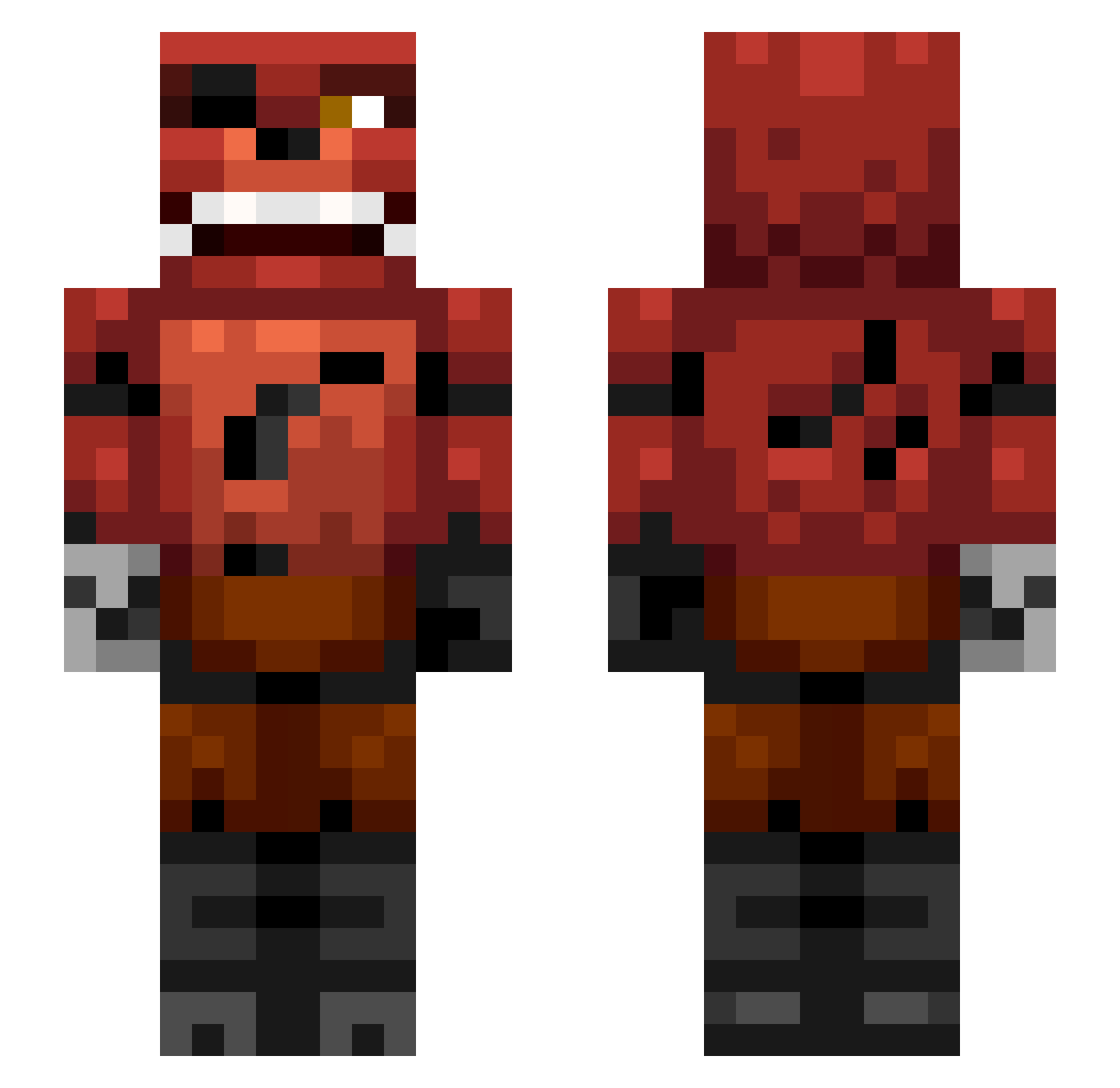
Current Minecraft skin of the player Koumiss, loaded from the official Mojang API. Rotate the 3D model with your mouse or finger, then download the skin as a PNG file and use it in Minecraft: Bedrock Edition or Java Edition for free. When Koumiss changes their skin, this page updates automatically and the old skin stays in the history below.
Other players with this skin (307)
Koumiss was the 90th player we have seen with this skin, first spotted on 21.08.2026. The same skin was seen on these players. Open a nickname to see their current skin and skin history.
 DiamondsPrime MattBossGamer wcastle BaynLiz GooberGabe zadocallen amin12344 starlord134 1My_name_is_Jeff BoomerTheBacca coopacoopa107 strappleberry Zytholix jacob_2001 DecusRunner_YT ChemistUldahl HazardJosh oCastroVI FrostedPandaFTW Stickytc Samluke007 raceb hahahert229 Alaryl Painkill123 HaggisFinn hagen0320 FOXY14 Exeroot SirRLemon phantom9022 ThatsNumberwang Zyrus36 KluckThatNoise Kaid3n PinkLaFem Vayur Drakon613 chloeandlily MikeTrout16 DazScott9669 TopDog121 BLOODYRAGE911 the_better_foxxy Ojohn Rjsolit TheDaltonMan capezhc22 Jack144 Carrimm Gabbekarlsson apartzombie Noose_ITO Nick36578 bahumot scalenepear1 Bryceman03 110INCLINE StickMasterBen44 TRex703
More Foxy Minecraft skins
How to install the Koumiss skin
- Press the Download button above to save the skin as a PNG file.
- Minecraft: Bedrock Edition (PE): open the Dressing Room from the main menu (or tap your character → Edit Character), go to Classic Skins → Owned, press the + (new skin) button, choose the downloaded PNG and pick the Slim (Alex) model. Works on PC and mobile; consoles cannot import custom skins.
- Minecraft: Java Edition: open the Minecraft Launcher, go to the Skins tab, click New Skin, load the PNG, pick the Slim (Alex) model and press Save & Use. You can also upload it at minecraft.net → Profile → Change Skin.
The skin does not show up after import - what should I do?
Restart Minecraft and open the Dressing Room again - imported skins sometimes appear only after a restart. Also make sure you selected the imported skin and picked the Slim (Alex) model.
Which model should I choose, Classic or Slim?
This skin is designed for the Slim (Alex) model. If you pick the wrong model, the arms of the skin will look stretched or squeezed.
Is the skin of Koumiss free to download?
Yes. Press Download, save the PNG file and use it in Minecraft: Bedrock Edition or Java Edition - no payment or registration needed. The skin also works on multiplayer servers and Realms.
More skins
Looking for more? Go back to all Minecraft skins and check the top skins of the week, month and all time, or find any player's skin by nickname.