
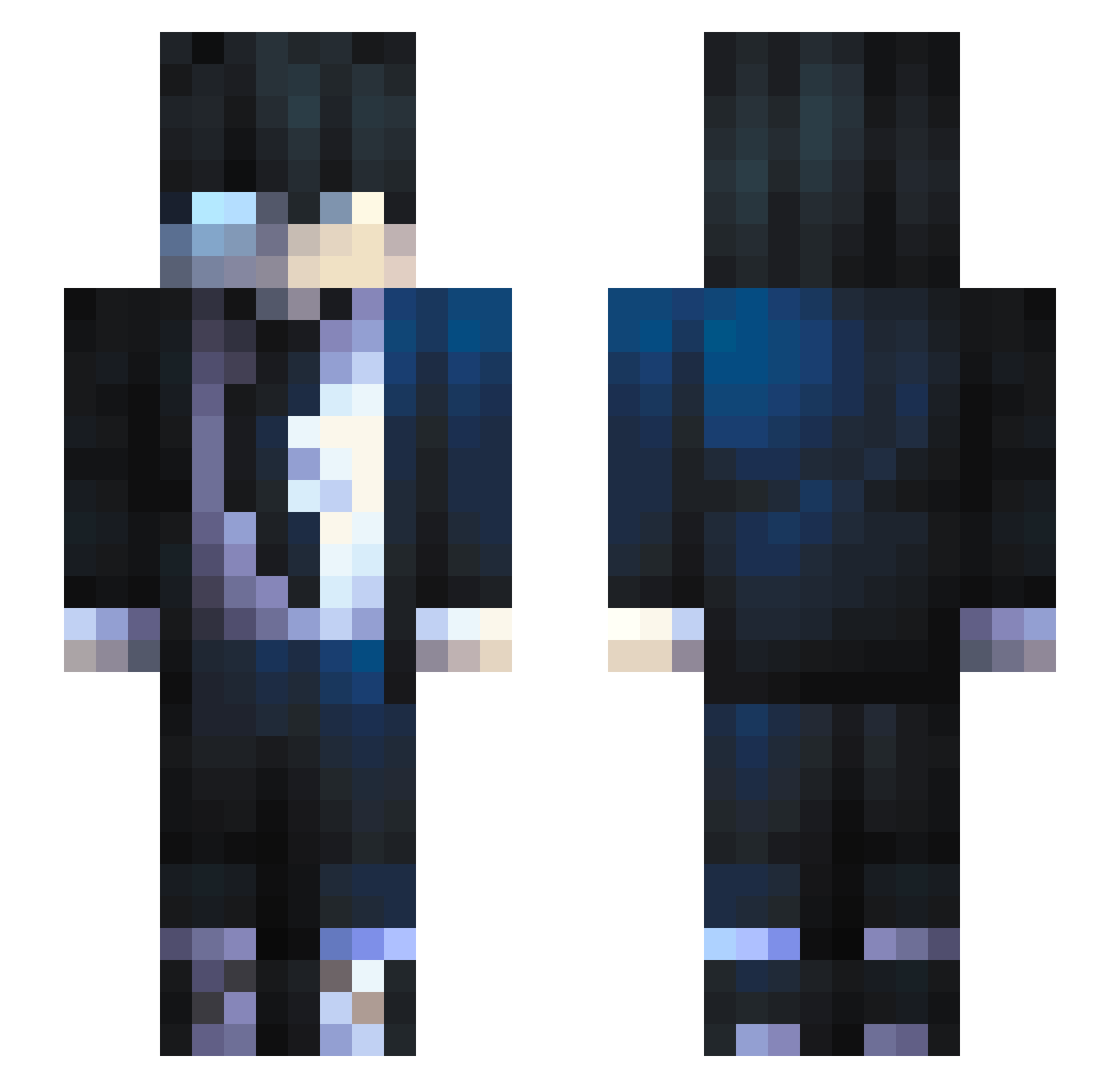
Current Minecraft skin of the player Kotokuno, loaded from the official Mojang API. Rotate the 3D model with your mouse or finger, then download the skin as a PNG file and use it in Minecraft: Bedrock Edition or Java Edition for free. When Kotokuno changes their skin, this page updates automatically and the old skin stays in the history below.
Other players with this skin (509)
Kotokuno was the 154th player we have seen with this skin, first spotted on 20.08.2026. The same skin was seen on these players. Open a nickname to see their current skin and skin history.
 Dtry N0SIS PsychAngel956 MiyoKyo King_Concepcion 09Jinx09 Genialissime Juicyrqd impxkt PilotPopcorn723 RizvanBorz95 BlueHowks_ Sleepyken11 StellateLlama13 isminvz i5hql Tomkobest molingxi Simp4Fia Xeneo005 mix479 VHa2010 GoatCarth fabiochry Rocket66656 Shorty0175 DSkyNC Back2blox Wind_Hunter nayze76 Lolek013 NGELW shakayla JaeinGame xKaisiit0 X4ndert Crybaby1998 Boyralf FNNhiku Cermibro natz_7 Recon_ShadowZ Yui97131 Krakq Repteye Alpyst prohake ran4eshov Vi7oR7 Cadedle04 mahmood_OP3 EvilBurst MightyKonder ClasicSweetTea Tykonicc kone_10
 Meyr1u_u FS29Pilou Parshibal OOO417
How to install the Kotokuno skin
- Press the Download button above to save the skin as a PNG file.
- Minecraft: Bedrock Edition (PE): open the Dressing Room from the main menu (or tap your character → Edit Character), go to Classic Skins → Owned, press the + (new skin) button, choose the downloaded PNG and pick the Slim (Alex) model. Works on PC and mobile; consoles cannot import custom skins.
- Minecraft: Java Edition: open the Minecraft Launcher, go to the Skins tab, click New Skin, load the PNG, pick the Slim (Alex) model and press Save & Use. You can also upload it at minecraft.net → Profile → Change Skin.
The skin does not show up after import - what should I do?
Restart Minecraft and open the Dressing Room again - imported skins sometimes appear only after a restart. Also make sure you selected the imported skin and picked the Slim (Alex) model.
Which model should I choose, Classic or Slim?
This skin is designed for the Slim (Alex) model. If you pick the wrong model, the arms of the skin will look stretched or squeezed.
Is the skin of Kotokuno free to download?
Yes. Press Download, save the PNG file and use it in Minecraft: Bedrock Edition or Java Edition - no payment or registration needed. The skin also works on multiplayer servers and Realms.
More skins
Looking for more? Go back to all Minecraft skins and check the top skins of the week, month and all time, or find any player's skin by nickname.