
KoolEpicGamer - Minecraft Skins & Skin History
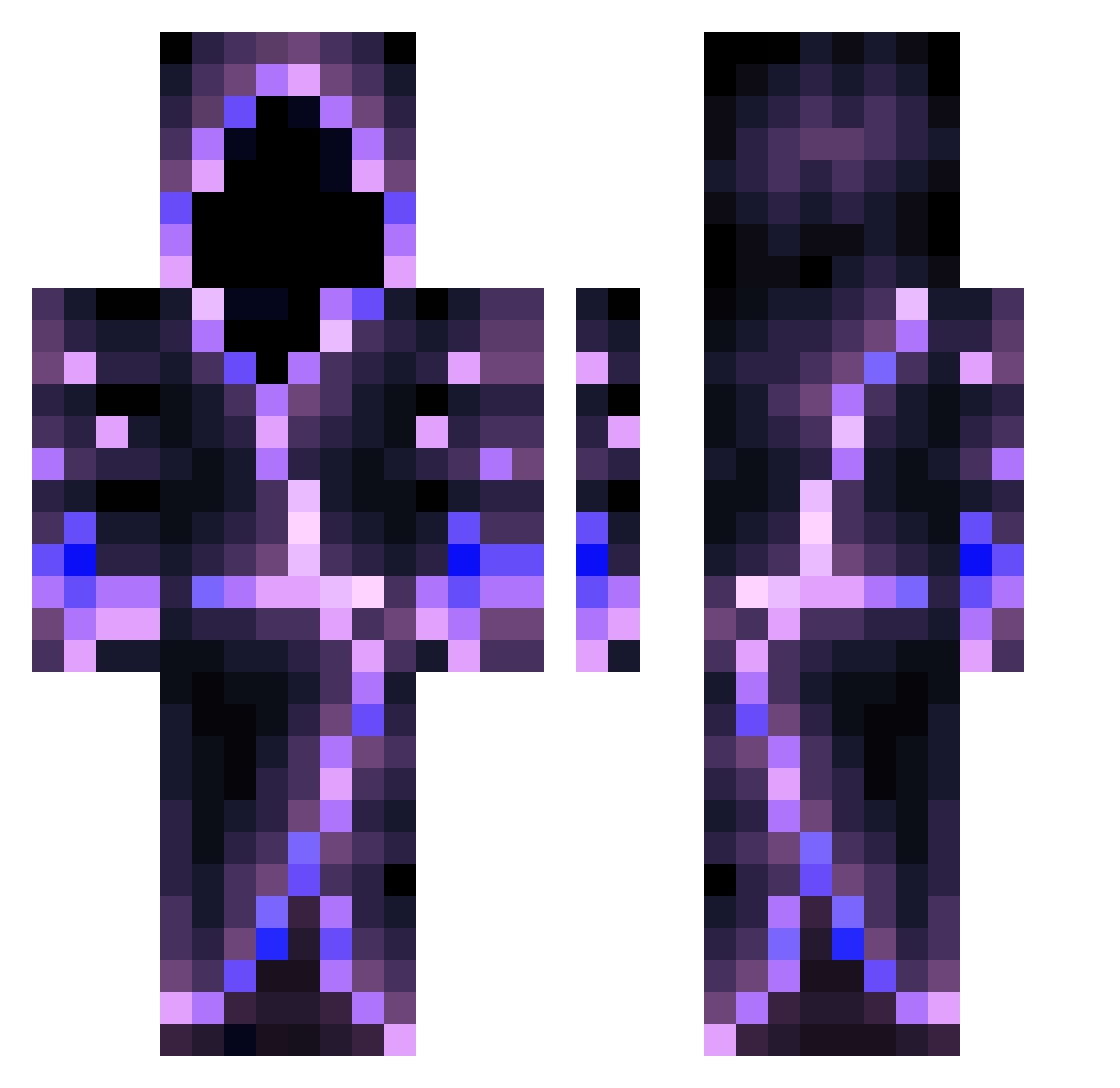
Current Minecraft skin of the player KoolEpicGamer, loaded from the official Mojang API. Rotate the 3D model with your mouse or finger, then download the skin as a PNG file and use it in Minecraft: Bedrock Edition or Java Edition for free. When KoolEpicGamer changes their skin, this page updates automatically and the old skin stays in the history below.
Other players with this skin (558)
KoolEpicGamer was the 260th player we have seen with this skin, first spotted on 13.09.2026. The same skin was seen on these players. Open a nickname to see their current skin and skin history.
 NightXyZ Magnologia FootballerKing LgMark2200 imagodinbed GotYaDonk Nameress MON0VXX Westey11 VyIes DanLeGrand Antoine0_0 Goldi3lokks UnMixing bkcommando6969 m4ini Mystyvrn D4nutzzz joshdiaz poeticart1st FlyRockstar Xemplar Hazardsol OIigarch Mat_Mat_YT Quaggz derpydestroyer9 XL_Ultimate BeagleGame MARCUS250305 Murmurmurmur BernardoBarni PatrickL_HD CzaszkaXV JINXEDbyFear Amacher lifesbrink Jaymun145 Megara53 zync2745 Spaceguard25 ThePunchMonster yoojunsang_123 Jarviks kaihobo ilearn_student9 Lamenther gamin9375 Turq_oise KingCramDealer jutinvs Cingdolos MrPersonMan123 cn_mc56 Greenbeen1223 DarkNest79 EbisuIV Cruzo_xo N0ct1lux unefrite2
More Hooded Figure Minecraft skins
See all 1222 Hooded Figure skins
How to install the KoolEpicGamer skin
- Press the Download button above to save the skin as a PNG file.
- Minecraft: Bedrock Edition (PE): open the Dressing Room from the main menu (or tap your character → Edit Character), go to Classic Skins → Owned, press the + (new skin) button, choose the downloaded PNG and pick the Classic (Steve) model. Works on PC and mobile; consoles cannot import custom skins.
- Minecraft: Java Edition: open the Minecraft Launcher, go to the Skins tab, click New Skin, load the PNG, pick the Classic (Steve) model and press Save & Use. You can also upload it at minecraft.net → Profile → Change Skin.
The skin does not show up after import - what should I do?
Restart Minecraft and open the Dressing Room again - imported skins sometimes appear only after a restart. Also make sure you selected the imported skin and picked the Classic (Steve) model.
Which model should I choose, Classic or Slim?
This skin is designed for the Classic (Steve) model. If you pick the wrong model, the arms of the skin will look stretched or squeezed.
Is the skin of KoolEpicGamer free to download?
Yes. Press Download, save the PNG file and use it in Minecraft: Bedrock Edition or Java Edition - no payment or registration needed. The skin also works on multiplayer servers and Realms.
More skins
Looking for more? Go back to all Minecraft skins and check the top skins of the week, month and all time, or find any player's skin by nickname.