
KoolCat97 - Minecraft Skins & Skin History
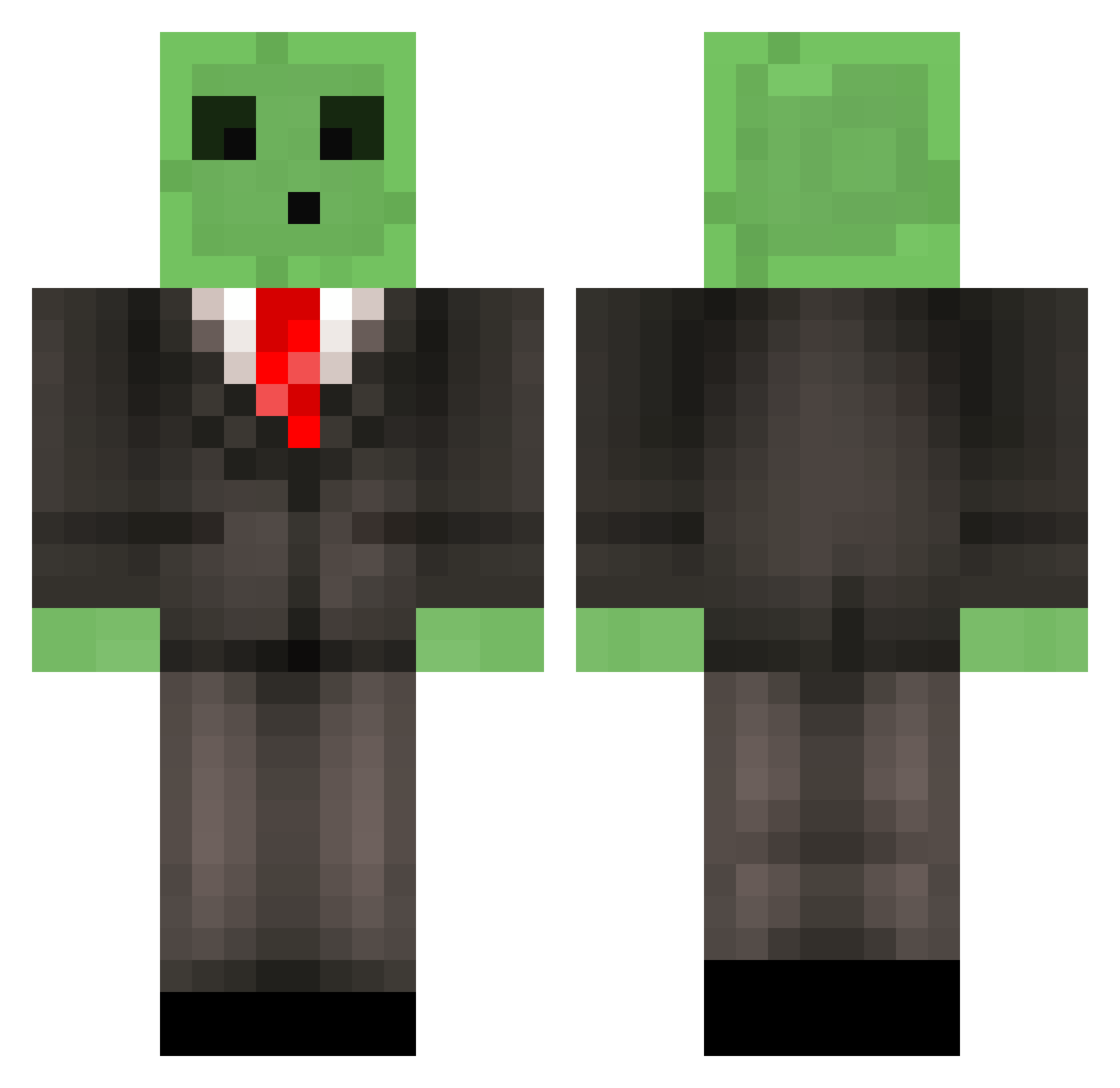
Current Minecraft skin of the player KoolCat97, loaded from the official Mojang API. Rotate the 3D model with your mouse or finger, then download the skin as a PNG file and use it in Minecraft: Bedrock Edition or Java Edition for free. When KoolCat97 changes their skin, this page updates automatically and the old skin stays in the history below.
Other players with this skin (654)
KoolCat97 was the 530th player we have seen with this skin, first spotted on 29.10.2026. The same skin was seen on these players. Open a nickname to see their current skin and skin history.
 zoReicez TheDonkey74 PatrickStarfish0 GO_YA Tenniscourt200 aceskyflyer BenaxBoax flamehead6505 deblobvis greeengame RambunctiousDude MikeLobs jonnytkd nickl_2000 dogglly GanymedeLTL Xerath111 Maxmusdecmus El_Beandito jaykilla505 Pigstalker2000 Elenilson09 Bklegend stupidyouthFAN OleStumpy End_sksm_ Falkenberg001 PapaFil Fordy92 JPPopeye rosh1 _Drpm_ xXSoulSlayerXx CRISPYBACON24 TriGunn SextonGG ninjasting DavisLax MobilizedMoss Pz7g AJLN boomfart laxbro1025 lliw2004 Redheaddead1229 Tekknoz Chocolatefugepie Taylor01 ConnorMelon_ sallengermichael JabbaTheBlob zombieverdelger2 KingJake01 RayCH626 makualey shortleanbunny Misformed fabreeeeze drikz090 NetherBlock12
More Slime Minecraft skins
How to install the KoolCat97 skin
- Press the Download button above to save the skin as a PNG file.
- Minecraft: Bedrock Edition (PE): open the Dressing Room from the main menu (or tap your character → Edit Character), go to Classic Skins → Owned, press the + (new skin) button, choose the downloaded PNG and pick the Classic (Steve) model. Works on PC and mobile; consoles cannot import custom skins.
- Minecraft: Java Edition: open the Minecraft Launcher, go to the Skins tab, click New Skin, load the PNG, pick the Classic (Steve) model and press Save & Use. You can also upload it at minecraft.net → Profile → Change Skin.
The skin does not show up after import - what should I do?
Restart Minecraft and open the Dressing Room again - imported skins sometimes appear only after a restart. Also make sure you selected the imported skin and picked the Classic (Steve) model.
Which model should I choose, Classic or Slim?
This skin is designed for the Classic (Steve) model. If you pick the wrong model, the arms of the skin will look stretched or squeezed.
Is the skin of KoolCat97 free to download?
Yes. Press Download, save the PNG file and use it in Minecraft: Bedrock Edition or Java Edition - no payment or registration needed. The skin also works on multiplayer servers and Realms.
More skins
Looking for more? Go back to all Minecraft skins and check the top skins of the week, month and all time, or find any player's skin by nickname.