
Konner4Real - Minecraft Skins & Skin History
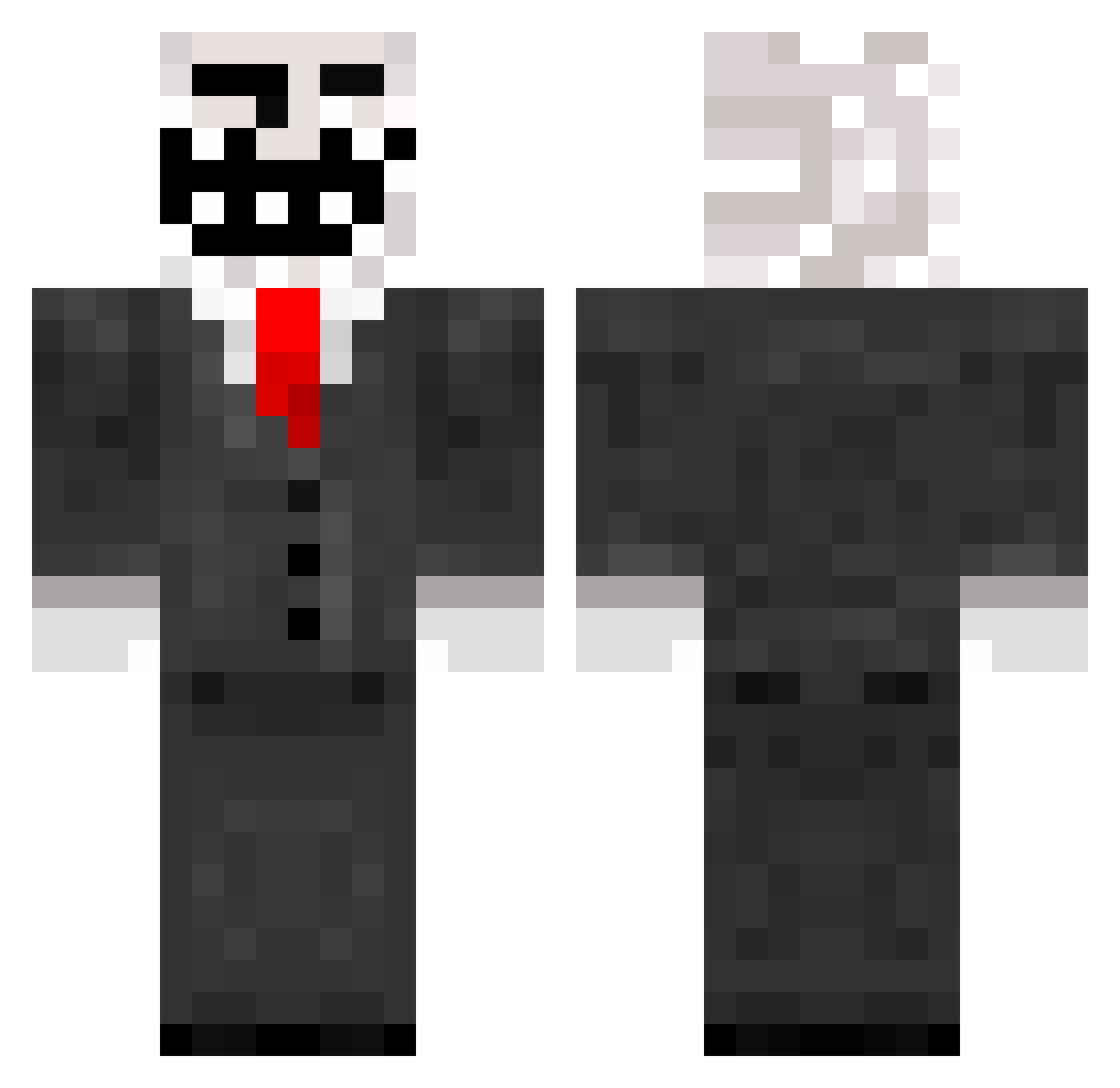
Current Minecraft skin of the player Konner4Real, loaded from the official Mojang API. Rotate the 3D model with your mouse or finger, then download the skin as a PNG file and use it in Minecraft: Bedrock Edition or Java Edition for free. When Konner4Real changes their skin, this page updates automatically and the old skin stays in the history below.
Other players with this skin (965)
Konner4Real was the 943rd player we have seen with this skin, first spotted on 18.11.2026. The same skin was seen on these players. Open a nickname to see their current skin and skin history.
 AngelMortus Beehatch MisterTroal MagnusDM phx59 Hinzi07101 XBoomer27 Monsterplautz TigerGameThai Piliated Eric9781 BrandonMartin626 RuthlessRedstone nyrocz1 hog657 allota_Fagina zackeolsson Alcaiser Chipzy1304 BananaMan343 Fewuin Fludd200 matte2127 aled101 Namehtnad The_Furfather swansonboys chambourcyohoui Tmacc Alex062602 WTLNetwork Craigsafag Veraidux HALOKiTtY9 QuePapi srdjannedic stanny13 zorghub UltimateTroll42 TheLoulou54 aaoil nathankemp WillBradleyHD rakchie xXHartzFearXx Troll89 Groszizi12 eric_gsxr babyandme2 poggy9 AlaskanMade Winstonwhite ECHE46 RogueSlayer342 drgiki1234 mario_2025 stevy139 caleb0401 Mr_Brofessor 8vilhelm8
More Trollface Minecraft skins
How to install the Konner4Real skin
- Press the Download button above to save the skin as a PNG file.
- Minecraft: Bedrock Edition (PE): open the Dressing Room from the main menu (or tap your character → Edit Character), go to Classic Skins → Owned, press the + (new skin) button, choose the downloaded PNG and pick the Classic (Steve) model. Works on PC and mobile; consoles cannot import custom skins.
- Minecraft: Java Edition: open the Minecraft Launcher, go to the Skins tab, click New Skin, load the PNG, pick the Classic (Steve) model and press Save & Use. You can also upload it at minecraft.net → Profile → Change Skin.
The skin does not show up after import - what should I do?
Restart Minecraft and open the Dressing Room again - imported skins sometimes appear only after a restart. Also make sure you selected the imported skin and picked the Classic (Steve) model.
Which model should I choose, Classic or Slim?
This skin is designed for the Classic (Steve) model. If you pick the wrong model, the arms of the skin will look stretched or squeezed.
Is the skin of Konner4Real free to download?
Yes. Press Download, save the PNG file and use it in Minecraft: Bedrock Edition or Java Edition - no payment or registration needed. The skin also works on multiplayer servers and Realms.
More skins
Looking for more? Go back to all Minecraft skins and check the top skins of the week, month and all time, or find any player's skin by nickname.