
Kondex3 - Minecraft Skins & Skin History
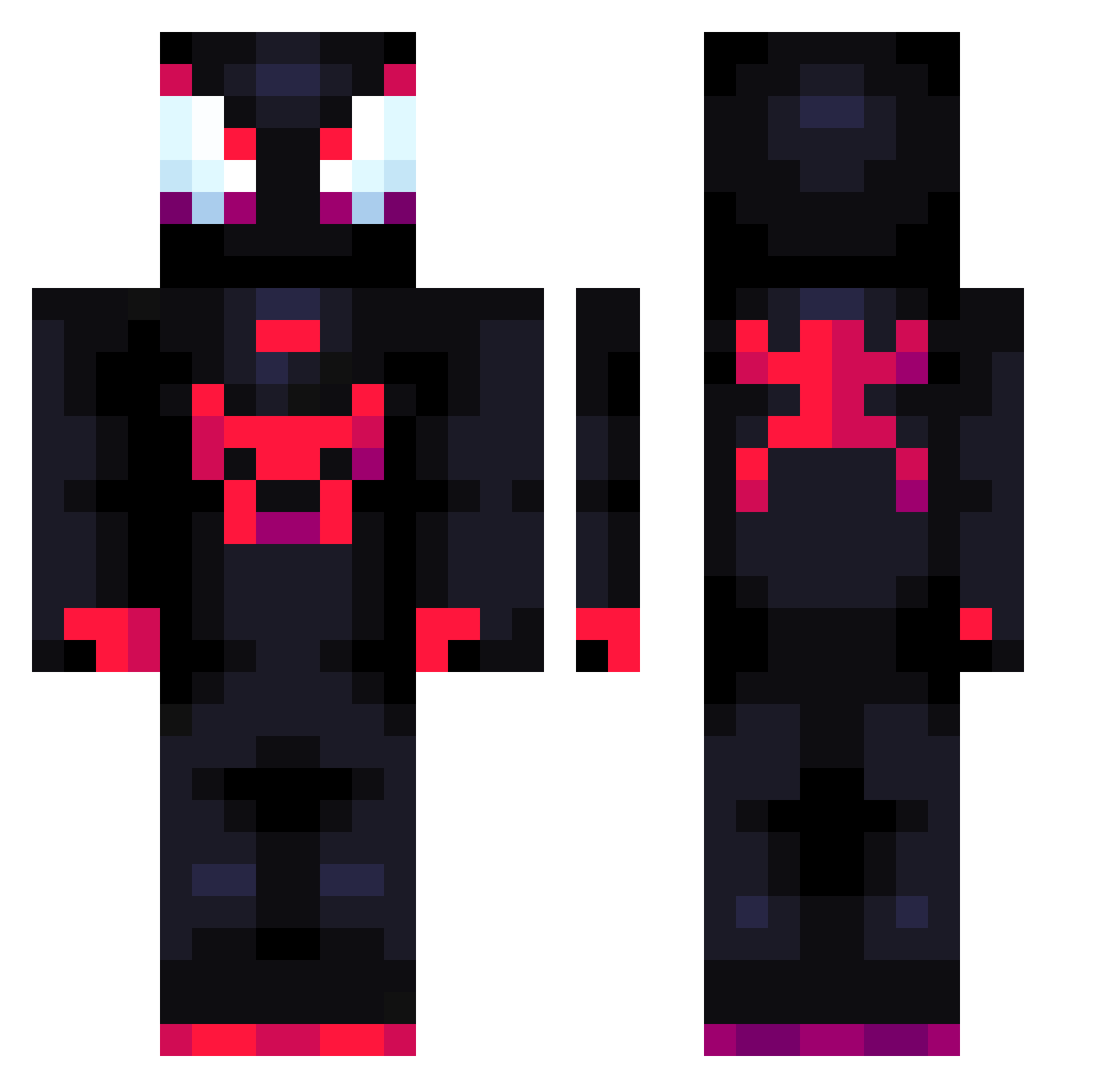
Current Minecraft skin of the player Kondex3, loaded from the official Mojang API. Rotate the 3D model with your mouse or finger, then download the skin as a PNG file and use it in Minecraft: Bedrock Edition or Java Edition for free. When Kondex3 changes their skin, this page updates automatically and the old skin stays in the history below.
Other players with this skin (710)
Kondex3 was the 132nd player we have seen with this skin, first spotted on 11.08.2026. The same skin was seen on these players. Open a nickname to see their current skin and skin history.
 Karnugg SPtyxYT FinalWord04 Tatinra NotFredt curlyy0 Shuaiii mo_yi JTechEV22 ItzRealMazen xipexo DakileZmaj Gonca7 oyDelta middlemas Linc522 yoldorin Pasara07 Nashula RouRuo Nicolasrs26 DixxerV Rymdus Zarko_696 Awaaken Alittle_sweaty HulkSmasher49 lhamwa k1ngdeSert purekim98 World1999 wmx1234567 Mp4Danny ChisDvt RippinGx nuisanceofficial Negr1t0 Doggis_15 Araaaaa_07 LOTO222 fvf666
 Fenix32 AstroGurb STARWALKINGG Swain69 CFthebuilder GuStaaadf Bachbach95 1uuo 5starrec Midorias93 Doncito xDivinityy Anico27 Decasin123 RLPLAYER200crzy jopaul1234 lukasmmiv eedu09 Itchy_3x
More Miles Morales Minecraft skins
See all 234 Miles Morales skins
How to install the Kondex3 skin
- Press the Download button above to save the skin as a PNG file.
- Minecraft: Bedrock Edition (PE): open the Dressing Room from the main menu (or tap your character → Edit Character), go to Classic Skins → Owned, press the + (new skin) button, choose the downloaded PNG and pick the Classic (Steve) model. Works on PC and mobile; consoles cannot import custom skins.
- Minecraft: Java Edition: open the Minecraft Launcher, go to the Skins tab, click New Skin, load the PNG, pick the Classic (Steve) model and press Save & Use. You can also upload it at minecraft.net → Profile → Change Skin.
The skin does not show up after import - what should I do?
Restart Minecraft and open the Dressing Room again - imported skins sometimes appear only after a restart. Also make sure you selected the imported skin and picked the Classic (Steve) model.
Which model should I choose, Classic or Slim?
This skin is designed for the Classic (Steve) model. If you pick the wrong model, the arms of the skin will look stretched or squeezed.
Is the skin of Kondex3 free to download?
Yes. Press Download, save the PNG file and use it in Minecraft: Bedrock Edition or Java Edition - no payment or registration needed. The skin also works on multiplayer servers and Realms.
More skins
Looking for more? Go back to all Minecraft skins and check the top skins of the week, month and all time, or find any player's skin by nickname.