
Komandor8055 - Minecraft Skins & Skin History
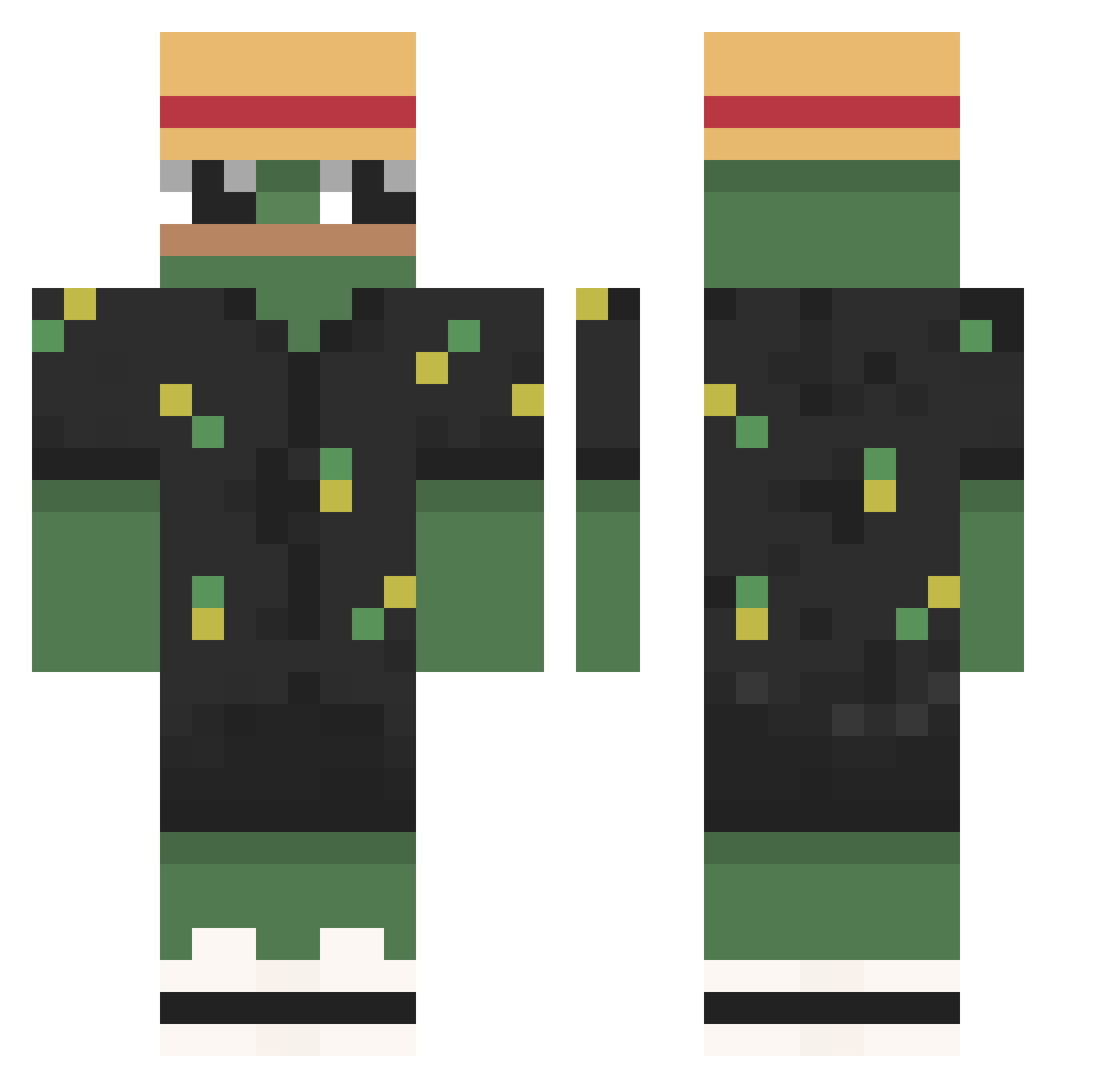
Current Minecraft skin of the player Komandor8055, loaded from the official Mojang API. Rotate the 3D model with your mouse or finger, then download the skin as a PNG file and use it in Minecraft: Bedrock Edition or Java Edition for free. When Komandor8055 changes their skin, this page updates automatically and the old skin stays in the history below.
Other players with this skin (949)
Komandor8055 was the 863rd player we have seen with this skin, first spotted on 09.11.2026. The same skin was seen on these players. Open a nickname to see their current skin and skin history.
 LiHa_D OliSubie Cas000 Youles_14 MiBourZoteKi Merkurias DerEchteSimon_ LilSeruhoi kaueh Ankarych123 ksejn PrincessGlue787 Kisseima Felpola Shadow23408 Altars_ xu0x Farcad PavloviC91 NateTheGr800 Yogagi roadtodeep 4lekz Oskyr Loremain Kiwii_chan tarc00 ThatMath1s Buffendorf _Garryy_ NamekOG locustpog PytiPaldi visaoAmpla 67fasde325ds albertonalo30 kalev0 Mac_Lovin01 mlodziej Tattyleopard199 blindyboi itsAL1VE Snait7 iLectus lz_leon_zl WWwPdz Gerbancio pez81_ sueppchen2 skywars6223 Argjendhys CrimsonDeer8 BigBadBradly 7Plum Jamesthetic ButcherSS KuraTenshiTenki StackedMalik cordoo Marcinoluk
More Pepe Minecraft skins
How to install the Komandor8055 skin
- Press the Download button above to save the skin as a PNG file.
- Minecraft: Bedrock Edition (PE): open the Dressing Room from the main menu (or tap your character → Edit Character), go to Classic Skins → Owned, press the + (new skin) button, choose the downloaded PNG and pick the Classic (Steve) model. Works on PC and mobile; consoles cannot import custom skins.
- Minecraft: Java Edition: open the Minecraft Launcher, go to the Skins tab, click New Skin, load the PNG, pick the Classic (Steve) model and press Save & Use. You can also upload it at minecraft.net → Profile → Change Skin.
The skin does not show up after import - what should I do?
Restart Minecraft and open the Dressing Room again - imported skins sometimes appear only after a restart. Also make sure you selected the imported skin and picked the Classic (Steve) model.
Which model should I choose, Classic or Slim?
This skin is designed for the Classic (Steve) model. If you pick the wrong model, the arms of the skin will look stretched or squeezed.
Is the skin of Komandor8055 free to download?
Yes. Press Download, save the PNG file and use it in Minecraft: Bedrock Edition or Java Edition - no payment or registration needed. The skin also works on multiplayer servers and Realms.
More skins
Looking for more? Go back to all Minecraft skins and check the top skins of the week, month and all time, or find any player's skin by nickname.