
Kollontay - Minecraft Skins & Skin History
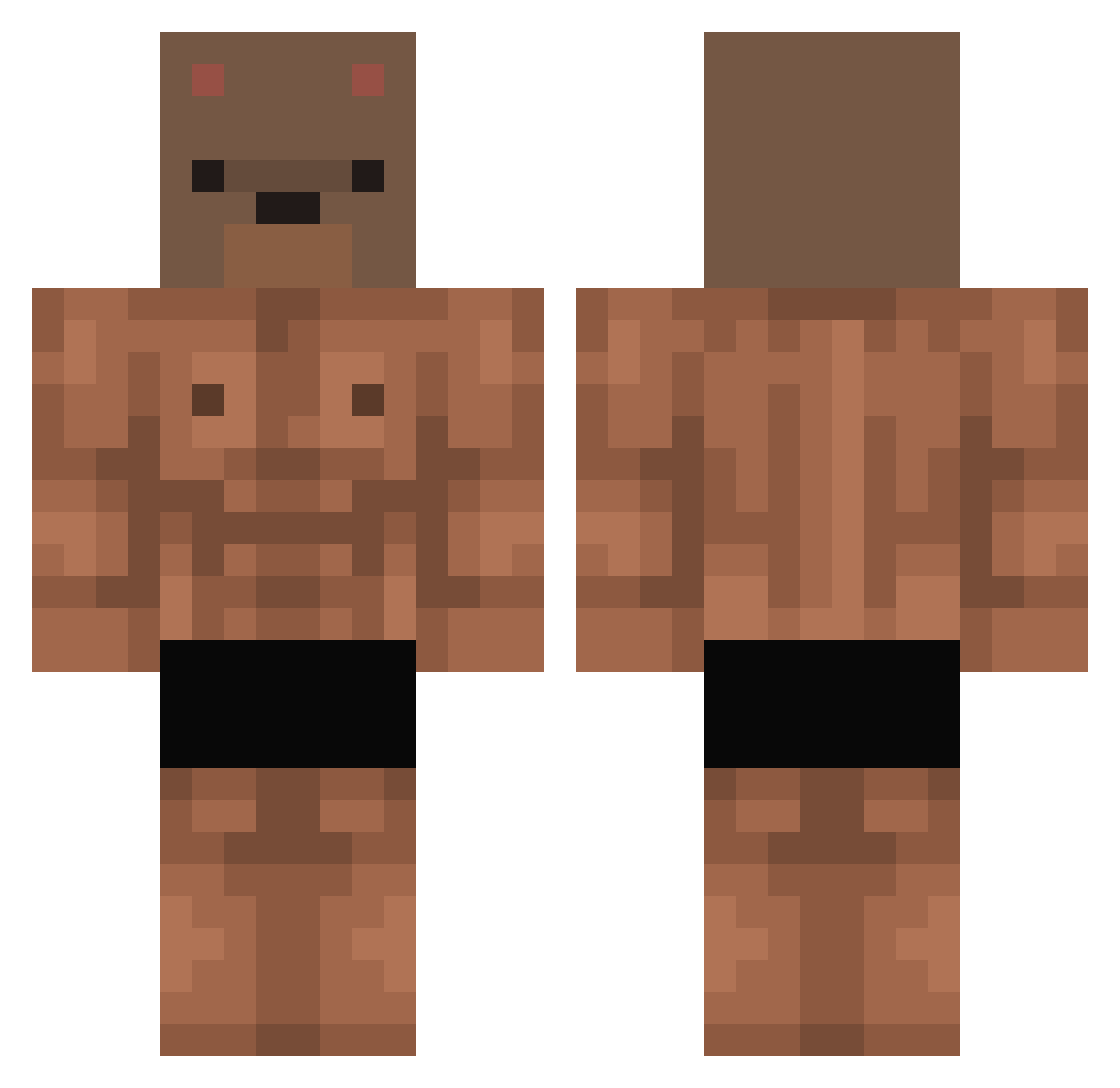
Current Minecraft skin of the player Kollontay, loaded from the official Mojang API. Rotate the 3D model with your mouse or finger, then download the skin as a PNG file and use it in Minecraft: Bedrock Edition or Java Edition for free. When Kollontay changes their skin, this page updates automatically and the old skin stays in the history below.
Other players with this skin (411)
Kollontay was the 276th player we have seen with this skin, first spotted on 05.10.2026. The same skin was seen on these players. Open a nickname to see their current skin and skin history.
 HunNn1 Andrew12434 Boraming97 Leejunho75 Wiljo258 kingkupcake55 backyu FruitSnackDeity Egenity Feuermark dlEndro ExodNerx xodidd Wojtz Smmall herouu9 Jaejub HazeIstEinHS XXXOlsonPL noslimes MrNetos yamur31 xFaz1 0hMcl Gadamenko _Handong Beary__Boy ElSeeaaaaa oweenii ExemptWave89207 yyfnb AngelitodeJesus2 ChocoboBear GrindelBeast Vortau MRmartMos Coolhait Jsuis_choquer xxCataxx05 Bussiness_Cat 1snake1 Anywhos haauchi Deverbear aizot ACX_050705 Fooooooooou SweeTKaliber bombue migueljv334 calny BOGDAN_UCHIHA LookingForRival_ vvsky_ Oddopus DeLoM17 Kaijin99 AndyBear911 Rexey83 Kreyksik
More Bear Mask Minecraft skins
How to install the Kollontay skin
- Press the Download button above to save the skin as a PNG file.
- Minecraft: Bedrock Edition (PE): open the Dressing Room from the main menu (or tap your character → Edit Character), go to Classic Skins → Owned, press the + (new skin) button, choose the downloaded PNG and pick the Classic (Steve) model. Works on PC and mobile; consoles cannot import custom skins.
- Minecraft: Java Edition: open the Minecraft Launcher, go to the Skins tab, click New Skin, load the PNG, pick the Classic (Steve) model and press Save & Use. You can also upload it at minecraft.net → Profile → Change Skin.
The skin does not show up after import - what should I do?
Restart Minecraft and open the Dressing Room again - imported skins sometimes appear only after a restart. Also make sure you selected the imported skin and picked the Classic (Steve) model.
Which model should I choose, Classic or Slim?
This skin is designed for the Classic (Steve) model. If you pick the wrong model, the arms of the skin will look stretched or squeezed.
Is the skin of Kollontay free to download?
Yes. Press Download, save the PNG file and use it in Minecraft: Bedrock Edition or Java Edition - no payment or registration needed. The skin also works on multiplayer servers and Realms.
More skins
Looking for more? Go back to all Minecraft skins and check the top skins of the week, month and all time, or find any player's skin by nickname.