
Kobuto88 - Minecraft Skins & Skin History
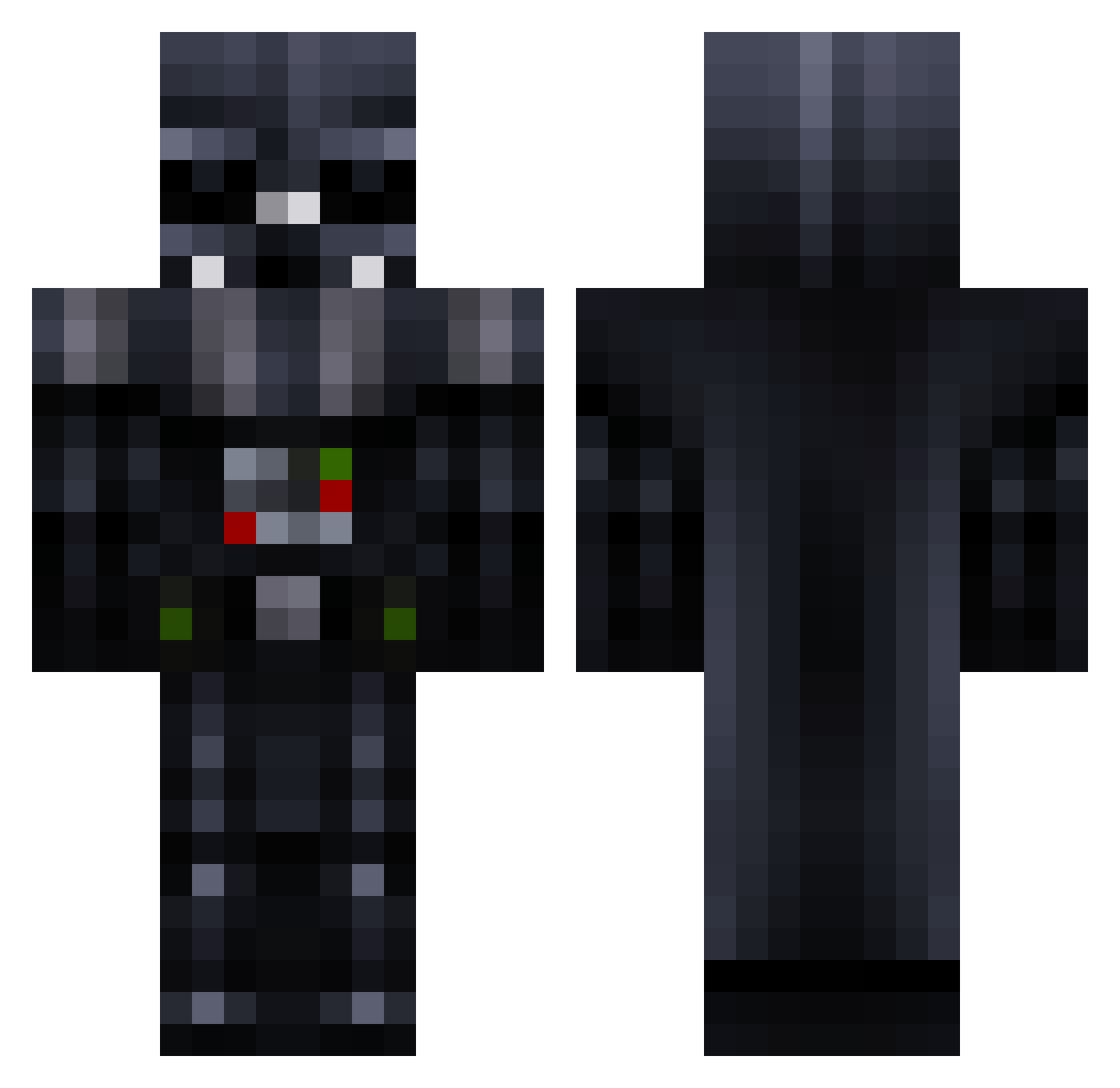
Current Minecraft skin of the player Kobuto88, loaded from the official Mojang API. Rotate the 3D model with your mouse or finger, then download the skin as a PNG file and use it in Minecraft: Bedrock Edition or Java Edition for free. When Kobuto88 changes their skin, this page updates automatically and the old skin stays in the history below.
Other players with this skin (56)
Kobuto88 was the 10th player we have seen with this skin, first spotted on 15.08.2026. The same skin was seen on these players. Open a nickname to see their current skin and skin history.
 pacodoesmc bbckl davidrc74 JontheHammer16 Imisiak Muzix00 Jbetz Darth_Chuy tokio8823 coltmanl Breglia toru13 justkate15 Dubbster7184 Screamhunter12 pawliko888 GriddyGoose Ghost77788 Dandan3196 Gladiator_Try_Me nugatschnitte12 DanielZitar cqb731 Ghostly87 Syphadeus Solwent cevans646 tasha0092 BearsAreFun MeatDady Vadication DarthVader2240 Sonofbeast caltosy Darth_Papi tnt3d elpasas Bruiser_ Dudeman3393 sheridan251 Feuerwehrblocker redman1989 MauerPauer14 marshmallowzombi siebengrad Victormb8 JSFJR777 jw_sh zubairskazi xXSithLordXx Lycaner1216 Neodym0815 Blaze_Razgriz frazzle_dazzle10 DocFallujah aliukm
More Darth Vader Minecraft skins
How to install the Kobuto88 skin
- Press the Download button above to save the skin as a PNG file.
- Minecraft: Bedrock Edition (PE): open the Dressing Room from the main menu (or tap your character → Edit Character), go to Classic Skins → Owned, press the + (new skin) button, choose the downloaded PNG and pick the Classic (Steve) model. Works on PC and mobile; consoles cannot import custom skins.
- Minecraft: Java Edition: open the Minecraft Launcher, go to the Skins tab, click New Skin, load the PNG, pick the Classic (Steve) model and press Save & Use. You can also upload it at minecraft.net → Profile → Change Skin.
The skin does not show up after import - what should I do?
Restart Minecraft and open the Dressing Room again - imported skins sometimes appear only after a restart. Also make sure you selected the imported skin and picked the Classic (Steve) model.
Which model should I choose, Classic or Slim?
This skin is designed for the Classic (Steve) model. If you pick the wrong model, the arms of the skin will look stretched or squeezed.
Is the skin of Kobuto88 free to download?
Yes. Press Download, save the PNG file and use it in Minecraft: Bedrock Edition or Java Edition - no payment or registration needed. The skin also works on multiplayer servers and Realms.
More skins
Looking for more? Go back to all Minecraft skins and check the top skins of the week, month and all time, or find any player's skin by nickname.