
Knugas - Minecraft Skins & Skin History
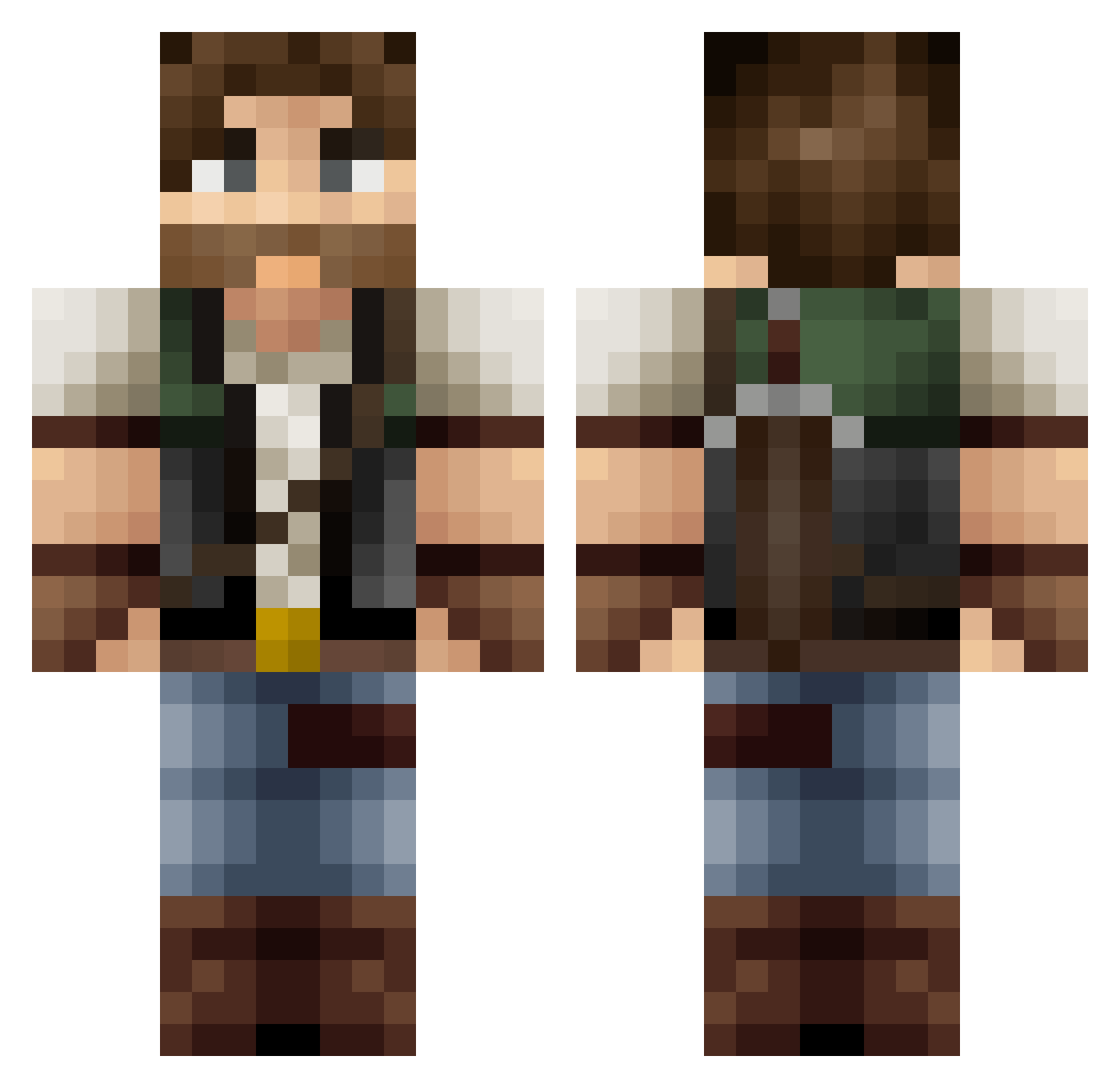
Current Minecraft skin of the player Knugas, loaded from the official Mojang API. Rotate the 3D model with your mouse or finger, then download the skin as a PNG file and use it in Minecraft: Bedrock Edition or Java Edition for free. When Knugas changes their skin, this page updates automatically and the old skin stays in the history below.
Other players with this skin (418)
Knugas was the 327th player we have seen with this skin, first spotted on 02.10.2026. The same skin was seen on these players. Open a nickname to see their current skin and skin history.
 Creeper72007 Metragnome ZchaKi JimmyXCrow gonff73 zibi568 ginaro Scrubnificent zachmacmo AwesomeGamer0410 snake2000 silverwolf222 MrChedalo PandaGolem Disrupter5000 JMuff helloarchy Amduscias13 mdrafa Tyrex7 Jakila86 Kunkajunka SergioVel jeremyscheidel cod7sp Slash_Gordon WARLORD11124 RIDDLEKING97 Mazbin Black_Bull52 Roven patryk450 cratwi pillopolo Wyohunter XVERTOR Faladyne __Mr_Frost__ M4tr1kz Paladin357 fleckiiiii JordoPlays yggdrasilent valdemarschmidt Drecksgollum Shorty_Holmes YukoTama charlesopop haveagoldstar GryphonDavis pokemad9000 Miley_Cyborg filipandersen Noodle89 semy TheCannon21 Cefro Plokem darkknight0805 bettsy1709
More Joel Miller Minecraft skins
How to install the Knugas skin
- Press the Download button above to save the skin as a PNG file.
- Minecraft: Bedrock Edition (PE): open the Dressing Room from the main menu (or tap your character → Edit Character), go to Classic Skins → Owned, press the + (new skin) button, choose the downloaded PNG and pick the Classic (Steve) model. Works on PC and mobile; consoles cannot import custom skins.
- Minecraft: Java Edition: open the Minecraft Launcher, go to the Skins tab, click New Skin, load the PNG, pick the Classic (Steve) model and press Save & Use. You can also upload it at minecraft.net → Profile → Change Skin.
The skin does not show up after import - what should I do?
Restart Minecraft and open the Dressing Room again - imported skins sometimes appear only after a restart. Also make sure you selected the imported skin and picked the Classic (Steve) model.
Which model should I choose, Classic or Slim?
This skin is designed for the Classic (Steve) model. If you pick the wrong model, the arms of the skin will look stretched or squeezed.
Is the skin of Knugas free to download?
Yes. Press Download, save the PNG file and use it in Minecraft: Bedrock Edition or Java Edition - no payment or registration needed. The skin also works on multiplayer servers and Realms.
More skins
Looking for more? Go back to all Minecraft skins and check the top skins of the week, month and all time, or find any player's skin by nickname.