
Knoxiel - Minecraft Skins & Skin History
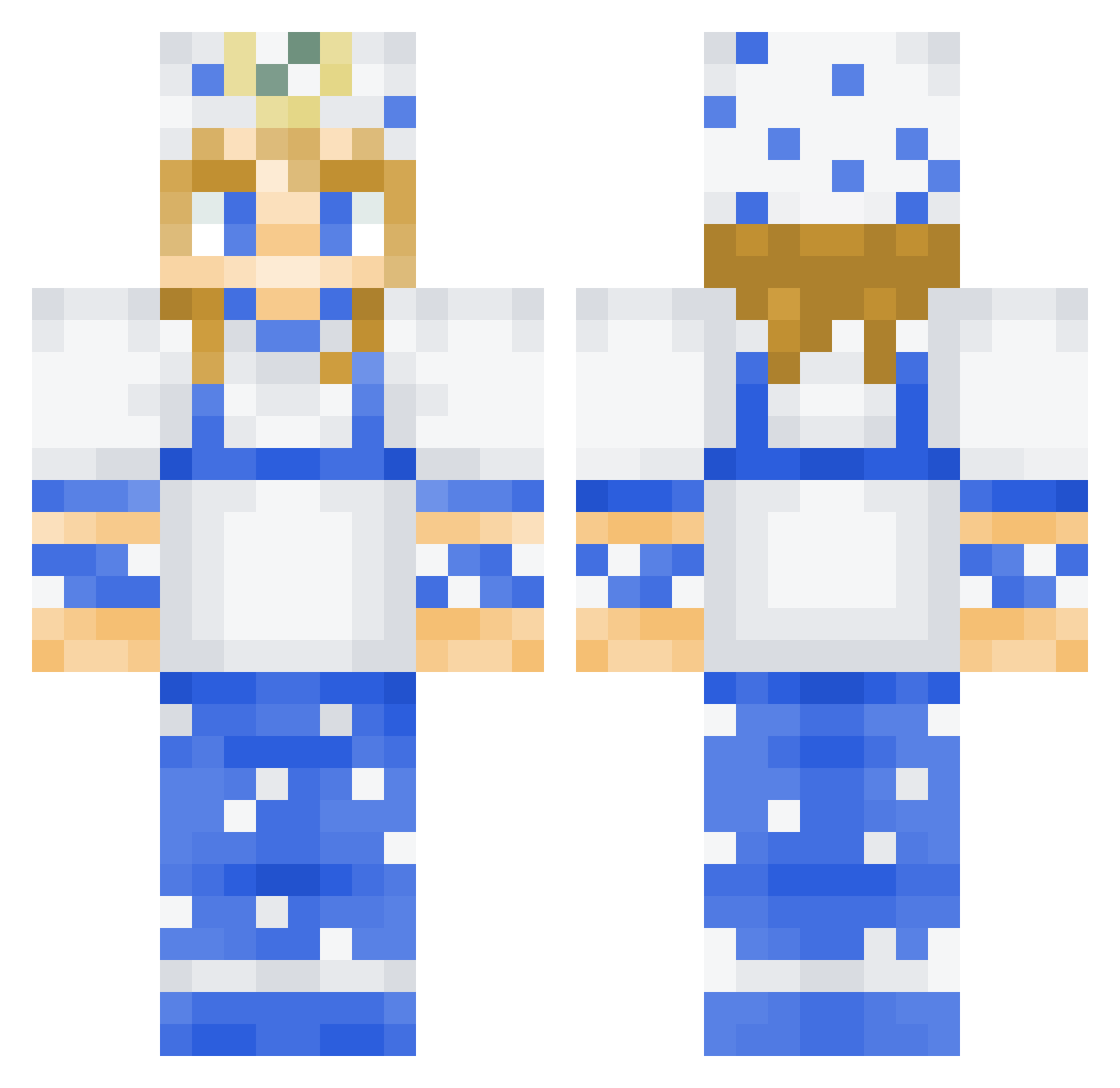
Current Minecraft skin of the player Knoxiel, loaded from the official Mojang API. Rotate the 3D model with your mouse or finger, then download the skin as a PNG file and use it in Minecraft: Bedrock Edition or Java Edition for free. When Knoxiel changes their skin, this page updates automatically and the old skin stays in the history below.
Other players with this skin (64)
Knoxiel was the 33rd player we have seen with this skin, first spotted on 11.10.2026. The same skin was seen on these players. Open a nickname to see their current skin and skin history.
 FuryFX PistachioBossMan CheesyHere LuckyDucky077 az24665 Usanargas Faukiz SalientHall vildbur06 HabibiKyu joestarmain antony_2011 TonhaoMMM TheEnderGod1147 saintscorpse _Protheon n1c__04 RepublicOfMe lecahot1 Youshimura UniversalFall s1lkky Wrathicus_ Chubsaa MrGoonie43 Fyn_ NoEnnemies Aer0_ Aldricean Charquavious GS_LayaanN vactornn scuek Dimensions4567 whlch Lordragnarok23 CantTalkIm_Mewin _Naxz PolarSL LordDom1 Manachi0 Jocph Brwni Zegooo Dead_Fish_ star_n_night lolopeio gipzzz Sebelebe akukro LivasGamer MikroAdam aledem13 joel_digbeu Ghostrain223 Nooby20216380 Ev3lyn7 Nauro10 perromojao_ Rob8oboss
More Cook Minecraft skins
How to install the Knoxiel skin
- Press the Download button above to save the skin as a PNG file.
- Minecraft: Bedrock Edition (PE): open the Dressing Room from the main menu (or tap your character → Edit Character), go to Classic Skins → Owned, press the + (new skin) button, choose the downloaded PNG and pick the Classic (Steve) model. Works on PC and mobile; consoles cannot import custom skins.
- Minecraft: Java Edition: open the Minecraft Launcher, go to the Skins tab, click New Skin, load the PNG, pick the Classic (Steve) model and press Save & Use. You can also upload it at minecraft.net → Profile → Change Skin.
The skin does not show up after import - what should I do?
Restart Minecraft and open the Dressing Room again - imported skins sometimes appear only after a restart. Also make sure you selected the imported skin and picked the Classic (Steve) model.
Which model should I choose, Classic or Slim?
This skin is designed for the Classic (Steve) model. If you pick the wrong model, the arms of the skin will look stretched or squeezed.
Is the skin of Knoxiel free to download?
Yes. Press Download, save the PNG file and use it in Minecraft: Bedrock Edition or Java Edition - no payment or registration needed. The skin also works on multiplayer servers and Realms.
More skins
Looking for more? Go back to all Minecraft skins and check the top skins of the week, month and all time, or find any player's skin by nickname.