
Knattertony - Minecraft Skins & Skin History
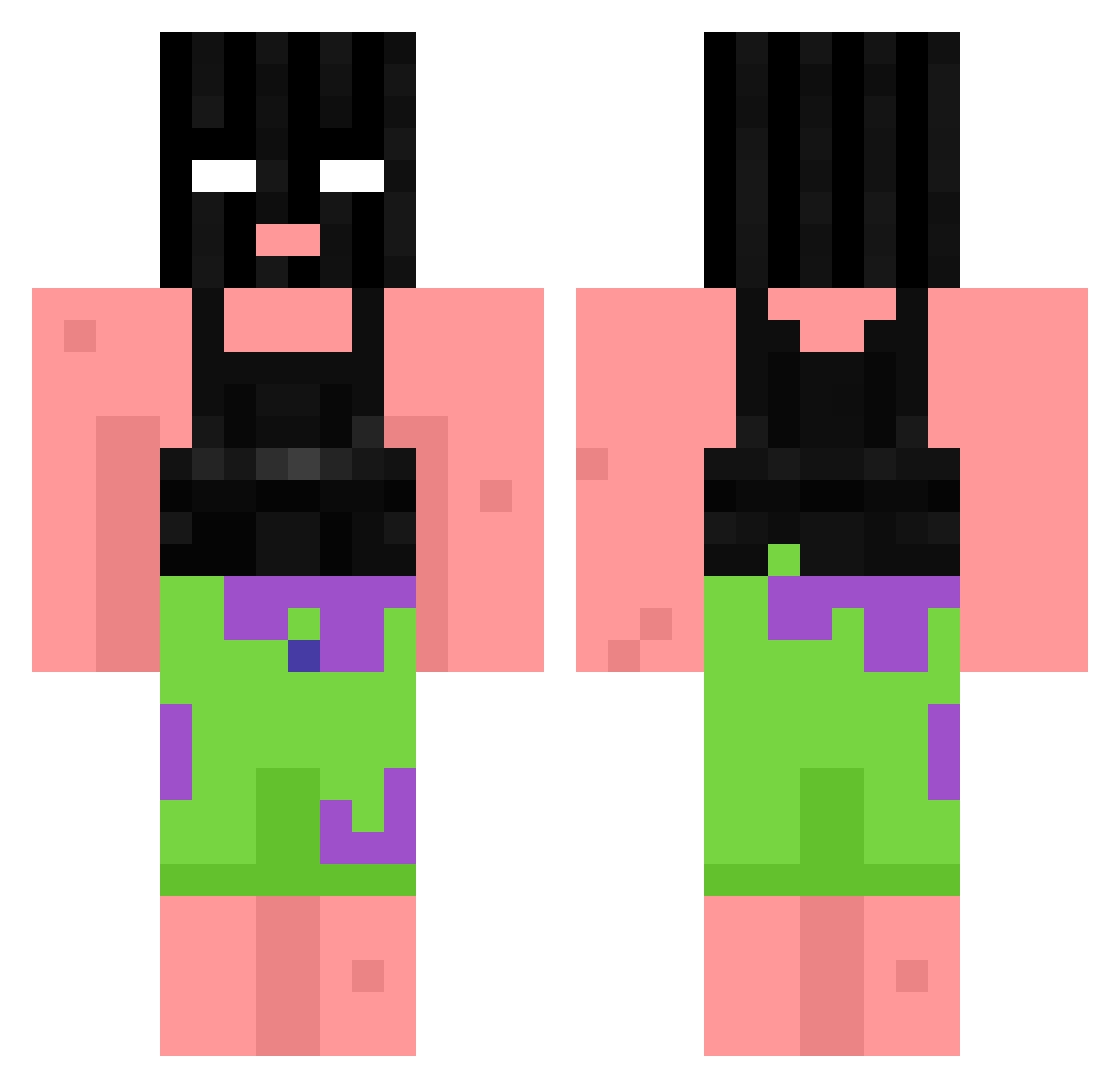
Current Minecraft skin of the player Knattertony, loaded from the official Mojang API. Rotate the 3D model with your mouse or finger, then download the skin as a PNG file and use it in Minecraft: Bedrock Edition or Java Edition for free. When Knattertony changes their skin, this page updates automatically and the old skin stays in the history below.
Other players with this skin (764)
Knattertony was the 68th player we have seen with this skin, first spotted on 31.07.2026. The same skin was seen on these players. Open a nickname to see their current skin and skin history.
 Parabole naz66040 Unlucky_IVix GigaReis ocean6969 car_handsome BlackBurn077 FancyPigeon46 jadedunicorn99 zNadja ScaaaM nceei Sammanthaa MBIINM xThatOneNerd KKNJ2 Amperly pdriin9 ERIKEDE07 GutekOfficial azmoh4242 T4ste epixsmileyman lesbonese skelcraft TNTMaster130706 Lxmz BuYai233 mybeMELON major20069 Arlo1134 jfilb97 LagerndesLager Cex_ FeederKang qvze Unskilekk
 uwudaddyxoxo ravenbby TheFlamingSoul DryLifeQuality VladEbalo Jakeppthegod alonspeeddemon bertoq Deferredclamp Szld Dev_on_crack199 shab0i xX_Roups_Xx Tylerlibby Elya2003 Toby20090 Stawing _Idny_ NAWAF_312 anxs150 Binon_1334 BluefaceBaby2000 NiceGuySyndrome
More Ski Mask Minecraft skins
How to install the Knattertony skin
- Press the Download button above to save the skin as a PNG file.
- Minecraft: Bedrock Edition (PE): open the Dressing Room from the main menu (or tap your character → Edit Character), go to Classic Skins → Owned, press the + (new skin) button, choose the downloaded PNG and pick the Classic (Steve) model. Works on PC and mobile; consoles cannot import custom skins.
- Minecraft: Java Edition: open the Minecraft Launcher, go to the Skins tab, click New Skin, load the PNG, pick the Classic (Steve) model and press Save & Use. You can also upload it at minecraft.net → Profile → Change Skin.
The skin does not show up after import - what should I do?
Restart Minecraft and open the Dressing Room again - imported skins sometimes appear only after a restart. Also make sure you selected the imported skin and picked the Classic (Steve) model.
Which model should I choose, Classic or Slim?
This skin is designed for the Classic (Steve) model. If you pick the wrong model, the arms of the skin will look stretched or squeezed.
Is the skin of Knattertony free to download?
Yes. Press Download, save the PNG file and use it in Minecraft: Bedrock Edition or Java Edition - no payment or registration needed. The skin also works on multiplayer servers and Realms.
More skins
Looking for more? Go back to all Minecraft skins and check the top skins of the week, month and all time, or find any player's skin by nickname.