
Kloker612 - Minecraft Skins & Skin History
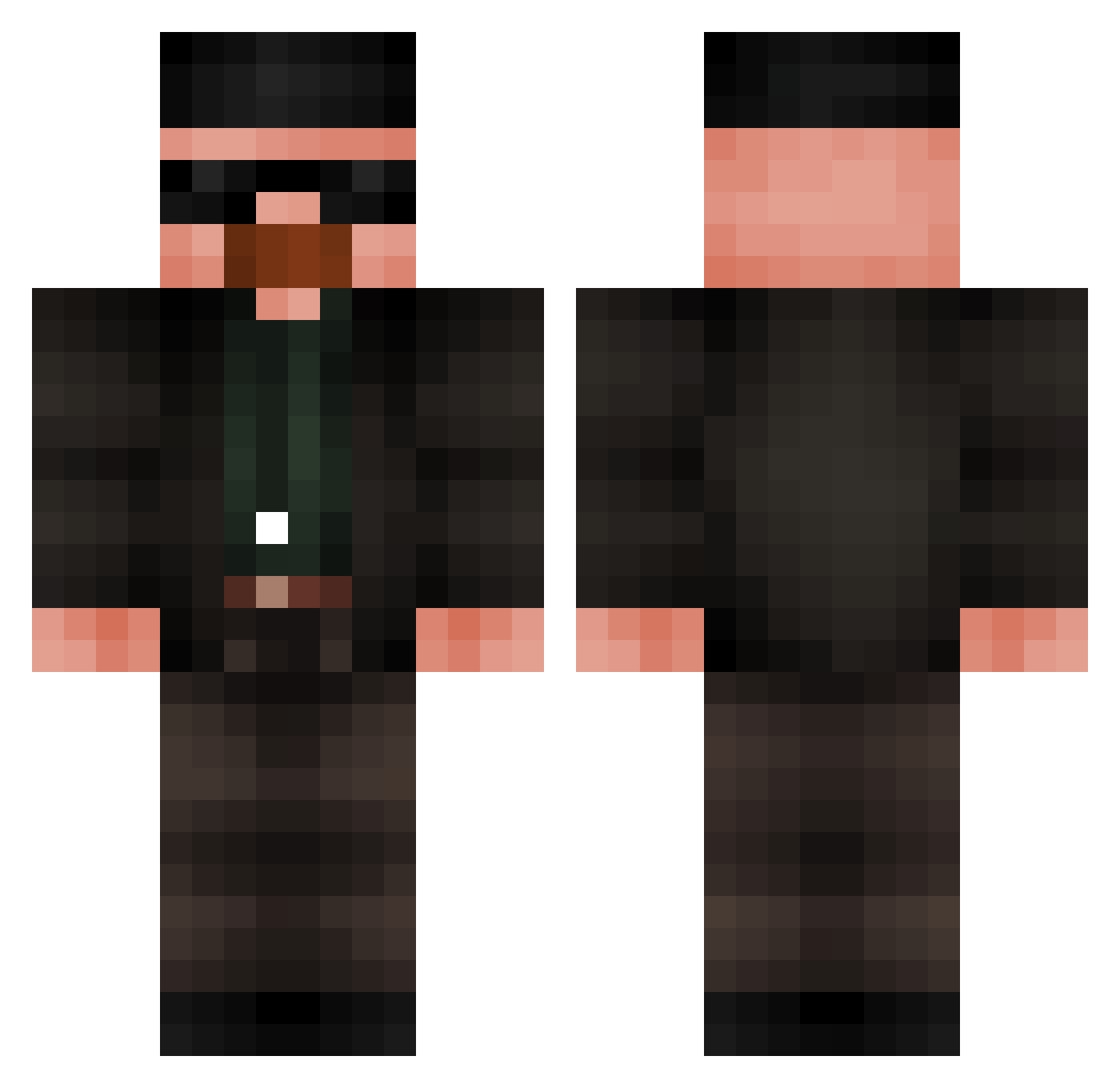
Current Minecraft skin of the player Kloker612, loaded from the official Mojang API. Rotate the 3D model with your mouse or finger, then download the skin as a PNG file and use it in Minecraft: Bedrock Edition or Java Edition for free. When Kloker612 changes their skin, this page updates automatically and the old skin stays in the history below.
Other players with this skin (685)
Kloker612 was the 89th player we have seen with this skin, first spotted on 07.08.2026. The same skin was seen on these players. Open a nickname to see their current skin and skin history.
 kiradesu_ aliparulski linafer ZYNO1_1 HEISENBERG00007 vQDH2 Sh3qzz Saminator3000 shakker_ Lasusi ZZielu mr_white21345 SzGery SleepyJoe0 WillySabor101 Walery17 Parkranger4_0 SamuploXz infwi sh3noon IsEtzer rhynapo Pita45 slapmybass25 Shallo0w 5chumacher FelipeUCD Fat_Flash__ walterwhite97_
 saltlessfry OggLock666 LeZerck Malarka werte657_NBA Bgck_ Novas_29 Bensbakery xespi_ foursci CodyAntilles11 Lerahkop airidasrrr SeitenbacherMhhh Sheizaf AsylumStormy Rein_Trein DaddyDingers07 Chinaolores Difonse JosephBaz Simxn22 Formulaplane45 Adam1x___ LMario231 dvrkcvlt AtlasTheMighty unistin MirloxGG Cyber_Krab FIFADABOSS
More Heisenberg Minecraft skins
How to install the Kloker612 skin
- Press the Download button above to save the skin as a PNG file.
- Minecraft: Bedrock Edition (PE): open the Dressing Room from the main menu (or tap your character → Edit Character), go to Classic Skins → Owned, press the + (new skin) button, choose the downloaded PNG and pick the Classic (Steve) model. Works on PC and mobile; consoles cannot import custom skins.
- Minecraft: Java Edition: open the Minecraft Launcher, go to the Skins tab, click New Skin, load the PNG, pick the Classic (Steve) model and press Save & Use. You can also upload it at minecraft.net → Profile → Change Skin.
The skin does not show up after import - what should I do?
Restart Minecraft and open the Dressing Room again - imported skins sometimes appear only after a restart. Also make sure you selected the imported skin and picked the Classic (Steve) model.
Which model should I choose, Classic or Slim?
This skin is designed for the Classic (Steve) model. If you pick the wrong model, the arms of the skin will look stretched or squeezed.
Is the skin of Kloker612 free to download?
Yes. Press Download, save the PNG file and use it in Minecraft: Bedrock Edition or Java Edition - no payment or registration needed. The skin also works on multiplayer servers and Realms.
More skins
Looking for more? Go back to all Minecraft skins and check the top skins of the week, month and all time, or find any player's skin by nickname.