
KlanMemberKevin - Minecraft Skins & Skin History
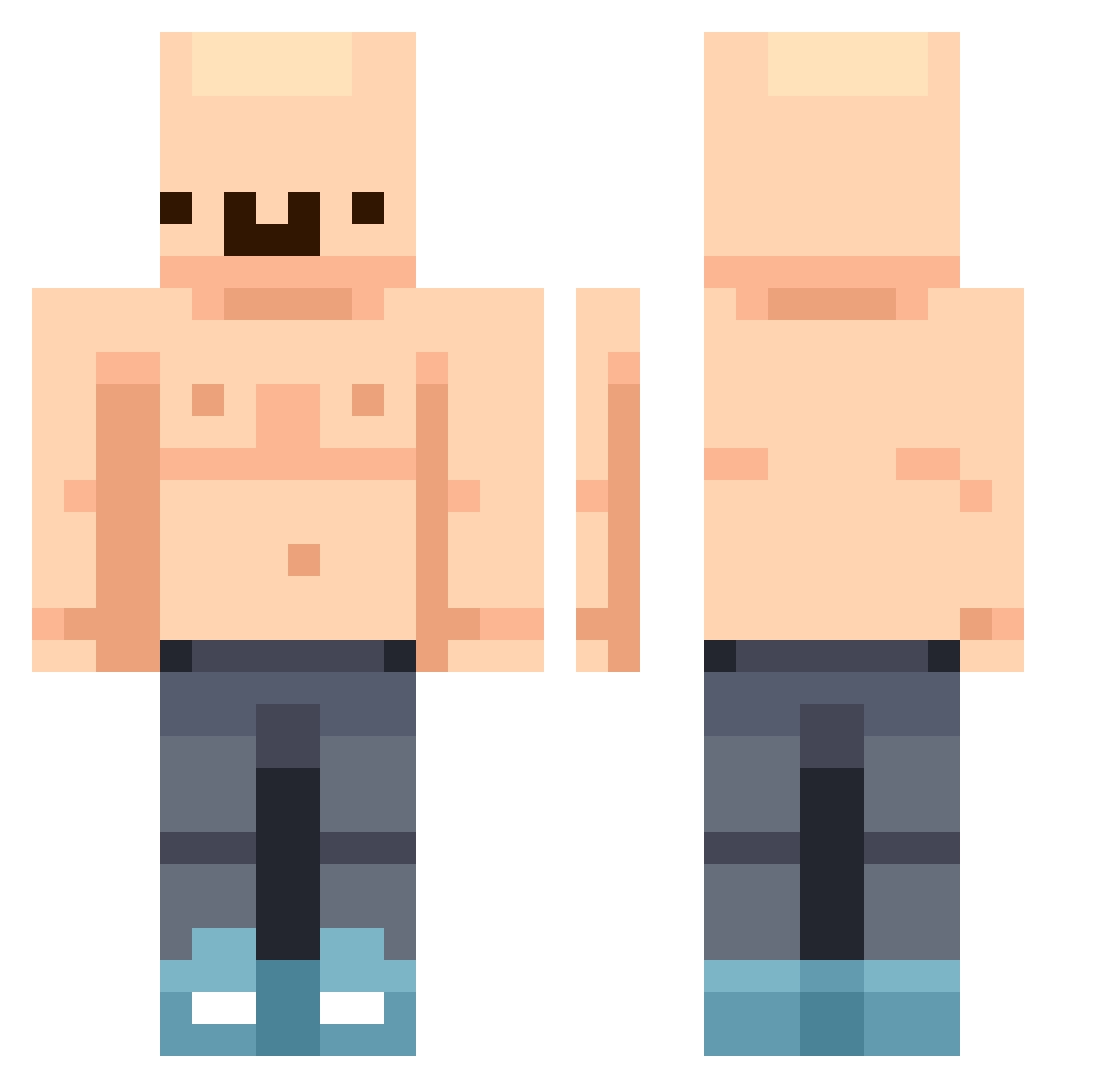
Current Minecraft skin of the player KlanMemberKevin, loaded from the official Mojang API. Rotate the 3D model with your mouse or finger, then download the skin as a PNG file and use it in Minecraft: Bedrock Edition or Java Edition for free. When KlanMemberKevin changes their skin, this page updates automatically and the old skin stays in the history below.
Other players with this skin (389)
KlanMemberKevin was the 231st player we have seen with this skin, first spotted on 23.09.2026. The same skin was seen on these players. Open a nickname to see their current skin and skin history.
 BigBlooper69 LittleBear55688 KZ7D Botman876 barofbubbles Jawhh KIJUNG12 itsnotasher rewzyy Luca_cv15 vhinto Maple3h Cevition wh_rb9ls coolmanjim JW2R JonesiSeikkailee TcJv tehpwn3dlife TebZ18 KOGAAR km1sm blubeluben aphatguy17 yuhSmokeyy FatFred999 Jordann1994 nazawszerek Metyg kikstr82 lesleee BigPhatMonkeButt TheWeaselyWeasel Lizouille I24banta maxiboy0610 MonsterHunter87 Scatatu zaimelo WinterV_ Awyorn addiebower Megalolipop Angel_Map OTGETHAN ATETODO Intenerate Cjayy_69 zaraki66 FX_L8 MrBugga Katternatta2 BabaV2 conejocanijo MotorLlama43142 soccerninja0215 mgv64 XIaoBenYu iggo_ Aiblue007
More Bald Minecraft skins
How to install the KlanMemberKevin skin
- Press the Download button above to save the skin as a PNG file.
- Minecraft: Bedrock Edition (PE): open the Dressing Room from the main menu (or tap your character → Edit Character), go to Classic Skins → Owned, press the + (new skin) button, choose the downloaded PNG and pick the Classic (Steve) model. Works on PC and mobile; consoles cannot import custom skins.
- Minecraft: Java Edition: open the Minecraft Launcher, go to the Skins tab, click New Skin, load the PNG, pick the Classic (Steve) model and press Save & Use. You can also upload it at minecraft.net → Profile → Change Skin.
The skin does not show up after import - what should I do?
Restart Minecraft and open the Dressing Room again - imported skins sometimes appear only after a restart. Also make sure you selected the imported skin and picked the Classic (Steve) model.
Which model should I choose, Classic or Slim?
This skin is designed for the Classic (Steve) model. If you pick the wrong model, the arms of the skin will look stretched or squeezed.
Is the skin of KlanMemberKevin free to download?
Yes. Press Download, save the PNG file and use it in Minecraft: Bedrock Edition or Java Edition - no payment or registration needed. The skin also works on multiplayer servers and Realms.
More skins
Looking for more? Go back to all Minecraft skins and check the top skins of the week, month and all time, or find any player's skin by nickname.