
Kitsu1820 - Minecraft Skins & Skin History
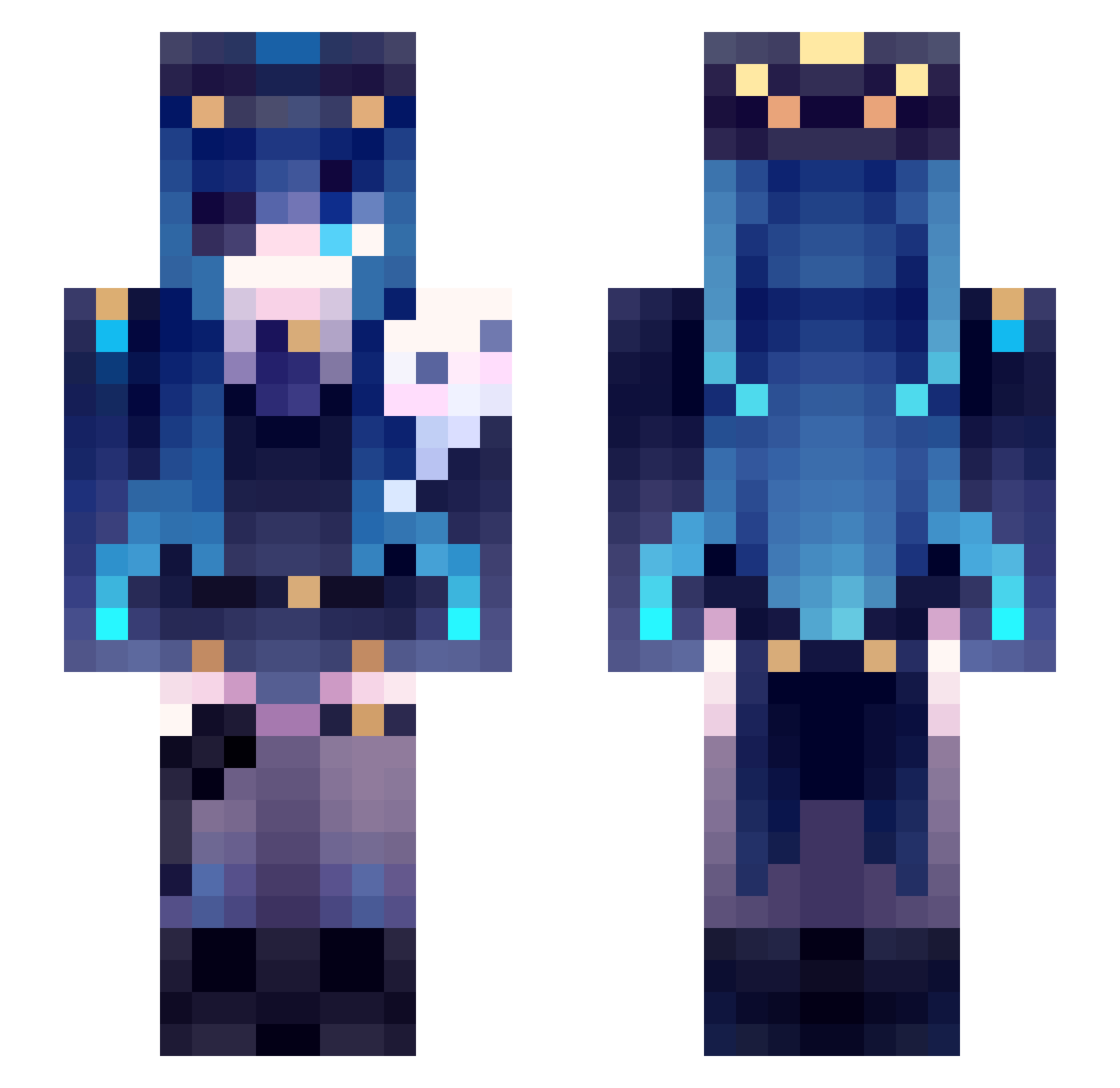
Current Minecraft skin of the player Kitsu1820, loaded from the official Mojang API. Rotate the 3D model with your mouse or finger, then download the skin as a PNG file and use it in Minecraft: Bedrock Edition or Java Edition for free. When Kitsu1820 changes their skin, this page updates automatically and the old skin stays in the history below.
Other players with this skin (42)
Kitsu1820 was the 30th player we have seen with this skin, first spotted on 25.09.2026. The same skin was seen on these players. Open a nickname to see their current skin and skin history.
 buea666 Rhalala80 YanggMC LinhpmUWP0118 Gaposis HypLas Kindaire carnal_ AstraLighted DaftPunk_747 JZnay09663 AI_Krul ZIHENB xlamingo TBLAMMER LoostGuy fr520emb8r Renwell Arctic_Peng Ahmet2123 flyhightacos legend141017 omuraisuisyammy Funfire5327 Iuabtdas_xuan iTzGibb IShallSpeak yozakura012 CanonicalGarbage CoSM1x_ kazwjax Kitetsu__ KiwiZ2 freakxq FrouGx e22bbb MustafaErdn XIAOZHA__B__233
 dmstn16 A_broken_lamb __miquella__ catpawsu
More Ninomae Ina'nis Minecraft skins
See all 48 Ninomae Ina'nis skins
How to install the Kitsu1820 skin
- Press the Download button above to save the skin as a PNG file.
- Minecraft: Bedrock Edition (PE): open the Dressing Room from the main menu (or tap your character → Edit Character), go to Classic Skins → Owned, press the + (new skin) button, choose the downloaded PNG and pick the Slim (Alex) model. Works on PC and mobile; consoles cannot import custom skins.
- Minecraft: Java Edition: open the Minecraft Launcher, go to the Skins tab, click New Skin, load the PNG, pick the Slim (Alex) model and press Save & Use. You can also upload it at minecraft.net → Profile → Change Skin.
The skin does not show up after import - what should I do?
Restart Minecraft and open the Dressing Room again - imported skins sometimes appear only after a restart. Also make sure you selected the imported skin and picked the Slim (Alex) model.
Which model should I choose, Classic or Slim?
This skin is designed for the Slim (Alex) model. If you pick the wrong model, the arms of the skin will look stretched or squeezed.
Is the skin of Kitsu1820 free to download?
Yes. Press Download, save the PNG file and use it in Minecraft: Bedrock Edition or Java Edition - no payment or registration needed. The skin also works on multiplayer servers and Realms.
More skins
Looking for more? Go back to all Minecraft skins and check the top skins of the week, month and all time, or find any player's skin by nickname.