
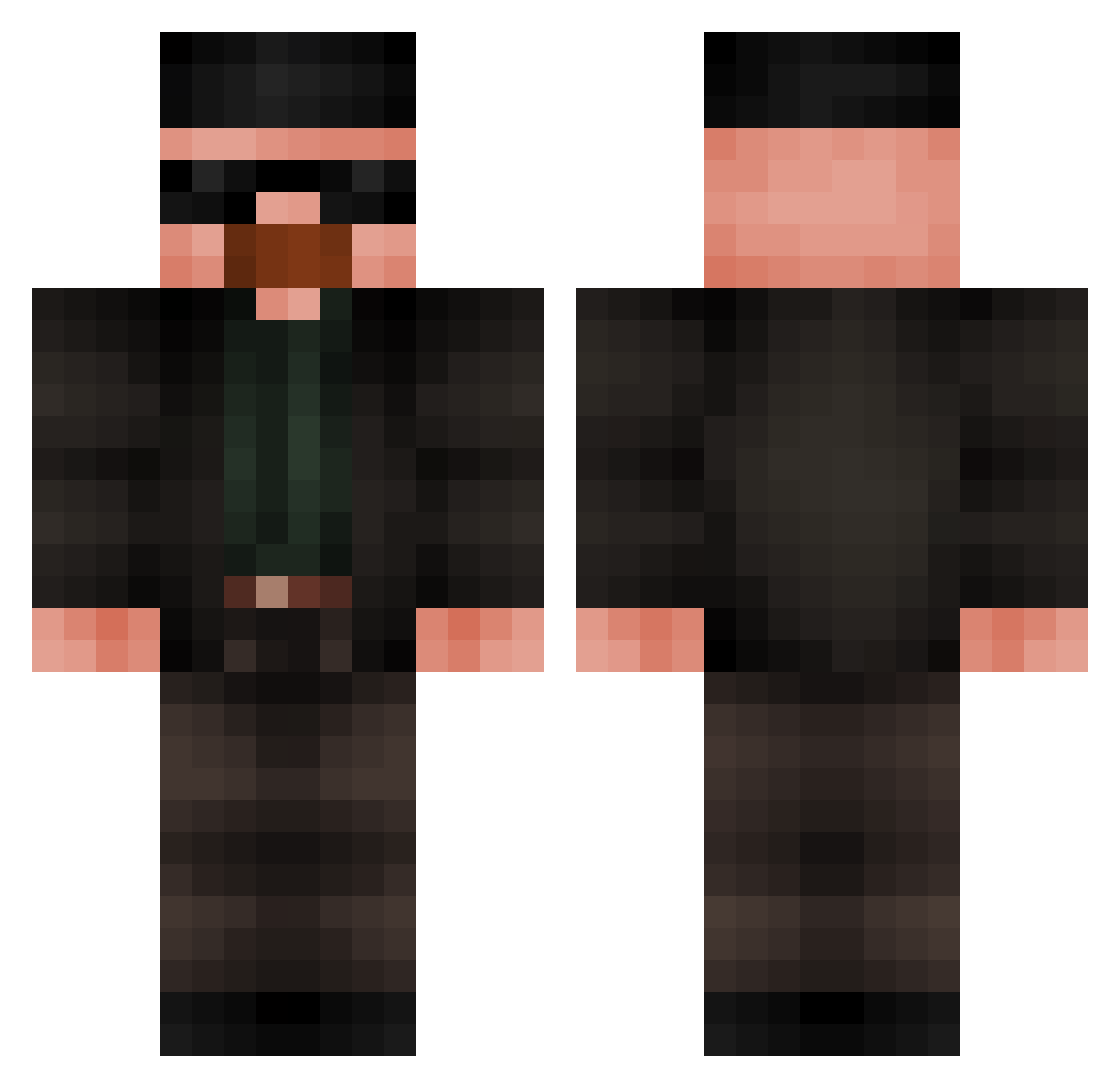
Current Minecraft skin of the player Kirissei, loaded from the official Mojang API. Rotate the 3D model with your mouse or finger, then download the skin as a PNG file and use it in Minecraft: Bedrock Edition or Java Edition for free. When Kirissei changes their skin, this page updates automatically and the old skin stays in the history below.
Other players with this skin (418)
Kirissei was the 381st player we have seen with this skin, first spotted on 10.10.2026. The same skin was seen on these players. Open a nickname to see their current skin and skin history.
 caiopupo oppenheimer18 Menogod Mickael2B MEGAMIND009 Grondysek Bakshisha JacqueH 5ZYMI Jonyx_cz Logoig BattePersil4194 Felina1 awesam616 erenjik FrogcioBanana SorremXD SpecialAssasin13 WallyWaldron Fadorsii Aerosmith2276 Majchelxd torsken_lars Martansk09 lalosalamanca31 JEFRYHN Trollobrine I_RAZ_I icy0000 xconceal snover1234 Yiancarlo El_Bennett SLPWLKRK Errieee Astolfo_is_back TheGreatWave sssxrennn agustco MysterySurprise teodorcool MRcraft64 Lucasfede Garczas GoblinGanzo33 IAmGosu__ jaozinhoM Apollo07136 Funchal10 Havoc_x duduzd swoopdwag OwennOD muksuu8816 TURBSKI3 NIZZIN Ohmygoshhh Dzoni420 fenoxis Carter7776267
More Heisenberg Minecraft skins
How to install the Kirissei skin
- Press the Download button above to save the skin as a PNG file.
- Minecraft: Bedrock Edition (PE): open the Dressing Room from the main menu (or tap your character → Edit Character), go to Classic Skins → Owned, press the + (new skin) button, choose the downloaded PNG and pick the Classic (Steve) model. Works on PC and mobile; consoles cannot import custom skins.
- Minecraft: Java Edition: open the Minecraft Launcher, go to the Skins tab, click New Skin, load the PNG, pick the Classic (Steve) model and press Save & Use. You can also upload it at minecraft.net → Profile → Change Skin.
The skin does not show up after import - what should I do?
Restart Minecraft and open the Dressing Room again - imported skins sometimes appear only after a restart. Also make sure you selected the imported skin and picked the Classic (Steve) model.
Which model should I choose, Classic or Slim?
This skin is designed for the Classic (Steve) model. If you pick the wrong model, the arms of the skin will look stretched or squeezed.
Is the skin of Kirissei free to download?
Yes. Press Download, save the PNG file and use it in Minecraft: Bedrock Edition or Java Edition - no payment or registration needed. The skin also works on multiplayer servers and Realms.
More skins
Looking for more? Go back to all Minecraft skins and check the top skins of the week, month and all time, or find any player's skin by nickname.