
KiriSachi - Minecraft Skins & Skin History
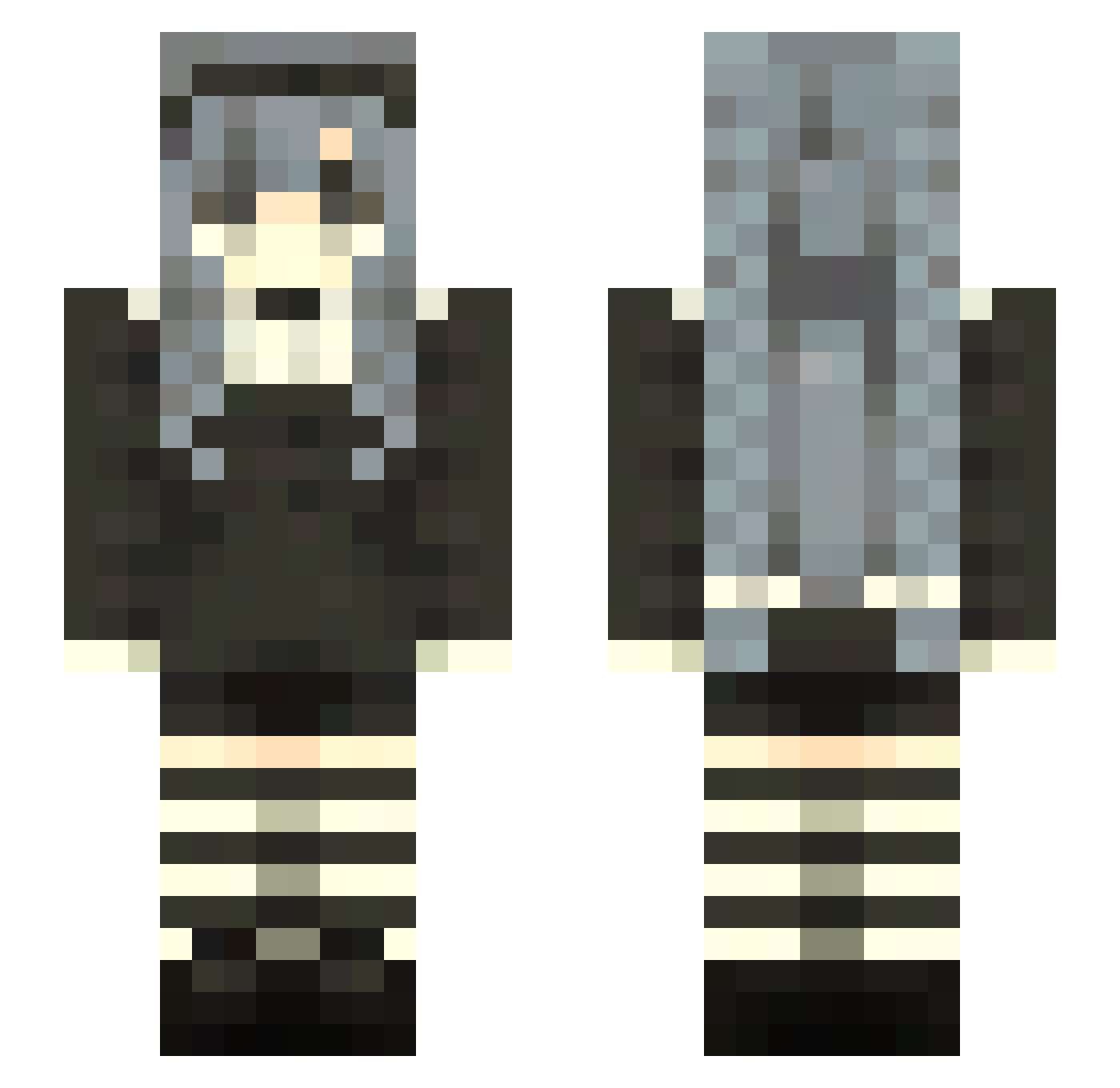
Current Minecraft skin of the player KiriSachi, loaded from the official Mojang API. Rotate the 3D model with your mouse or finger, then download the skin as a PNG file and use it in Minecraft: Bedrock Edition or Java Edition for free. When KiriSachi changes their skin, this page updates automatically and the old skin stays in the history below.
Other players with this skin (92)
KiriSachi was the 16th player we have seen with this skin, first spotted on 14.08.2026. The same skin was seen on these players. Open a nickname to see their current skin and skin history.
 Katara136 aaa
 Jolee
Jolee e6yu likeLADY overdependent chaiKim RavenCovez yafiosa k1rb1_ tot4llycelest Jecraf AIMER1136 Dream_Ark Yacoe
 BrettSplink kacmorda
 Sarita48
 ghoulreaping eboykyle
 Aquamirene orange_jucie Zumi_zuu cravejorho abyssal_0517_ xShiroSx K0xiuu
 BestElytraMacer Vaikea09 kokoswrld
 smellyyelliee AKL_bobo
 yamwe Incommensurabile thattys
 syk0rka PrincessaAysel dinonugget162 zscy Eclipsed_Meep LittleCuteThing _LovelyKenna_ KAR98M SpiritedArrow Czarield clouuth Krolblade_ Caelles AISTURRR L60Fqre Lunazoh Ala3105 Shelbz4312 Beef2580 Revansse T1D1AL Zhang172 zoeyy_22 LiiiXnz r4wrx3
More Maid Minecraft skins
How to install the KiriSachi skin
- Press the Download button above to save the skin as a PNG file.
- Minecraft: Bedrock Edition (PE): open the Dressing Room from the main menu (or tap your character → Edit Character), go to Classic Skins → Owned, press the + (new skin) button, choose the downloaded PNG and pick the Slim (Alex) model. Works on PC and mobile; consoles cannot import custom skins.
- Minecraft: Java Edition: open the Minecraft Launcher, go to the Skins tab, click New Skin, load the PNG, pick the Slim (Alex) model and press Save & Use. You can also upload it at minecraft.net → Profile → Change Skin.
The skin does not show up after import - what should I do?
Restart Minecraft and open the Dressing Room again - imported skins sometimes appear only after a restart. Also make sure you selected the imported skin and picked the Slim (Alex) model.
Which model should I choose, Classic or Slim?
This skin is designed for the Slim (Alex) model. If you pick the wrong model, the arms of the skin will look stretched or squeezed.
Is the skin of KiriSachi free to download?
Yes. Press Download, save the PNG file and use it in Minecraft: Bedrock Edition or Java Edition - no payment or registration needed. The skin also works on multiplayer servers and Realms.
More skins
Looking for more? Go back to all Minecraft skins and check the top skins of the week, month and all time, or find any player's skin by nickname.