
Kinglui98600 - Minecraft Skins & Skin History
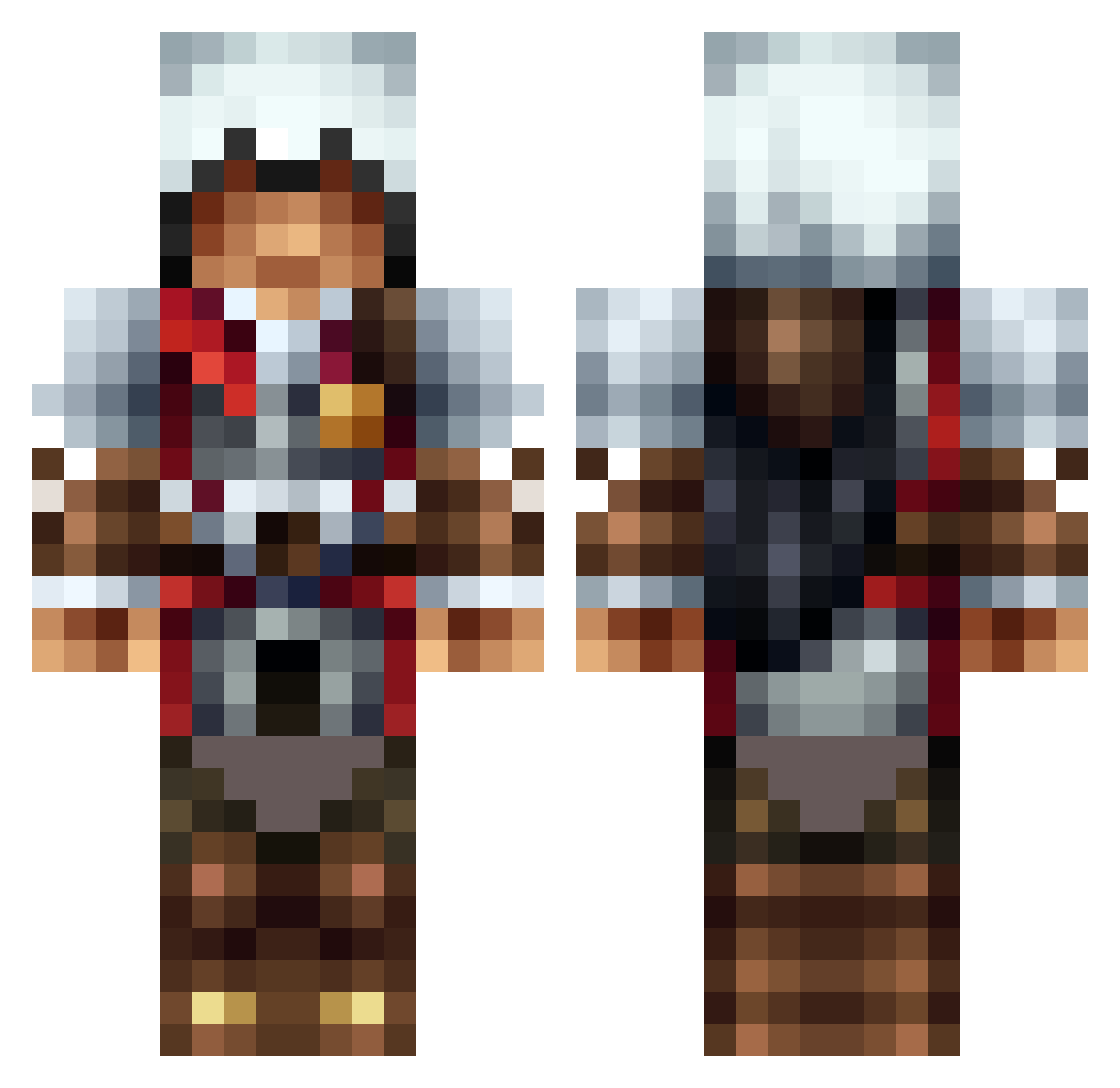
Current Minecraft skin of the player Kinglui98600, loaded from the official Mojang API. Rotate the 3D model with your mouse or finger, then download the skin as a PNG file and use it in Minecraft: Bedrock Edition or Java Edition for free. When Kinglui98600 changes their skin, this page updates automatically and the old skin stays in the history below.
Other players with this skin (1307)
Kinglui98600 was the 67th player we have seen with this skin, first spotted on 29.07.2026. The same skin was seen on these players. Open a nickname to see their current skin and skin history.
 FreeStyleDK meesnr1 turnertrouble Roplayer100 Donkeykiller007 Son_001 emilrisoy Firnja HellJumper14 TheoPress harucha0422 Jay484 theosaville maxchadwick opke11 Erikwall dreamcaster2121 Stephonopolis mii15moo Kakarino SilentxAssassin ADPDESTROYER2 BLACKOUT4519 mokumoku427 Sw4gDddy GodofPain23 beastinator3000 facefullofbutter elanwarll thefoxs zombielover617 tenswim1015 Rainy__Cloud TGOD_ The_Rich_Hobo23 Gabba_Ganga 164Thor Terminator2MC madcammy1 Istar787 Xxace_assassinxX Frozzen__Edition SShemp pr0phecyfire75 McDucktion Davisi88 WTFantango Masterjosh2005 SpUdWa Shmoseph lelitata22 PapaHoang martin_h_j chewylang Voldemork LilEsider Damnalvan AnneMarieDamborg MasterZion nitram987789
More Altair Minecraft skins
How to install the Kinglui98600 skin
- Press the Download button above to save the skin as a PNG file.
- Minecraft: Bedrock Edition (PE): open the Dressing Room from the main menu (or tap your character → Edit Character), go to Classic Skins → Owned, press the + (new skin) button, choose the downloaded PNG and pick the Classic (Steve) model. Works on PC and mobile; consoles cannot import custom skins.
- Minecraft: Java Edition: open the Minecraft Launcher, go to the Skins tab, click New Skin, load the PNG, pick the Classic (Steve) model and press Save & Use. You can also upload it at minecraft.net → Profile → Change Skin.
The skin does not show up after import - what should I do?
Restart Minecraft and open the Dressing Room again - imported skins sometimes appear only after a restart. Also make sure you selected the imported skin and picked the Classic (Steve) model.
Which model should I choose, Classic or Slim?
This skin is designed for the Classic (Steve) model. If you pick the wrong model, the arms of the skin will look stretched or squeezed.
Is the skin of Kinglui98600 free to download?
Yes. Press Download, save the PNG file and use it in Minecraft: Bedrock Edition or Java Edition - no payment or registration needed. The skin also works on multiplayer servers and Realms.
More skins
Looking for more? Go back to all Minecraft skins and check the top skins of the week, month and all time, or find any player's skin by nickname.