
King_JDM - Minecraft Skins & Skin History
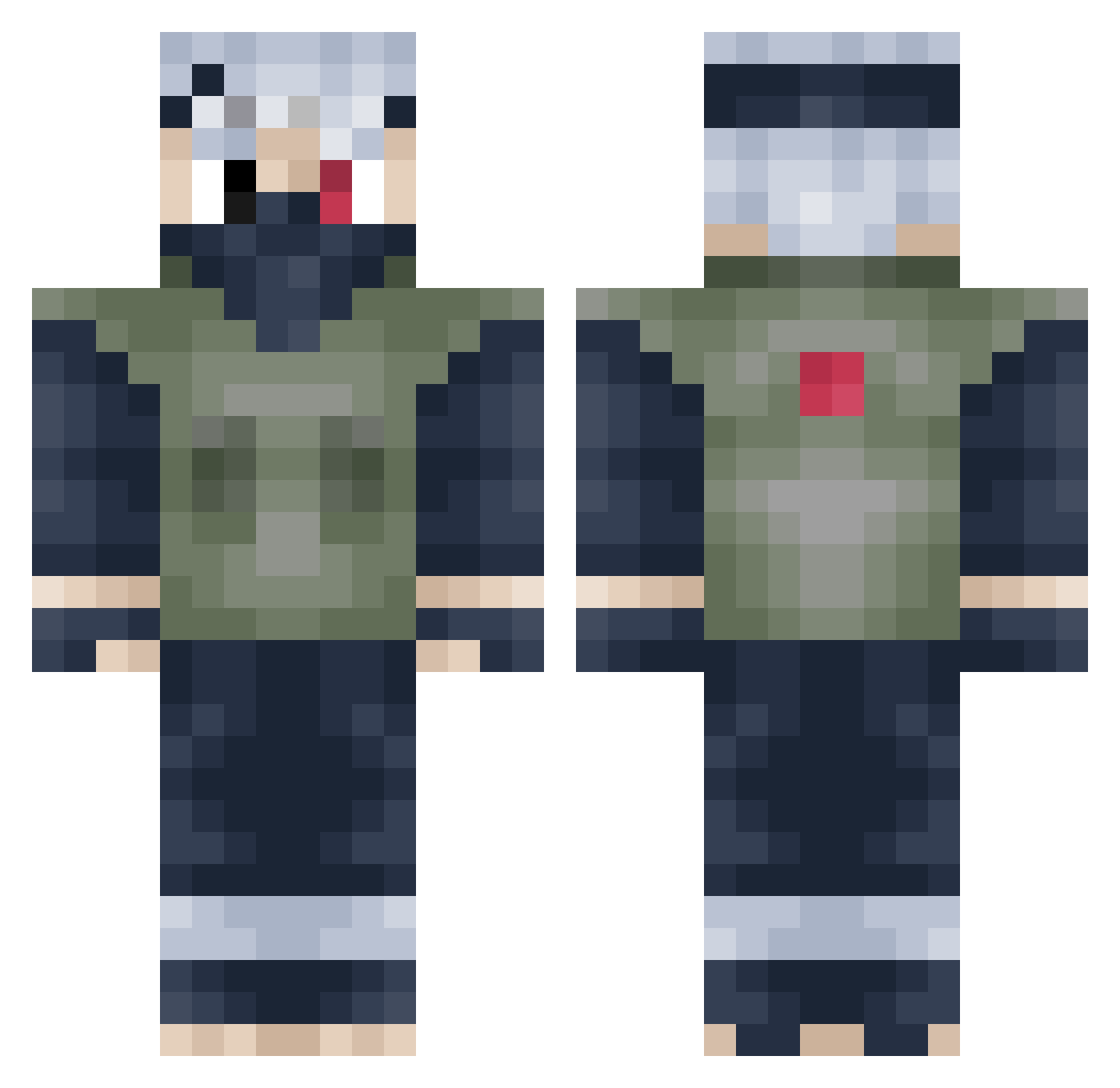
Current Minecraft skin of the player King_JDM, loaded from the official Mojang API. Rotate the 3D model with your mouse or finger, then download the skin as a PNG file and use it in Minecraft: Bedrock Edition or Java Edition for free. When King_JDM changes their skin, this page updates automatically and the old skin stays in the history below.
Other players with this skin (273)
King_JDM was the 20th player we have seen with this skin, first spotted on 02.08.2026. The same skin was seen on these players. Open a nickname to see their current skin and skin history.
 BMTHFan13 NicolaiMoroz Bunnypod GenericBaws ghostmaster2001 FuZioNxJocker Tylerthegreat253 Elaf3a maggi010 UchihaReed mo_77 SuperHeadFunk dBEAb DietChan ChefDesJuifs P3PP3R123 gangstaskunk Devadactyl Yello1010 MrsAlderaan CrocClan Immortalslayer81 Overdawss duelmaster3860 surfkevin medaglia ayJoeyy Ksoras SoshiNinja bcfight Gamergod360 alpha_infinity14 GeT_s0mE Theitaliansauage NZNinja221 Wixtape999 beanmans420 Yeti_003 Dragonnightmare8 elefart LikeTotallyJimmy ArcAngelInfinity Islandar Kurama6B Pking15 Dusty99 BorderCr4sh BigCume SkippyIsTaken bestiari Volbert oCrows Duerlund WavyAirlines FracturedMemory GuppyKen betterth Trikit GhostSoldierHD SPURSSOLDIER
More Kakashi Hatake Minecraft skins
See all 470 Kakashi Hatake skins
How to install the King_JDM skin
- Press the Download button above to save the skin as a PNG file.
- Minecraft: Bedrock Edition (PE): open the Dressing Room from the main menu (or tap your character → Edit Character), go to Classic Skins → Owned, press the + (new skin) button, choose the downloaded PNG and pick the Classic (Steve) model. Works on PC and mobile; consoles cannot import custom skins.
- Minecraft: Java Edition: open the Minecraft Launcher, go to the Skins tab, click New Skin, load the PNG, pick the Classic (Steve) model and press Save & Use. You can also upload it at minecraft.net → Profile → Change Skin.
The skin does not show up after import - what should I do?
Restart Minecraft and open the Dressing Room again - imported skins sometimes appear only after a restart. Also make sure you selected the imported skin and picked the Classic (Steve) model.
Which model should I choose, Classic or Slim?
This skin is designed for the Classic (Steve) model. If you pick the wrong model, the arms of the skin will look stretched or squeezed.
Is the skin of King_JDM free to download?
Yes. Press Download, save the PNG file and use it in Minecraft: Bedrock Edition or Java Edition - no payment or registration needed. The skin also works on multiplayer servers and Realms.
More skins
Looking for more? Go back to all Minecraft skins and check the top skins of the week, month and all time, or find any player's skin by nickname.