
KingHalloween - Minecraft Skins & Skin History
Current Minecraft skin of the player KingHalloween, loaded from the official Mojang API. Rotate the 3D model with your mouse or finger, then download the skin as a PNG file and use it in Minecraft: Bedrock Edition or Java Edition for free. When KingHalloween changes their skin, this page updates automatically and the old skin stays in the history below.
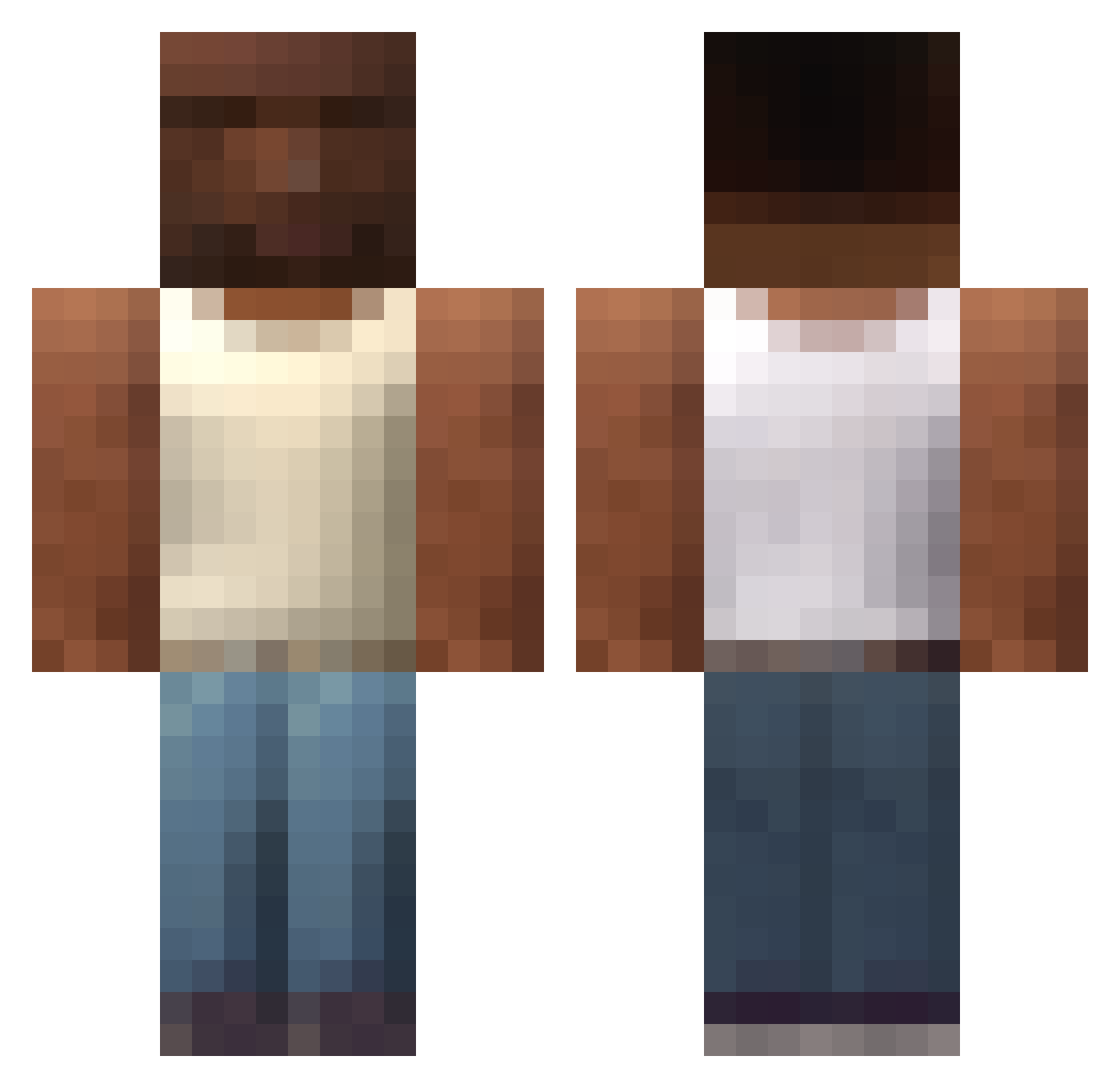
Other players with this skin (588)
KingHalloween was the 117th player we have seen with this skin, first spotted on 14.08.2026. The same skin was seen on these players. Open a nickname to see their current skin and skin history.
 Ohen SirConfectionery duskemm Deliatved BrandyTheSavage maddddx gawad69 Elduck006 SuperUtero hasczadabrow Afinnishm8 justinbo735 nvrmndxd Abdulaziz999 DaRicardoMilos shampito Lordbro139 Lanaope AFCHAN poderosotronco lujin8888 Akira101 mfoom kksei_la ExactlyMyPoint papiyonotoisolo Cheesy_b petkoswagger Nouk__ sumsaus mammamu4 p0isvnn NotEvenIndian D_n__l Toritus1 NIKE_JORDAN 4ksalt Almer003 PyR0MayNiAc_101 cosmin2k7 quanMK19912 bornit0_s inlaezz AlexDark07 Jovem_couto __Laczek__ ttl_steel0079 At_dusk_corn nono_king Leontio2012 _Robica_ iownmoon bananeman44 yurkazet thekolsuz55 ful4nogod llastslimeto ikiri1020 Mati_no_pica DyslexicCabbage
More San Andreas Minecraft skins
How to install the KingHalloween skin
- Press the Download button above to save the skin as a PNG file.
- Minecraft: Bedrock Edition (PE): open the Dressing Room from the main menu (or tap your character → Edit Character), go to Classic Skins → Owned, press the + (new skin) button, choose the downloaded PNG and pick the Classic (Steve) model. Works on PC and mobile; consoles cannot import custom skins.
- Minecraft: Java Edition: open the Minecraft Launcher, go to the Skins tab, click New Skin, load the PNG, pick the Classic (Steve) model and press Save & Use. You can also upload it at minecraft.net → Profile → Change Skin.
The skin does not show up after import - what should I do?
Restart Minecraft and open the Dressing Room again - imported skins sometimes appear only after a restart. Also make sure you selected the imported skin and picked the Classic (Steve) model.
Which model should I choose, Classic or Slim?
This skin is designed for the Classic (Steve) model. If you pick the wrong model, the arms of the skin will look stretched or squeezed.
Is the skin of KingHalloween free to download?
Yes. Press Download, save the PNG file and use it in Minecraft: Bedrock Edition or Java Edition - no payment or registration needed. The skin also works on multiplayer servers and Realms.
More skins
Looking for more? Go back to all Minecraft skins and check the top skins of the week, month and all time, or find any player's skin by nickname.