
KingGyeongHo - Minecraft Skins & Skin History
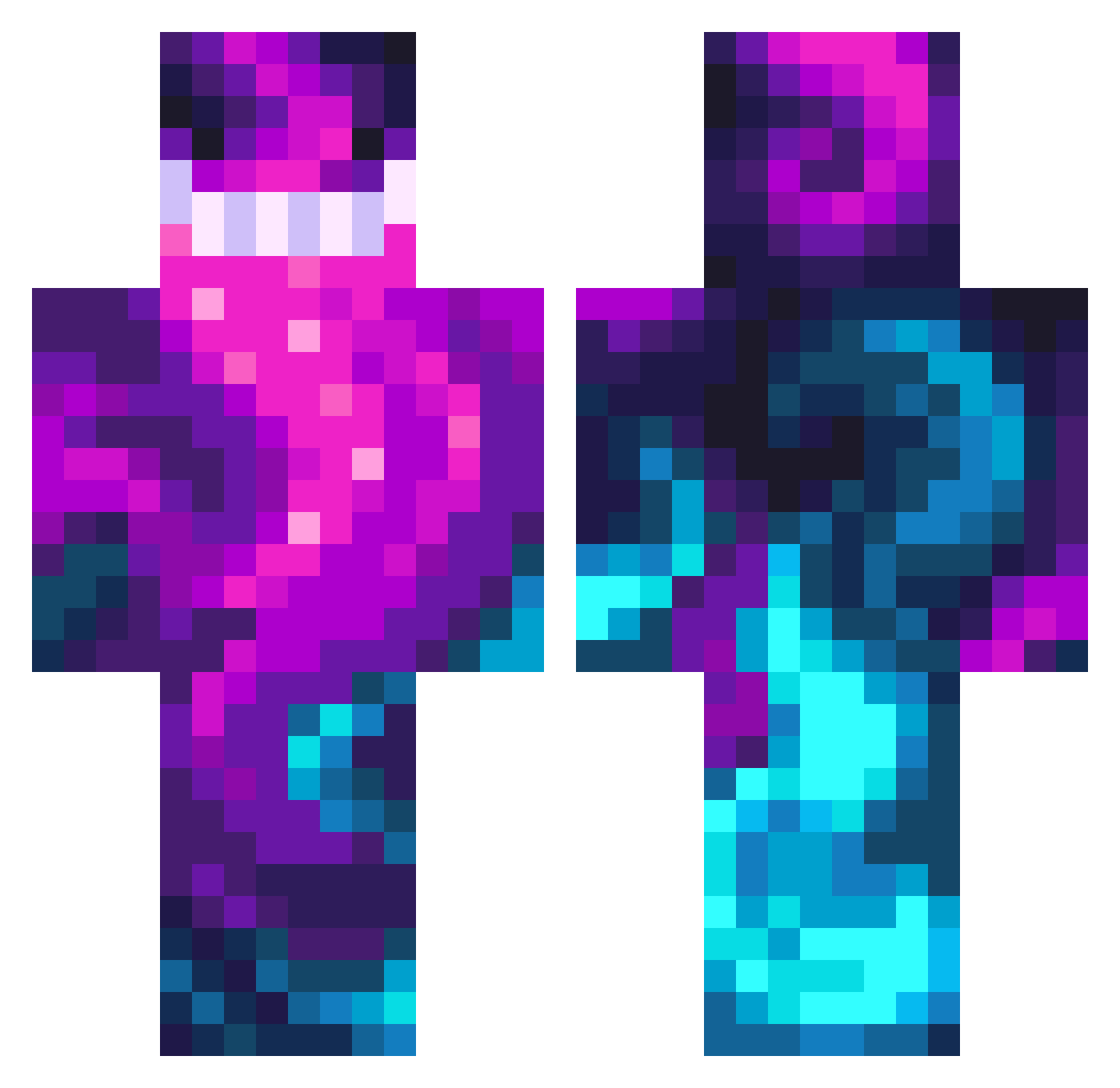
Current Minecraft skin of the player KingGyeongHo, loaded from the official Mojang API. Rotate the 3D model with your mouse or finger, then download the skin as a PNG file and use it in Minecraft: Bedrock Edition or Java Edition for free. When KingGyeongHo changes their skin, this page updates automatically and the old skin stays in the history below.
Other players with this skin (476)
KingGyeongHo was the 328th player we have seen with this skin, first spotted on 12.10.2026. The same skin was seen on these players. Open a nickname to see their current skin and skin history.
 Ace_Sera Tenko_1004 nottensau rpete007us Praizazdd whiteflamingo56 whk94 dudcks0529 mg24hr Gromek_ Sovereignty18 TheSpittingCobra Sixshotz eldog827 SabineOH TheOrbalord t0xic_bstrd HomieSplix Shanikin147 mlglilc Slither224 DuduF07 CaptRravan Pudi66 ChugginBathWater Ceruban Logans_FaF Alberto_El_Monda Paceme56 Occtavier Ghost9972 lofi3y SnokenRC JJhwl7 JatzenG59 0pal_frog Kepurus Hiker0406 Niklinio ServalSupreme Orion6420 Koreita Buckaroo21 wald333 ParisPlatinium ZrCaspian CrypticTG blixonik KaraFirtina28 mulkang enterpriseSAMA nordicdragon1 meatballchees Nonamey78 Beelzy Reinardus_Vulpes ArgusLSS XOBREEEZYXO Vexo69 GiftSeele
How to install the KingGyeongHo skin
- Press the Download button above to save the skin as a PNG file.
- Minecraft: Bedrock Edition (PE): open the Dressing Room from the main menu (or tap your character → Edit Character), go to Classic Skins → Owned, press the + (new skin) button, choose the downloaded PNG and pick the Classic (Steve) model. Works on PC and mobile; consoles cannot import custom skins.
- Minecraft: Java Edition: open the Minecraft Launcher, go to the Skins tab, click New Skin, load the PNG, pick the Classic (Steve) model and press Save & Use. You can also upload it at minecraft.net → Profile → Change Skin.
The skin does not show up after import - what should I do?
Restart Minecraft and open the Dressing Room again - imported skins sometimes appear only after a restart. Also make sure you selected the imported skin and picked the Classic (Steve) model.
Which model should I choose, Classic or Slim?
This skin is designed for the Classic (Steve) model. If you pick the wrong model, the arms of the skin will look stretched or squeezed.
Is the skin of KingGyeongHo free to download?
Yes. Press Download, save the PNG file and use it in Minecraft: Bedrock Edition or Java Edition - no payment or registration needed. The skin also works on multiplayer servers and Realms.
More skins
Looking for more? Go back to all Minecraft skins and check the top skins of the week, month and all time, or find any player's skin by nickname.