
KingGhid0rah5 - Minecraft Skins & Skin History
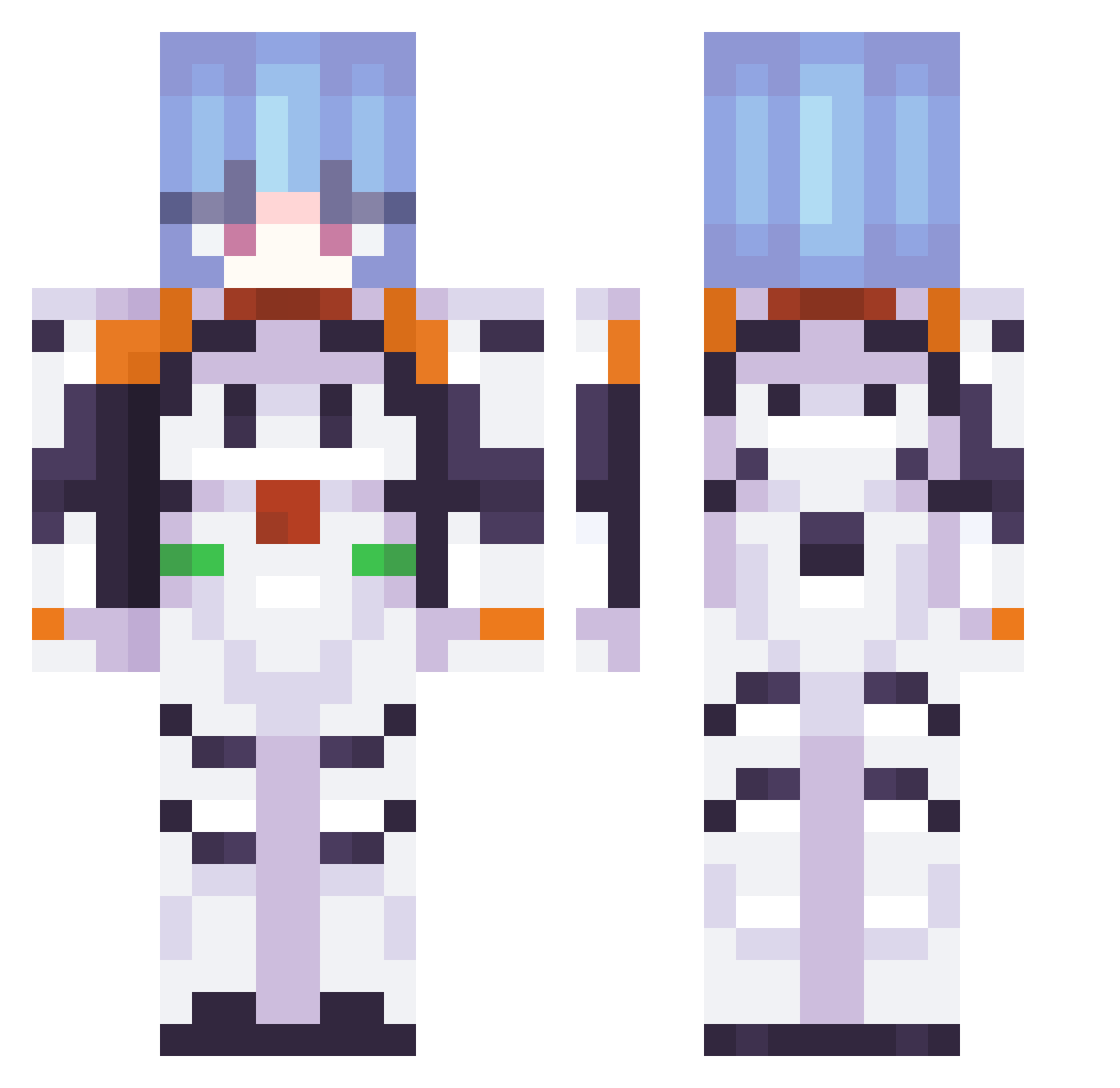
Current Minecraft skin of the player KingGhid0rah5, loaded from the official Mojang API. Rotate the 3D model with your mouse or finger, then download the skin as a PNG file and use it in Minecraft: Bedrock Edition or Java Edition for free. When KingGhid0rah5 changes their skin, this page updates automatically and the old skin stays in the history below.
Other players with this skin (337)
KingGhid0rah5 was the 334th player we have seen with this skin, first spotted on 20.10.2026. The same skin was seen on these players. Open a nickname to see their current skin and skin history.
 Crimson_Panda_ missvenussss laiwn DumbSaya semechkan0 DebilwPudelku Michigirl64 jqballs hsqbq0096 Aeasur93 TW_Player1234567 StarMilo16 xhlxe prizrxk Osifraga cyberfr0gs Thisdude28_ EarlyOC __serendipity_ ittepq Tamalito007 asapretlav CrunchySnacker callsign_ghost1 akira_ep L1ttleplane yulkakoolka ID_16KJP65 weeeeeeeeee23w Babuchich SiDe_Koyitrom KirbyLove aburaage1014 Duracell88 Dark_Moon20 SunSword16 Lestryal Emma795 clomp05 laurence3421 Ternura_68 uwu_187 htrye kawaiiuso YoungboySunJ blissodeath Fluppy2099 Adunya DeWoke secondri liblibliblib SaimonMania Jolticks TheTeddyChannel DaavyO yaficus ryncl embruu1 yaacovb Aasu_
More Plugsuit Minecraft skins
How to install the KingGhid0rah5 skin
- Press the Download button above to save the skin as a PNG file.
- Minecraft: Bedrock Edition (PE): open the Dressing Room from the main menu (or tap your character → Edit Character), go to Classic Skins → Owned, press the + (new skin) button, choose the downloaded PNG and pick the Classic (Steve) model. Works on PC and mobile; consoles cannot import custom skins.
- Minecraft: Java Edition: open the Minecraft Launcher, go to the Skins tab, click New Skin, load the PNG, pick the Classic (Steve) model and press Save & Use. You can also upload it at minecraft.net → Profile → Change Skin.
The skin does not show up after import - what should I do?
Restart Minecraft and open the Dressing Room again - imported skins sometimes appear only after a restart. Also make sure you selected the imported skin and picked the Classic (Steve) model.
Which model should I choose, Classic or Slim?
This skin is designed for the Classic (Steve) model. If you pick the wrong model, the arms of the skin will look stretched or squeezed.
Is the skin of KingGhid0rah5 free to download?
Yes. Press Download, save the PNG file and use it in Minecraft: Bedrock Edition or Java Edition - no payment or registration needed. The skin also works on multiplayer servers and Realms.
More skins
Looking for more? Go back to all Minecraft skins and check the top skins of the week, month and all time, or find any player's skin by nickname.