
KimJaeWan - Minecraft Skins & Skin History
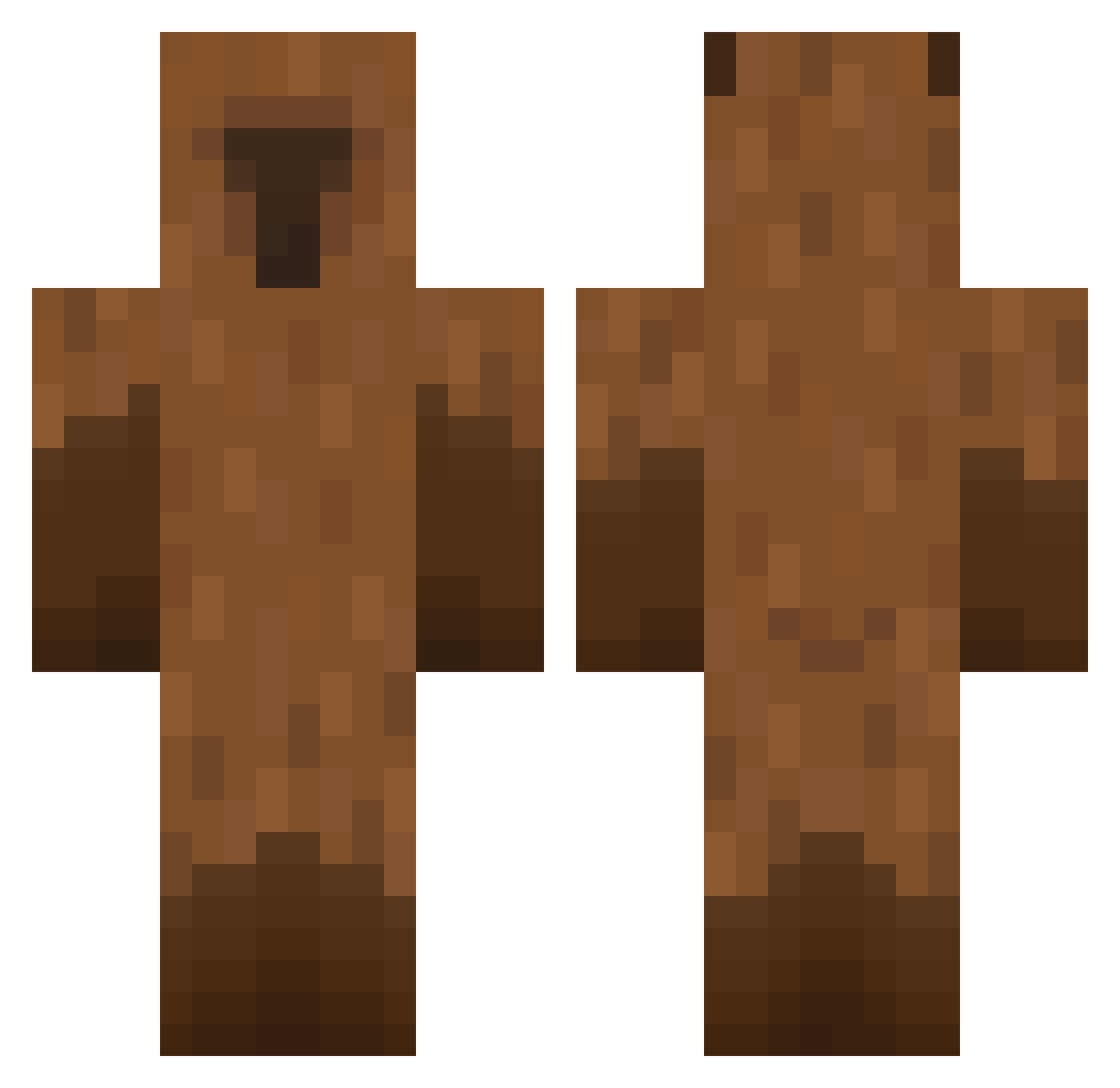
Current Minecraft skin of the player KimJaeWan, loaded from the official Mojang API. Rotate the 3D model with your mouse or finger, then download the skin as a PNG file and use it in Minecraft: Bedrock Edition or Java Edition for free. When KimJaeWan changes their skin, this page updates automatically and the old skin stays in the history below.
Other players with this skin (449)
KimJaeWan was the 385th player we have seen with this skin, first spotted on 18.10.2026. The same skin was seen on these players. Open a nickname to see their current skin and skin history.
 SONGGAYA almondmiilk_ Constin1012 sihyeon_0 Dawwg_ ZdenekGal Szlj Unhealing negor0 magic_Qixi Galaxy712xd idavidpod Braxxyz MaoZedongIsMyDad Zooweemama00 brickke LinhEAYoW1226 Baedal04 ISNP Window___ dlalstmd Perkeloaf gimcapybara qscvb025 TabTabTabujemy liliilllilili mcxiaoma KKCcola aaaah123456 savinrj kevinkevkekw Cap1bar0 pyx7 Kimaejun grigo6688 5kie davidpao2006 TATIAGO33 KALFA_ ziggy004 Wr4yx Huek epicgamerplayer greathotdog CapybaraKFC Baeyeonu Krauizerr rhtars Mazdaniel lauping prh0510 NanO_SnoWBalL WilliamY408 Solution0124 BasiaYT ian_alec SmallFriee ScavDaddy clashy16 DaniSahni02
More Capybara Minecraft skins
How to install the KimJaeWan skin
- Press the Download button above to save the skin as a PNG file.
- Minecraft: Bedrock Edition (PE): open the Dressing Room from the main menu (or tap your character → Edit Character), go to Classic Skins → Owned, press the + (new skin) button, choose the downloaded PNG and pick the Classic (Steve) model. Works on PC and mobile; consoles cannot import custom skins.
- Minecraft: Java Edition: open the Minecraft Launcher, go to the Skins tab, click New Skin, load the PNG, pick the Classic (Steve) model and press Save & Use. You can also upload it at minecraft.net → Profile → Change Skin.
The skin does not show up after import - what should I do?
Restart Minecraft and open the Dressing Room again - imported skins sometimes appear only after a restart. Also make sure you selected the imported skin and picked the Classic (Steve) model.
Which model should I choose, Classic or Slim?
This skin is designed for the Classic (Steve) model. If you pick the wrong model, the arms of the skin will look stretched or squeezed.
Is the skin of KimJaeWan free to download?
Yes. Press Download, save the PNG file and use it in Minecraft: Bedrock Edition or Java Edition - no payment or registration needed. The skin also works on multiplayer servers and Realms.
More skins
Looking for more? Go back to all Minecraft skins and check the top skins of the week, month and all time, or find any player's skin by nickname.