
Kil0f - Minecraft Skins & Skin History
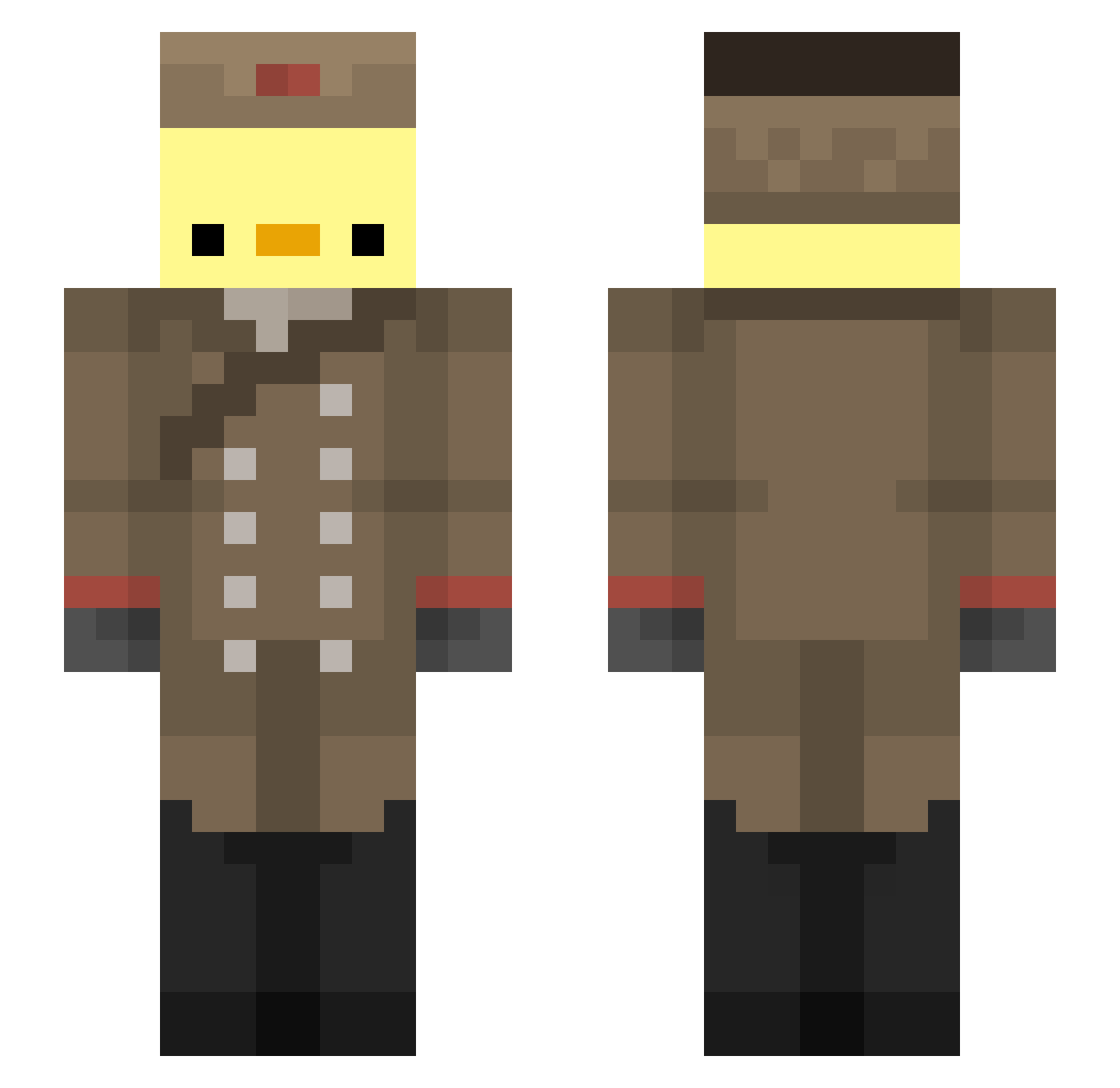
Current Minecraft skin of the player Kil0f, loaded from the official Mojang API. Rotate the 3D model with your mouse or finger, then download the skin as a PNG file and use it in Minecraft: Bedrock Edition or Java Edition for free. When Kil0f changes their skin, this page updates automatically and the old skin stays in the history below.
Other players with this skin (193)
Kil0f was the 20th player we have seen with this skin, first spotted on 06.08.2026. The same skin was seen on these players. Open a nickname to see their current skin and skin history.
 BigDuckMan0 Paralatak Aweh1918 Snibbls729 Tryflex_04 C4ST101 Roix_official pericofanaccount Kevin8u2 FlaviosQuseng Wynls rnjsgusdn08 TimHofman Quacklesss JUNO_HS Adalius1709 Klobik Poussipouss
 NettLM OoIongT3a PatoRicardo Szaniu Pelmeshik125 Nxckq EmptyNull404 hitokage2 Morbius_jpg ChokoKarameLl bShamon Copter_Automine Z3nith_23 Raucha8240 Santi1805t daavidtcc McFluffin16 SustageM samueloss HannahMilli DUGORI Lizzieeeeee Floshooter303 LaLiLuLuis StrangerStew390 roma070508 ApiSagtJoah Bozzzzy FredyMaster Jul3sMc PhyGo LECHAZO Jarthurn0 FizzyCJ TacosPastor59 MckenzieJames _Belole_ ahuy58_1 Quackjack07 ezdomii No8Respect Sitq
More Russian Soldier Minecraft skins
See all 96 Russian Soldier skins
How to install the Kil0f skin
- Press the Download button above to save the skin as a PNG file.
- Minecraft: Bedrock Edition (PE): open the Dressing Room from the main menu (or tap your character → Edit Character), go to Classic Skins → Owned, press the + (new skin) button, choose the downloaded PNG and pick the Slim (Alex) model. Works on PC and mobile; consoles cannot import custom skins.
- Minecraft: Java Edition: open the Minecraft Launcher, go to the Skins tab, click New Skin, load the PNG, pick the Slim (Alex) model and press Save & Use. You can also upload it at minecraft.net → Profile → Change Skin.
The skin does not show up after import - what should I do?
Restart Minecraft and open the Dressing Room again - imported skins sometimes appear only after a restart. Also make sure you selected the imported skin and picked the Slim (Alex) model.
Which model should I choose, Classic or Slim?
This skin is designed for the Slim (Alex) model. If you pick the wrong model, the arms of the skin will look stretched or squeezed.
Is the skin of Kil0f free to download?
Yes. Press Download, save the PNG file and use it in Minecraft: Bedrock Edition or Java Edition - no payment or registration needed. The skin also works on multiplayer servers and Realms.
More skins
Looking for more? Go back to all Minecraft skins and check the top skins of the week, month and all time, or find any player's skin by nickname.