
Kiillssj - Minecraft Skins & Skin History
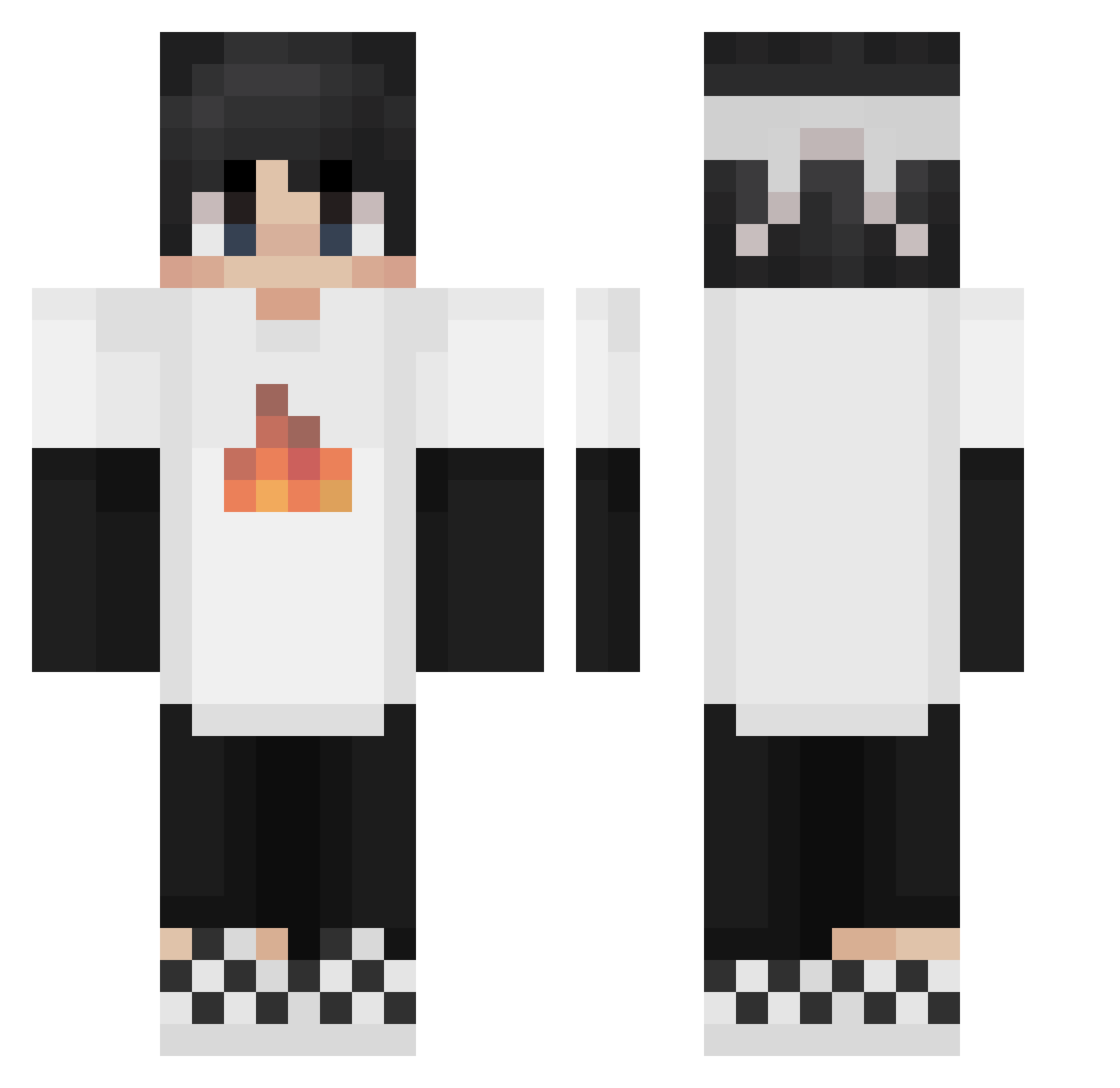
Current Minecraft skin of the player Kiillssj, loaded from the official Mojang API. Rotate the 3D model with your mouse or finger, then download the skin as a PNG file and use it in Minecraft: Bedrock Edition or Java Edition for free. When Kiillssj changes their skin, this page updates automatically and the old skin stays in the history below.
Other players with this skin (225)
Kiillssj was the 171st player we have seen with this skin, first spotted on 14.10.2026. The same skin was seen on these players. Open a nickname to see their current skin and skin history.
 ob1van champ4_tyce deadpool2208 heaviervx Labgou51prime OTE_Orange Ryanishim hixstxry TommyRob2009 Sofia282 pihanek Dxginho Chenxihalo woshishacha TBLfishlin Bengi0128 TBoy250 Xikong007 dream24627 seebee9 wenyifeng BigMineNRG TopMiIkShake Caoshuai Boogie8520 wangwx j0hnPL Petrowski1018 chris_123456789n Jaretteam finboy835 jee125 zgn1234 _sw1ftslAsher_ Elliotholte 6139 Gabriel____ Alex186543 ShrMatt Blackk021 stevebutwhy aminuosi114514 moh7med_gh timsdt08 OscarTheRaven Alexanderwyy Raunak001 SpooneyBook Jzyyyy Korn2847 ikhagoij9oejnmas tchy12345678 Its_Frypan trumpetknutte Sx_Marcos MinecraftWille DomainYYDS Mzxx1 dzabulaa SmallEvem
More Checkered Shoes Minecraft skins
See all 55 Checkered Shoes skins
How to install the Kiillssj skin
- Press the Download button above to save the skin as a PNG file.
- Minecraft: Bedrock Edition (PE): open the Dressing Room from the main menu (or tap your character → Edit Character), go to Classic Skins → Owned, press the + (new skin) button, choose the downloaded PNG and pick the Classic (Steve) model. Works on PC and mobile; consoles cannot import custom skins.
- Minecraft: Java Edition: open the Minecraft Launcher, go to the Skins tab, click New Skin, load the PNG, pick the Classic (Steve) model and press Save & Use. You can also upload it at minecraft.net → Profile → Change Skin.
The skin does not show up after import - what should I do?
Restart Minecraft and open the Dressing Room again - imported skins sometimes appear only after a restart. Also make sure you selected the imported skin and picked the Classic (Steve) model.
Which model should I choose, Classic or Slim?
This skin is designed for the Classic (Steve) model. If you pick the wrong model, the arms of the skin will look stretched or squeezed.
Is the skin of Kiillssj free to download?
Yes. Press Download, save the PNG file and use it in Minecraft: Bedrock Edition or Java Edition - no payment or registration needed. The skin also works on multiplayer servers and Realms.
More skins
Looking for more? Go back to all Minecraft skins and check the top skins of the week, month and all time, or find any player's skin by nickname.